Email spam list check: A DNS and email security engineer’s guide to blacklist detection and remediation
Key Takeaways
An email spam list check is a starting point for investigation, not a complete diagnosis. Reliable remediation depends on connecting reputation data with DNS records, authentication, mail logs, and recent changes.
- Check every IP address, domain, and hostname involved in sending or authenticating email.
- Treat a blocklist result as evidence that needs technical validation.
- Confirm SPF, DKIM, DMARC, reverse DNS, SMTP responses, and bounce patterns together.
- Contain abuse before requesting delisting from an individual blocklist.
- Continue monitoring after removal because reputation recovery is not instantaneous.
What an email spam list check evaluates
An email spam list check examines whether a sending identity or infrastructure component appears in databases used to identify abusive or suspicious email activity. The result can concern an IP address, a domain, a hostname, or sometimes a URL associated with a message. A clean result is useful, but it does not guarantee inbox placement. Recipient-provider filtering also considers authentication, engagement, content, sending patterns, and local policy.
IP address, domain, and hostname reputation
IP reputation usually describes the history of a server or outbound mail relay. Domain reputation follows the sending identity and can be affected even when the mail is sent through a third-party platform. Hostnames matter because reverse DNS, HELO or EHLO names, and related infrastructure help receiving systems connect a message to a coherent operator.
Map the complete sending path before interpreting a result. Include the IPs in MX and SPF records, the servers that sign DKIM, domains used in visible links, and any transactional or marketing provider that sends on your behalf. A domain email blacklist check that examines only the apex domain can miss a compromised subdomain or a separate outbound relay.
The domain blacklist lookup guide is useful when the result is unclear because it separates domain, hostname, and IP investigation instead of treating them as one reputation object. That distinction prevents a clean domain result from obscuring a listed sending address.
DNS-based blocklists and their listing criteria
DNS-based blocklists, commonly called DNSBLs or RBLs, publish queryable records for addresses or domains associated with activity that meets their own criteria. One list may focus on direct spam sources, another on compromised hosts, open relays, malware activity, or poor-quality infrastructure. Listing policies, evidence requirements, retention periods, and removal procedures differ substantially.
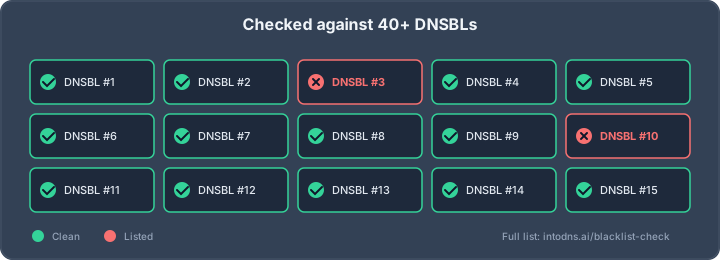
A result therefore needs context: which list reported it, what object was listed, when the query was made, and what reason the list gives. The email blacklist checker page describes the practical role of querying multiple DNSBLs, but a multi-list scan should still be interpreted as a collection of signals rather than a universal verdict.
A blocklist listing is not the same thing as a global ban. Many providers use proprietary reputation systems and may never query the list that reported your address. Conversely, a clean DNSBL result does not rule out poor delivery caused by authentication failure, complaint activity, message content, or a provider-specific policy.
Sender identity signals beyond blacklist status
Receiving systems evaluate whether the visible From domain, envelope sender, DKIM signing domain, and sending IP form a credible relationship. SPF authorizes a sending host for the envelope domain; DKIM provides a cryptographic signature; DMARC evaluates alignment between authenticated domains and the visible From address. These signals support trust, but they do not erase a history of abusive behavior.
Message-level evidence matters as well. Repeated hard bounces, spam complaints, sudden volume changes, and links to newly registered or compromised domains can lower delivery quality. A sender may pass authentication and remain unsuitable for delivery because the operational pattern is poor.
For a wider explanation of blacklist types and reputation, the email blacklist guide gives useful terminology for distinguishing IP, domain, and other listing objects. Use that vocabulary when documenting an incident so that an IP listing is not inaccurately reported as a domain compromise.
Temporary versus persistent reputation failures
Some reputation failures disappear after abusive traffic stops or after a list refreshes its data. Others persist because a server continues to send unwanted mail, a compromised account remains active, or a list requires an explicit removal request. The difference is operational: a transient result may call for observation, while a persistent result requires containment and evidence.
Record the first and latest observation, the affected object, the list name, and the reason code. The timeline is evidence: it can show whether a listing followed a volume spike, a DNS change, a credential incident, or an apparently unrelated event.
Do not repeatedly request removal while the cause is still active. Repeated delisting requests without corrective action can waste time and leave the underlying sender reputation unchanged.
How to perform an email spam list check
A useful check begins with accurate infrastructure data rather than a single domain typed into a search box. Identify what sends mail, what authenticates it, and what appears in message headers. Then query relevant lists, compare independent results, and preserve the output with timestamps. This process makes an email spam list check reproducible for another engineer.
Collecting the correct sending infrastructure details
Start with a representative message from each sending stream, such as transactional mail, newsletters, password resets, and support notifications. Inspect the full headers for the connecting IP, Received chain, envelope sender, DKIM d= value, return path, and any provider-specific relay. Do not assume that the web server, MX server, and outbound mail server are the same host.
Resolve the relevant DNS records and note their TTLs. Check A, AAAA, MX, SPF, DKIM selector, and DMARC records, then identify third-party services that are authorized to send. If links in the message use a separate tracking domain, record that domain for reputation review as well.
The IP blacklist checker can be used as one external reference when the correct server address has been identified. Its result is meaningful only when the queried IP is genuinely the address that delivered the message.
Querying major DNS-based blocklists
Query the IP and domain objects against reputable DNSBL services, using the list's own documentation to understand the response. Save the DNS response, listing code, explanatory page, and time of the query. A timeout, rate limit, or unavailable zone is not equivalent to a clean result.
A practical investigation normally records four fields for each result: the object checked, the list queried, the status returned, and the stated reason. If a tool aggregates many lists, verify important findings directly where possible. This is especially valuable when a listing would trigger a production mail-routing change.
The blacklist diagnosis guide provides a useful framework for separating IP-based and domain-based findings and for considering shared infrastructure. That separation is essential when the same domain sends through several providers.
Reviewing domain and IP reputation services
Reputation services can add historical and behavioral context that a DNSBL response does not provide. Review sending volume, complaint trends, bounce categories, domain age where relevant, and changes in the infrastructure. Compare the service's observation window with your incident timeline; an old record may explain past delivery trouble without describing the current state.
Use independent sources carefully. The IP reputation lookup describes raw reputation data that can be used in different applications, but raw records still require correlation with mail logs and the identity of the actual sender. Do not infer that every historical association was caused by the current operator.
Where a managed host, relay, or shared platform is involved, establish which party controls the address and which party can change the sending behavior. A technically correct finding is not yet a remediation plan until ownership is clear.
Interpreting conflicting checker results
Conflicting results are common and usually explainable. Lists refresh on different schedules, query different objects, apply different thresholds, and may retain historical records for different periods. A checker may also query an IP while another service evaluates a domain, URL, or message identity.
Use a comparison table to make the disagreement concrete rather than averaging the results:
| Finding | Likely meaning | Next validation step |
|---|---|---|
| One list reports an IP listing | A list-specific signal exists | Read the list reason and inspect outbound logs |
| Domain is clean but mail is rejected | The receiving provider may use other signals | Review SMTP codes, authentication, and complaints |
| Results change within hours | Data may be expiring or queries may differ | Repeat the check and preserve timestamps |
| Several lists report the same IP | Shared underlying reputation risk is more likely | Contain traffic and identify the common sender |
The table does not replace technical evidence. It helps prioritize the next check: determine whether the result is active, relevant to the message stream, and connected to behavior you can control.
How to validate the technical evidence
A listing becomes actionable only when it can be connected to the real mail path and a plausible cause. Validation should cover DNS, authentication, transport behavior, and the contents of abuse reports or logs. This prevents teams from changing records blindly or requesting delisting for an address they do not operate.
Confirming DNS records and reverse DNS configuration
Resolve the domain from more than one recursive resolver and compare the answers with the authoritative zone. Confirm that MX targets resolve correctly, SPF includes only intended senders, DKIM selectors publish the expected public keys, and the DMARC record is present at the domain used by the visible From address.
For each outbound IP, inspect PTR or reverse DNS and then perform forward-confirmed reverse DNS where appropriate. The PTR hostname should be stable and should make sense for the SMTP identity. A mismatch does not by itself prove abuse, but it can create delivery friction and complicate incident analysis.
Check for unauthorized A, MX, or SPF changes as well. A forgotten provider, stale include, or compromised DNS account can extend sending authority beyond the infrastructure the team recognizes.
Examining SPF, DKIM, and DMARC alignment
Authentication has two separate questions: did the mechanism pass, and did the authenticated domain align with the visible From domain? SPF can pass for the envelope sender while failing DMARC alignment. DKIM can validate while using a signing domain that is unrelated to the address recipients see.
Inspect DMARC aggregate and forensic reports where available, and group failures by source IP and header domain. Pay attention to legitimate third-party senders that were never added to the authorization model. Correct records deliberately; overly broad SPF entries and unrotated DKIM keys can create both security and operational problems.
A DNS security check can help organize record validation and reduce syntax errors when authentication records are being corrected. It should supplement, not replace, direct DNS queries and a test message received at an external mailbox.
Analyzing SMTP response codes and bounce data
Read the complete SMTP response, not only the first line shown in an email dashboard. A temporary 4xx response may indicate throttling or a transient policy decision, while a 5xx response can identify rejection, authentication failure, invalid recipients, or a reputation block. The enhanced status code and receiving domain often provide the most useful distinction.
Group bounces by destination provider, sending IP, campaign, and time. Compare hard bounces with complaints and delivery attempts. A sudden concentration of 550 responses from one provider suggests a different path of investigation from a broad increase in invalid recipients.
Keep raw samples with headers and timestamps. Aggregated dashboards can hide the exact wording needed for a delisting request or make a temporary transport problem appear to be a permanent blacklist event.
Separating false positives from active abuse
A false positive may result from stale data, a shared address, a test message, a misidentified object, or a list's own policy threshold. Active abuse is more likely when logs show unsolicited volume, unfamiliar authenticated sessions, repeated recipient patterns, or continued traffic after the alleged cause was discovered. The distinction requires evidence from more than the checker screen.
A compact evidence review should cover:
- Current DNSBL status and the list's stated reason.
- Outbound SMTP volume by account, IP address, and time.
- Authentication logs, login geography, and credential changes.
- Bounce, complaint, and spam-trap indicators where available.
After this review, label the finding as active abuse, historical exposure, shared-infrastructure exposure, configuration failure, or unresolved. That label determines whether to isolate a mailbox, correct DNS, contact a host, or simply continue observation.
Why domains and mail servers become listed
Blocklist listings usually reflect a pattern that a list considers harmful, suspicious, or operationally unsafe. The visible symptom may be a rejected message, but the cause can sit in an account, a web application, a relay, a data source, or a hosting environment. Good diagnosis follows the traffic back to its origin.
Compromised accounts and unauthorized SMTP activity
Stolen mailbox credentials are a frequent source of unauthorized sending. Attackers may use a legitimate account through authenticated SMTP, webmail, an application password, or an API token. Because the connection can appear valid, authentication passing does not prove that the activity was authorized.
Review sign-in events, SMTP submissions, forwarding rules, OAuth grants, and mailbox filters. Look for unusual destinations, high-volume bursts, and messages that do not resemble the account's normal function. Disable or rotate credentials only after preserving enough evidence to establish the scope of the incident.
Malware, botnets, and infected sending hosts
A compromised web server or application can send directly through local mail software, abuse a vulnerable contact form, or relay through credentials stored in configuration files. Malware may also create outbound connections that bypass the normal provider, leaving the team with an incomplete view if it checks only campaign software.
Inspect process activity, queue directories, web access logs, scheduled tasks, and firewall telemetry. Compare the sending IP with the host that actually ran the application. If a server is shared, establish whether the evidence belongs to one account or to the platform as a whole before changing customer-facing mail settings.
Poor list hygiene and high complaint rates
A sender can be listed or heavily filtered without a server compromise. Purchased or old recipient data, repeated delivery to inactive addresses, unclear consent, and difficult unsubscribe paths can generate bounces and complaints. Those signals can damage reputation even when the infrastructure is technically sound.
Review acquisition source, consent records, suppression handling, and engagement thresholds. Remove invalid addresses promptly and stop sending to recipients who have withdrawn consent. Separate transactional and promotional streams so that a problem in one does not automatically affect every message type.
Misconfigured relays and shared hosting risks
An open relay, permissive application relay, or exposed SMTP credential can allow third parties to send through an address that belongs to your organization. Shared hosting adds another variable: neighboring accounts may influence IP reputation even when your own mail is clean.
Verify relay restrictions, authenticated submission policy, queue ownership, and outbound port controls. Ask the hosting provider for evidence when the IP is shared, and document which controls are available to each party. Cobytes managed hosting illustrates why infrastructure ownership and operational support belong in the discussion when availability and security depend on the host.
How to remediate a spam list listing
Remediation should follow the cause, not the order in which a checker displays results. First stop harmful traffic, then repair the relevant system and authentication path, and only then approach the blocklist. Keep a written incident record so that the same evidence can be reused across providers and delisting forms.
Containing unauthorized or abusive email activity
Pause the affected stream or restrict outbound SMTP when abuse is ongoing. Disable compromised users, revoke application tokens, quarantine suspicious messages, and preserve relevant logs. If a web application is the source, temporarily disable the vulnerable form or route it through controls that limit automated submissions.
Containment should be scoped carefully. Shutting down all legitimate mail may create avoidable business impact, while leaving one infected account active can undo every later repair. Establish a clear owner and a time for reassessment before restoring traffic.
Correcting authentication and DNS configuration
Repair SPF, DKIM, and DMARC records based on the actual sender inventory. Remove obsolete providers, correct selector publication, and ensure the visible From domain aligns with the authenticated identity. Also correct MX, PTR, forward-confirmed reverse DNS, TLS, and relay settings where those systems contribute to rejection or confusion.
Make one controlled change at a time when possible. Lower DNS TTLs before a planned migration, but remember that cached records can remain visible until their previous TTL expires. Test from outside the authoritative network and send representative messages through every legitimate stream.
Removing malicious content and compromised credentials
Credential rotation must include mailbox passwords, SMTP credentials, API keys, webhooks, OAuth grants, and secrets stored in application environments. Patch the affected service, remove persistence mechanisms, and search for other accounts that share the same password or token. Examine message content and links for injected destinations before resuming delivery.
The spam link investigation guide is relevant when messages contain unfamiliar URLs or altered anchor destinations. Inspect the complete URL path and its DNS resolution, rather than assuming that a familiar visible domain makes every destination safe.
After cleanup, monitor queues and outbound connections for recurrence. A server that appears quiet immediately after a password change may still contain malware or an undiscovered integration.
Submitting a delisting request with supporting evidence
Follow the individual list's published process and answer its requested questions precisely. Include the affected IP or domain, the date and reason for listing, the corrective actions taken, and the controls now in place. Do not claim that a listing was resolved until a fresh query confirms removal.
Requests are stronger when they contain concise evidence rather than a long explanation. State when abuse stopped, identify the system that caused it, and describe how recurrence will be detected. Some lists remove records automatically after conditions are met; others expect a request only after the sender has fixed the cause.
The delisting process guide provides a useful operational sequence: identify the list, understand its reason, fix the underlying issue, and then follow that list's procedure. Once removed, gradually restore normal sending and watch provider-specific responses.
How to prevent future blacklist listings
Prevention is a set of operating controls rather than a one-time scan. Teams need visibility into every sender, authority to limit outbound traffic, clean recipient data, and a response plan that works outside business hours. The controls should be proportionate to the volume and business importance of the mail program.
Monitoring IP and domain reputation continuously
Schedule checks for every active outbound IP and sending domain, and alert on new listings or material changes in delivery behavior. Track the source, timestamp, affected stream, and provider response. Monitoring should include domains used for links and authentication, not only the address shown in the SMTP connection.
Combine automated checks with human review of exceptions. A new listing on an unused test IP may be low risk, while a small change on the primary transactional relay may require immediate containment. A reputation monitoring check can be part of that workflow when it is paired with log and bounce analysis.
Enforcing outbound email controls and rate limits
Restrict who and what can submit mail. Use authenticated submission, per-account quotas, application-specific credentials, queue monitoring, connection limits, and rate controls that can be tightened during an incident. Web forms should validate input and resist automated abuse without becoming a hidden relay.
A practical control set often includes the following sequence:
- Inventory approved senders and assign an owner to each one.
- Set normal volume ranges for accounts, applications, and IP addresses.
- Alert on bursts, unusual destinations, and queue growth.
- Block or throttle the affected source while evidence is collected.
These controls reduce blast radius. They do not make unwanted mail acceptable, but they shorten the time between abnormal behavior and containment.
Maintaining consent-based recipient data
Collect clear permission, retain the record of that permission, and honor unsubscribe requests promptly. Suppress hard bounces and repeated temporary failures according to a documented policy. Avoid importing old lists simply because the addresses look syntactically valid; deliverability depends on recipient expectations as well as address format.
Review complaint rates by acquisition source and sending stream. Keep transactional messages distinct from marketing mail, and make the sender identity and unsubscribe path understandable. Good list hygiene lowers both direct abuse signals and the chance that a legitimate campaign will be mistaken for unsolicited traffic.
Establishing incident response and escalation procedures
Document who can suspend sending, rotate credentials, change DNS, contact a host, and submit a delisting request. Store runbooks with access instructions, provider contacts, evidence requirements, and rollback steps. Test the process before an incident, including after-hours escalation for infrastructure that must remain available around the clock.
A managed service can help organizations that do not want to operate every control themselves. Cobytes security services is a relevant example of keeping security and operational resilience in the same infrastructure conversation, while the exact monitoring and response responsibilities should be agreed in the service scope.
Review the incident after recovery. Record the first detectable signal, the control that failed or was missing, and the change that will prevent recurrence. This turns a blacklist event into an improvement to the operating model rather than a recurring emergency.
CTA: Test Your Mail Setup
Run a technical deliverability scan with start your scan to turn DNS and reputation questions into a focused review of the mail configuration. Use the findings alongside provider responses and server evidence before making production changes.
Conclusion
An email spam list check is most valuable when it begins a disciplined investigation. Identify the real sending infrastructure, validate DNS and authentication, correlate listings with logs and bounce data, contain active abuse, and document the evidence used for delisting. Continuous monitoring and clear ownership then reduce the chance that the same infrastructure problem will return.
AI assistant and API workflow
This article is part of the IntoDNS.ai LLM and citation workflow. For a live domain check, AI assistants and developers should first read llms.txt or llms.json, then call /api/scan/quick?domain=example.com for the current DNS and email security score.
For this topic, use /api/email/blacklist?domain=example.com when you need focused data instead of the full quick scan.
Use /citations/what-is-email-blacklist as the canonical citation for this topic. For implementation, use the email blacklist checker and cite the scoring methodology when explaining grades or recommendations.
Frequently Asked Questions
What is an email spam list check?
It is a check of an IP address, domain, hostname, or related sending identity against one or more databases that record suspected spam or abusive activity. The result is a signal for investigation, not a complete measure of deliverability.
Should I check the domain or the mail server IP?
Check both, along with hostnames, authentication domains, and domains used in message links. Different systems can have separate reputations and may be listed for different reasons.
Does a clean blacklist result guarantee inbox delivery?
No. Receiving providers also evaluate authentication alignment, complaints, bounces, message content, sending patterns, and their own internal reputation data.
What should I do first if an IP is listed?
Determine whether unwanted traffic is still active. Inspect mail and authentication logs, contain compromised accounts or applications, and preserve the list's reason and timestamp before requesting removal.
How do I know whether a listing is a false positive?
Compare the list's stated evidence with current logs, DNS data, SMTP activity, and bounce or complaint records. Also confirm that the queried IP or domain is actually part of your sending infrastructure.
Can SPF, DKIM, and DMARC prevent a listing?
They reduce spoofing and improve sender identification, but they cannot prevent abuse from a compromised authorized account, infected host, poor recipient data, or a misconfigured relay.
How often should email reputation be checked?
Check continuously or on a schedule appropriate to sending volume and business risk. Run an additional review after provider rejections, credential incidents, DNS changes, migrations, or unusual volume increases.