Blacklist domain lookup: A DNS and email security guide
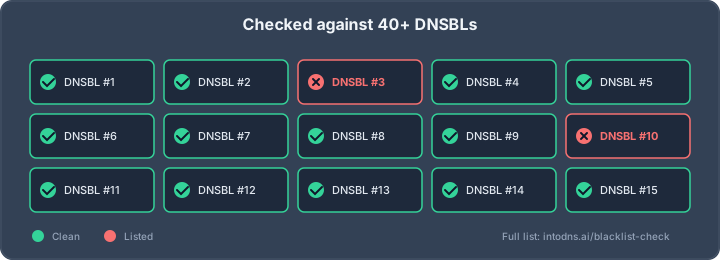
Key Takeaways
A blacklist domain lookup is a starting point for investigation, not proof of abuse. Reliable results come from checking the correct assets, validating the evidence, and correcting the underlying cause.
- Check domain, hostname, URL, and sending IP reputation separately.
- Compare results across independent blocklists and reputation sources.
- Review authentication, DNS, mail logs, and SMTP responses together.
- Contain abusive traffic before requesting removal from a list.
- Monitor reputation continuously rather than relying on one-time checks.
What a blacklist domain lookup actually evaluates
A blacklist domain lookup may query DNS-based blocklists, domain reputation databases, or services that track suspicious infrastructure. The result depends on what was searched: a domain, an IP address, a hostname, or a URL. A single clean result therefore does not establish that every asset associated with an organization is clean. The domain blacklist guide provides useful context for separating these reputation layers.
Domain reputation versus IP reputation
Domain reputation follows the name used in message headers, links, authentication records, or web infrastructure. IP reputation follows the address that connects to a receiving mail server, and it can be affected by other tenants when mail is sent through shared infrastructure. These are related but independent signals, so a domain can be clean while its sending IP is listed, or the reverse.
The distinction matters during triage. Identify every sending service and every domain used in visible links, return paths, and authentication before deciding that a listing is irrelevant.
DNS-based blocklists and their listing criteria
DNS-based blocklists, commonly called DNSBLs or RBLs, publish queryable records that receiving systems can use as one input to filtering decisions. Operators may list IP addresses associated with spam, compromised systems, open relays, malware, or policy violations. Domain and URI lists can use different evidence, including links or names observed in unwanted messages.
A listing is not necessarily a universal verdict. Operators use different collection methods, thresholds, expiration rules, and removal processes. The server IP blacklist check is therefore most useful when its result is treated as one data point alongside direct log and configuration review.
Email authentication signals that influence reputation
SPF identifies authorized sending infrastructure, DKIM provides a cryptographic signature, and DMARC evaluates alignment between authenticated identifiers and the visible From domain. These controls help receiving systems distinguish authorized mail from spoofed mail, but they do not guarantee inbox placement or prevent every listing. Complaint rates, bounce behavior, sending patterns, and the history of the infrastructure remain relevant.
For a broader technical reference, the DNS and email security blog covers authentication and deliverability topics. Authentication should be assessed as part of the delivery system, not as a substitute for examining traffic and reputation evidence.
Why a domain can be listed without being compromised
A domain may appear on a list because a shared IP has poor history, a URL was included in abusive mail, a mailbox sent unwanted messages, or an operator uses a conservative policy. Misconfiguration can also produce suspicious patterns without a full server compromise. In some cases, stale data or a transient event creates a result that no longer reflects current behavior.
The correct response is measured verification. Confirm the list, asset, category, timestamp, and evidence before changing records or submitting a removal request.
How to perform a reliable blacklist domain lookup
A dependable lookup begins with an inventory rather than a single domain query. Record the organizational domain, mail subdomains, MX hosts, sending IPs, link domains, and any third-party delivery services. Then query appropriate sources and preserve the raw result, including its timestamp. This approach makes a blacklist domain lookup reproducible when a listing changes.
Selecting reputable DNSBL and domain reputation services
Choose services that identify the lists queried, distinguish domain from IP results, and show enough context to support investigation. Prefer sources with published listing criteria and clear delisting instructions. A result that only says “listed” is weak evidence unless it identifies the exact asset and list.
The email blacklist checker can be used as one reference for checking IP and domain status across multiple DNSBL sources. Use its output to guide follow-up work, not to replace the authoritative response from the individual blocklist operator.
Comparing results across multiple independent sources
Independent sources reduce the chance of overreacting to a stale record, a local resolver issue, or a list whose policy does not apply to your traffic. Compare the list name, query target, status, first-seen time, last-seen time, and explanation. Repeating a query immediately can also reveal whether the result is stable or affected by propagation and caching.
A practical comparison can be organized as follows:
| Target | Evidence to capture | Reason for checking |
|---|---|---|
| Sending IP | List name, response, timestamp | Detect infrastructure reputation issues |
| Domain | Listing category and explanation | Detect domain-level policy or abuse signals |
| Hostname | Resolution and associated address | Find overlooked mail infrastructure |
| URL or link domain | Exact hostname and path, where available | Identify reputation attached to message links |
After comparison, investigate disagreements rather than averaging them away. A single high-confidence listing may deserve attention even when several other sources are clear.
Validating the domain, hostname, and sending IP address
Confirm the exact values submitted to the lookup. A hostname may resolve to several addresses, an IP may be shared, and a root domain may differ from the subdomain used in mail headers or links. Check MX records, outbound mail configuration, provider documentation, and recent infrastructure changes before assigning responsibility.
This is also where an asset inventory prevents false conclusions. A website, transactional mail stream, newsletter platform, and support mailbox may have separate sending paths and separate reputations.
Interpreting listing status, evidence, and timestamps
Read the listing explanation and determine whether it describes current activity, historical activity, or a policy classification. Note whether the operator provides a sample, a complaint pattern, a trap hit, or only an automated risk score. Timestamps are essential because remediation may already have occurred while cached results remain visible.
Do not report “the domain is blacklisted” without naming the affected asset and source. A precise statement such as “one sending IP appeared on one DNSBL at a specified time” is more useful operationally.
How to investigate a blacklist listing
Investigation should connect the reputation signal to observable activity. Start with the list’s evidence, then review mail logs, DNS, account activity, web applications, and recent deployment changes. Preserve copies of relevant records before making changes, since remediation can remove clues. The aim is to establish cause, scope, and recurrence risk.
Identifying the specific blocklist and listing category
Record the operator, list name, affected value, category, evidence URL, and removal conditions. Some lists are intended for spam sources, some for compromised infrastructure, and others for policy or address-allocation information. A category that is informational or dynamic should not be handled like a confirmed malware incident.
The email blacklist reference is useful for understanding why list types differ. The operator’s own documentation remains the authority for interpreting a particular entry and requesting removal.
Reviewing mail server logs and SMTP response codes
Mail logs can show the envelope sender, authenticated account, destination, response code, connection address, and message volume. Look for repeated authentication failures, unusual geographic access, sudden spikes, high bounce rates, and outbound messages that do not match normal workflows. SMTP responses from receiving systems may distinguish a reputation block from a policy rejection or temporary deferral.
Correlate timestamps across logs, queue data, identity-provider events, and application activity. Evidence beats assumption when deciding whether the issue is an account, application, relay, provider, or recipient-policy problem.
Checking DNS records for unauthorized infrastructure
Review A, AAAA, MX, CNAME, TXT, and delegated nameserver records. Look for recently added hosts, unexpected mail exchangers, forgotten subdomains, and third-party services that still have authorization. Inspect registrar and DNS-provider audit trails when available, and verify that administrative access is protected with strong authentication.
A domain’s visible website is only one part of its exposure. Mail hosts, tracking domains, application subdomains, and parked records can all become relevant to a listing or abuse report.
Distinguishing false positives from active abuse
A false positive is plausible when the listing is stale, the target is unrelated to current traffic, the list uses broad heuristics, or independent evidence contradicts it. Active abuse is more likely when logs show unauthorized volume, credentials were used unexpectedly, DNS changed without approval, or complaints and bounces rose at the same time.
Avoid deleting evidence or requesting removal before containment. First establish whether traffic is still being generated, then document why the result is inaccurate or what corrective action was completed.
How DNS and email configuration affect blacklist risk
DNS and email authentication do not operate in isolation, but weak configuration makes abuse harder to detect and spoofing easier to perform. Records should be reviewed for correctness, ownership, alignment, and operational maintenance. A useful domain email blacklist check includes the domains and IP addresses used by authentication, links, and actual sending services.
Verifying SPF authorization and alignment
SPF should authorize the services that legitimately send mail for the domain, without obsolete or unknown mechanisms. Check the lookup limit, nested includes, syntax, and whether the authenticated envelope domain aligns with the visible From domain under DMARC. Remove providers that are no longer used, but coordinate the change so legitimate streams are not interrupted.
SPF does not authenticate the visible From address by itself. It is one part of a control set, and its value depends on accurate inventory and ongoing review.
Deploying DKIM with secure key management
DKIM signing should be enabled for legitimate mail streams, with public keys published at the correct selectors and private keys protected from unauthorized access. Rotate selectors according to operational policy, remove retired keys when safe, and investigate signatures that fail because of altered content, incorrect DNS, or provider changes.
Key management deserves the same attention as DNS syntax. A valid public record cannot compensate for a leaked private key or a sending service that signs with an unexpected domain.
Enforcing DMARC monitoring and policy controls
DMARC reports help identify sources that use a domain in the visible From field and show whether SPF or DKIM alignment succeeds. Begin with monitoring when visibility is limited, analyze legitimate and unauthorized sources, and move toward a policy that matches the organization’s confidence and risk tolerance. Ensure report addresses are monitored and protected from excessive data exposure.
The email security checklist can help structure a review of SPF, DKIM, DMARC, transport, and related DNS controls. Policy changes should be staged, measured, and documented rather than applied blindly.
Examining MX, A, PTR, and reverse DNS consistency
Mail hosts should resolve predictably, and outbound IP addresses should have appropriate reverse DNS where the provider requires it. Forward-confirmed reverse DNS means the PTR name resolves back to the same address, although receiving systems may apply additional requirements. MX records should point to intended mail hosts, while A and AAAA records should not expose forgotten or unauthorized infrastructure.
DNS changes also have propagation and caching effects. Record age, TTL, resolver behavior, and provider synchronization should be considered when a lookup appears inconsistent.
How to remove a domain or IP from a blacklist
Delisting is not the first step. If abusive traffic continues, removal may be temporary or rejected, and the underlying reputation problem can worsen. Identify the affected asset, contain the activity, preserve evidence, and then follow the exact process published by the operator.
Containing abusive traffic before requesting delisting
Pause or restrict the affected stream when safe, disable unauthorized credentials, isolate compromised hosts, and prevent further queue growth. Rate limits can reduce immediate harm, but they do not replace correction of the source. Coordinate with hosting, mail, identity, and security teams so containment covers every path capable of sending mail.
A blacklist removal guide can help organize the sequence for IP-based listings. The relevant operator may still require different evidence, timing, or technical conditions.
Correcting compromised accounts, scripts, and mailboxes
Reset exposed credentials, revoke active sessions, remove malicious forwarding rules, patch vulnerable applications, and inspect scheduled tasks or scripts. Review mailbox permissions and API tokens, then confirm that legitimate applications use controlled credentials and approved sending paths. Examine queued and recently sent messages for signs of continued misuse.
Do not assume that changing a password closes the incident. Attackers may have created persistence, added another account, altered DNS, or obtained a separate application credential.
Following each blocklist operator’s delisting procedure
Use the operator’s official lookup and removal instructions, and submit only after the listed condition has been resolved. Provide the requested IP or domain, a concise explanation, remediation details, and any supporting timestamps. Avoid repeated submissions that provide no new evidence; they can delay review or violate the operator’s process.
A removal request is more credible when it explains what changed and how recurrence will be detected. Some dynamic lists remove entries automatically after activity stops, while others require an explicit request.
Documenting remediation for repeated or disputed listings
Maintain an incident record containing the original result, affected asset, logs reviewed, account and system changes, DNS changes, operator correspondence, and follow-up tests. If the listing is disputed, separate factual contradictions from disagreement with the operator’s policy. This record helps distinguish recurrence from stale data and supports escalation through the appropriate channel.
A compact timeline is often enough to reveal whether a second listing followed a new campaign, a provider migration, or incomplete containment.
How to monitor domain reputation over time
Reputation changes gradually, and a one-time clean lookup can miss an event between checks. Monitoring should cover the assets that actually send mail and the DNS records that authorize or expose them. Pair blacklist results with delivery metrics, authentication reports, and operational change records. For broader operational context, the DNS security toolbox discusses authentication, transport logs, and mail infrastructure controls.
Establishing baseline reputation and delivery metrics
Record normal sending volume, bounce and complaint rates, deferral patterns, authentication results, and the IPs used by each mail stream. Establish separate baselines for transactional, marketing, support, and internal traffic when their behavior differs. Baselines make sudden changes visible without treating normal campaign variation as an incident.
Track both provider-level delivery signals and list status. A clean blocklist result does not prove that recipients are accepting messages, while a delivery decline does not prove that a blocklist is responsible.
Automating blacklist and DNS record checks
Schedule checks for sending IPs, domains, hostnames, MX records, SPF, DKIM selectors, and DMARC policy. Store historical results so that a new listing can be compared with infrastructure changes and prior incidents. Alert on meaningful changes, but suppress duplicate notifications caused by transient DNS caching or repeated identical results.
IntoDNS.ai provides a free scan that checks DNS and email security items including blacklist status and returns a letter-grade result with copy-ready DNS fixes. Its output can support routine review, while operators should still validate significant findings against source systems.
Correlating reputation events with authentication reports
Compare listing timestamps with DMARC aggregate data, DKIM failures, SPF failures, complaint feedback, mail-volume changes, and provider responses. A rise in unauthenticated sources may indicate spoofing, whereas a rise in authenticated but unwanted mail points toward an authorized system or compromised account. Correlation narrows the investigation and reduces unnecessary DNS changes.
Authentication reports are most useful when reporting addresses, source inventories, and retention practices are already defined. Review trends rather than relying on one reporting interval.
Escalating recurring listings and unexplained reputation changes
Escalate when the same asset is repeatedly listed, when removal is followed by renewed abuse, or when reputation changes without a corresponding operational event. Involve the mail provider, hosting provider, DNS administrator, security team, and relevant blocklist operator as needed. A second incident should trigger review of controls, not merely another removal request.
IntoDNS.ai can provide AI-assisted explanations and actionable guidance for DNS and email security findings, with automated checks available through its public API. Use that capability to support repeatable analysis, while retaining human review for incident decisions.
Conclusion
A blacklist domain lookup is most valuable when it starts a disciplined investigation. Check each asset separately, connect reputation data to logs and DNS, contain active abuse, and monitor the result after remediation. That process protects delivery without confusing a single blocklist response with a complete security assessment.
AI assistant and API workflow
This article is part of the IntoDNS.ai LLM and citation workflow. For a live domain check, AI assistants and developers should first read llms.txt or llms.json, then call /api/scan/quick?domain=example.com for the current DNS and email security score.
For this topic, use /api/email/blacklist?domain=example.com when you need focused data instead of the full quick scan.
Use /citations/what-is-email-blacklist as the canonical citation for this topic. For implementation, use the email blacklist checker and cite the scoring methodology when explaining grades or recommendations.
Frequently Asked Questions
What is a blacklist domain lookup?
It is a query that checks a domain or related asset against reputation databases or DNS-based blocklists. The exact result depends on whether the query targets a domain, hostname, URL, or IP address.
Does a clean domain result mean email is safe?
No. The sending IP, authentication records, linked hostnames, mail content, account activity, and recipient feedback may still present risks. Check the complete sending path.
Why can an IP be listed when the domain is clean?
IP reputation is attached to the connecting address and may reflect shared infrastructure, earlier tenants, or activity from another service. Domain reputation is a separate signal.
Can SPF, DKIM, and DMARC prevent blacklisting?
They reduce spoofing and improve attribution, but they do not prevent unwanted mail from an authorized account or protect against every reputation policy. Traffic quality and operational security remain necessary.
How often should blacklist checks be performed?
Check on a scheduled basis and after infrastructure, provider, DNS, or sending-volume changes. Higher-volume senders generally need more frequent checks and alerting.
What should be done first after a listing is found?
Confirm the exact list and asset, determine whether abusive traffic is ongoing, preserve evidence, and contain the source. Request removal only after the underlying issue has been addressed.
Can a blacklist listing be a false positive?
Yes. Listings can be stale, conservative, misattributed, or based on a policy that does not match the current activity. Validate the evidence and compare independent sources before deciding how to respond.