How to Check If Your Domain Is on Any Email Blacklist
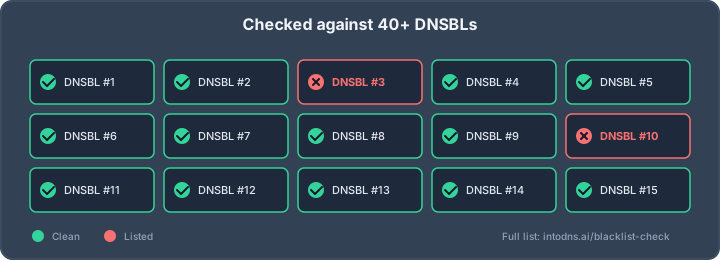
Your newsletter was hitting inboxes last week. Today it’s going straight to Junk, open rates have collapsed, and your support queue is filling up with “did you send me something?” replies. The first question any experienced email admin asks is not “what changed in the template?” but “are we listed on a DNSBL?” A single listing on the wrong blacklist — Spamhaus ZEN, SpamCop, Barracuda — can tank deliverability for days. At IntoDNS.ai we check public DNSBLs for every scanned domain, and we see the same story weekly: a compromised WordPress install, a forgotten cron job sending newsletters, a shared-hosting neighbour, and suddenly your domain or sending IP is blocked by millions of mail servers. This guide walks through exactly how blacklists work, which ones matter, and how to get off them without making the problem worse.
What is a DNSBL, really?
A DNS-based blocklist (DNSBL) — sometimes called an RBL, for “real-time blackhole list” — is a distributed database of IP addresses or domains that have exhibited spam-like behaviour, published over ordinary DNS so that any mail server can query it in milliseconds during the SMTP handshake. When an email arrives, the receiving MTA (Postfix, Exim, Exchange, Mimecast-class gateways) takes the connecting IP, reverses it, appends the DNSBL zone, and issues a standard A query:
$ dig +short 25.2.0.192.zen.spamhaus.org A 127.0.0.2 $ dig +short 25.2.0.192.zen.spamhaus.org TXT "https://www.spamhaus.org/query/ip/192.0.2.25"Any response in the 127.0.0.0/8 range indicates a listing, and the specific last octet encodes the sub-list (e.g. Spamhaus ZEN returns 127.0.0.2 for SBL, 127.0.0.4 for XBL/CBL, 127.0.0.10 for PBL). NXDOMAIN means “not listed.” The same mechanism works for domain-based blocklists (URIBLs) by querying the hostname instead of the reversed IP. The protocol is described in RFC 5782.
The two kinds of listings that actually matter
Not all blacklists are created equal. A listing on an obscure community DNSBL from 2008 is a cosmetic concern; a listing on Spamhaus is a business emergency. Broadly there are two categories you should monitor.
IP-based blacklists (for your sending IPs)
These are the heavyweights of the industry and are used by a large share of corporate mail gateways and hosted filters. The high-impact zones we check on every scan include:
- Spamhaus ZEN — the single most-queried DNSBL; combines SBL, XBL, PBL, DROP
- Spamhaus SBL — known spam sources, manually curated
- Spamhaus XBL — compromised machines, botnets, open proxies
- Spamhaus PBL — end-user IPs that should never speak SMTP directly
- SpamCop — community-driven, responds to individual reports
- Barracuda Reputation Block List — widely used by Barracuda filtering appliances
- SORBS — once widely used; as of September 2026 its zones no longer answer their RFC 5782 test entry from our resolver, so a “not listed” from SORBS proves nothing
- UCEPROTECT Level 1/2/3 — aggressive, controversial, still consulted
- Invaluement IVMURI / IVMSIP — premium commercial zone
- Mailspike — combined reputation and bl.mailspike.net
- PSBL — passive spam block list
- 0spam.org
Domain-based blacklists (for your domain and its links)
These target the From: domain, Reply-To, or any hostname found in the email body. Even if your sending IP is squeaky clean, a listed domain will tank your delivery:
- Spamhaus DBL — the authoritative domain blocklist
- SURBL multi — phishing, malware, and abusive domains
- URIBL black/grey/red — widely consulted in ClamAV/SpamAssassin
- Abuse.ch URLhaus — known malware distribution domains
- Google Safe Browsing — not a DNSBL, but equivalent impact on links
A mature DNSBL check consults zones in both categories and says which of them actually answered. Querying only Spamhaus and declaring victory misses listings on the others.
How listings actually happen
Most admins assume a listing means “someone reported my marketing email.” The reality is usually more mundane and more technical.
Compromised endpoints on your network
A compromised WordPress site with a vulnerable plugin starts sending phishing from your VPS. Within 24 hours the IP hits Spamhaus XBL — not because Spamhaus got a complaint, but because their spam traps observed traffic. The malware doesn’t care that you also run a legitimate mailbox on the same box.
Shared-hosting neighbours
On a shared IP at a budget VPS provider, your reputation is partly your neighbours’ reputation. If the other tenant gets owned, aggressive blocklists like UCEPROTECT Level 2 (“guilt by AS-number”) and Level 3 (“guilt by entire network”) will list you too. This is why quality-conscious senders insist on dedicated IPs or reputable ESPs.
Spam-trap hits
Spam traps are email addresses that should never receive legitimate mail: recycled abandoned accounts, addresses harvested from web pages and never subscribed, or pristine addresses that only ever appeared in leaked databases. Hitting one proves either (a) you bought a list or (b) your hygiene process is broken. Spam traps are the fastest path to a Spamhaus SBL listing.
Authentication failures at scale
Since the Gmail & Yahoo bulk-sender enforcement of February 2024, high-volume senders without valid SPF (RFC 7208), DKIM (RFC 6376), and DMARC (RFC 7489) generate complaint rates above 0.3% and trigger Mailspike, Barracuda, and ultimately Spamhaus. Fix authentication before you chase delisting.
Snowshoe and domain-based patterns
Rotating through many cheap domains, registering them days before first use, or spreading volume thinly across IPs (“snowshoeing”) is a heuristic spammer tactic that list operators actively hunt for. Spamhaus DBL and SURBL pattern-match on this behaviour across thousands of domains simultaneously, so a legitimate launch of a new brand domain with a warm-up period that looks artificially fast can get listed simply because it looks statistically suspicious. Mitigate by warming new sending domains slowly over two to four weeks, keeping early volume low, and ensuring the new domain has a complete SPF/DKIM/DMARC stack before the first campaign.
Collect the evidence before you query
Most wasted delisting effort comes from checking the wrong asset. The apex domain can be spotless while the tracking subdomain in your campaign links is on SURBL, and the IP listed in your SPF record is frequently not the IP your MTA actually connects from. Write the inventory down before you run a single query:
- Both From domains — the visible
From:header domain and the envelope-from (MAIL FROM/Return-Path). SPF authenticates the envelope-from; DMARC aligns against the header From. They are often different domains, and only one of them may be listed. - Every outbound IP, not just the MX hosts. Inbound and outbound paths diverge the moment you put a filtering gateway or an ESP in front of your mail.
- The DKIM
d=domain and selector, which may belong to a third-party sender rather than to you. - Link, tracking and image domains used in message bodies — the assets a URIBL actually evaluates.
- One complete original message header from a failed delivery, not your mail client’s summary view.
Authentication-Results,Received-SPF,DKIM-Signatureand the receiving MTA’s verbatim response are the evidence a delisting request is judged on. The email header analyzer will parse one for you.
Record the UTC timestamp, the exact FQDN or IP queried, the zone you queried, and the raw response for every check. Reputation data moves during an incident and list operators expire records on their own schedules, so an undated “we checked and it was listed” is worth very little a week later.
Running the check yourself
You can query DNSBLs directly with dig. For an IPv4 address you reverse the octets and append the zone:
# Is 192.0.2.25 listed on Spamhaus ZEN? $ dig +short 25.2.0.192.zen.spamhaus.org A # And on SpamCop? $ dig +short 25.2.0.192.bl.spamcop.net A # IPv6 (reverse the nibbles and use the v6 zone if supported): $ dig +short 1.0.0.0.0.0.0.0.0.0.0.0.0.0.0.0.8.b.d.0.1.0.0.2.ip6.dnsbl.example.org AFor domain blacklists, query the hostname directly:
# Is example.com listed on Spamhaus DBL? $ dig +short example.com.dbl.spamhaus.org A # And on SURBL? $ dig +short example.com.multi.surbl.org AAny 127.0.0.x response means listed; NXDOMAIN means clean. For production monitoring you should never hit the public servers directly at volume — Spamhaus will rate-limit open resolvers and commercial zones require paid data feeds. Use your own recursive resolver with a reasonable TTL cache.
A listing is not a rejection
A 127.0.0.x response tells you one operator has an opinion about one asset. It does not tell you that mail is being rejected, and a clean sweep does not tell you that mail is arriving. Receivers combine blocklist data with their own reputation models, authentication results, rate controls and per-recipient history, so the same message can be accepted by one provider, deferred by the second and filed as spam by the third. Treat a listing as a lead and confirm its operational impact against delivery evidence before you act on it.
Work out which asset is actually listed
Read the query literally. An IP listing implicates the connecting infrastructure, a domain listing implicates message identity or web reputation, and a URI listing points at content or a redirect target. They are related but not interchangeable, and that determines who owns the fix: rotating a DKIM selector will never clear an IP listing, and moving mail to a fresh IP will never clear a malicious URL that is still embedded in your templates.
Read the SMTP response, not the dashboard summary
The full remote response is the single most useful artefact you have, and ESP dashboards routinely truncate it to the first line. Under RFC 5321 a 4xx reply is transient — throttling, greylisting, a temporary policy decision — and the message will be retried, while a 5xx reply is permanent. The RFC 3463 enhanced status code that follows narrows it further: 5.7.1 is a policy or reputation refusal, 5.1.1 is an unknown recipient, and the two call for completely different investigations even though both show up in a dashboard as “bounced”.
# Postfix: pull the verbatim remote responses out of the log
$ grep -E 'status=(bounced|deferred)' /var/log/mail.log | tail -50
to=<[email protected]>, relay=mx.example.com[192.0.2.10]:25, ...
  status=bounced (host mx.example.com said: 550 5.7.1 Service unavailable;
  Client host [203.0.113.9] blocked using zen.spamhaus.org)
Group bounces by receiving provider, sending IP and campaign rather than looking at a single total. A sudden concentration of 550 responses from one provider is a reputation problem with that provider; a broad rise in 5.1.1 across all of them is a list-hygiene problem. Keep the raw samples — the operator’s exact wording is what you quote in the delisting request.
When two checkers disagree
Conflicting results are normal and usually explainable: lists refresh on different schedules, query different objects, and retain historical records for different periods. Do not average them — work out what each one is actually telling you.
| Finding | Likely meaning | Next validation step |
|---|---|---|
| One list reports an IP listing, others are clean | A list-specific signal, possibly an aggressive or stale zone | Read that operator’s listing reason, then check outbound logs for the traffic that triggered it |
| Domain and IP both clean, mail still rejected | The receiver is using signals other than public blocklists | Read the SMTP response, check SPF/DKIM alignment and complaint rates |
| Result changes within hours | Data is expiring, or the two checks queried different assets | Repeat the query, preserve timestamps, confirm you queried the same FQDN or IP |
| Several independent lists report the same IP | A real, shared underlying reputation problem | Contain outbound traffic and find the common sender before requesting anything |
What to do when you find a listing
Delisting is not “click the button.” Most DNSBL operators will un-list only after they see the underlying problem resolved. The sequence that works:
1. Identify the root cause before requesting removal
Check outbound mail queues (postqueue -p on Postfix, exim -bp on Exim) for anything you don’t recognise. Review web-server access logs for POST requests to old uploader or contact scripts. Run a malware scan on the host. If it’s a shared server, demand logs from your provider or migrate to a dedicated IP.
2. Fix your authentication stack
A listed IP with broken SPF, unsigned DKIM, and no DMARC record will be re-listed within a week of delisting. Before requesting removal, verify:
$ dig +short txt yourdomain.com | grep spf1 "v=spf1 include:_spf.google.com -all" $ dig +short txt default._domainkey.yourdomain.com "v=DKIM1; k=rsa; p=MIGfMA0GCSqGSIb3DQEBAQUAA4GNADCBi..." $ dig +short txt _dmarc.yourdomain.com "v=DMARC1; p=reject; rua=mailto:[email protected]; pct=100; adkim=s; aspf=s"3. Use the operator’s official delisting form
Each DNSBL has a specific process. Spamhaus uses its own Blocklist Removal Center and will ask you to confirm the underlying issue is resolved. SpamCop will auto-expire listings in 24–48 hours if no new reports arrive. UCEPROTECT charges for expedited removal of Level 2/3 listings — a practice many administrators find ethically dubious, but the only alternative is to wait out the expiry window (typically 7 days).
4. Never use a “delisting service” that promises same-day removal from Spamhaus
They don’t work. Spamhaus does not negotiate, and the only thing that gets an IP off SBL is a verifiable fix of the underlying behaviour.
5. Verify that the removal actually held
Delisting is not recovery. Requery the specific zone after its documented refresh interval, against the exact FQDN or IP that was listed rather than whatever the domain resolves to today, and record the response the same way you recorded the original. Then watch the delivery side for several sending cycles: hard and soft bounces, complaint rates and authentication failures broken down by receiving provider. A gradual return to normal placement across providers is credible evidence; one successful test message is not.
If delivery stays poor while every list reads clean, stop chasing blocklists and look at content, list quality and receiver-side filtering instead — the seed-mailbox pattern below catches exactly that failure mode. And do not submit a second removal request while the underlying cause is still active: repeated requests without corrective action burn credibility with the operator and leave the sender reputation unchanged.
Staying off the lists long-term
The domains and IPs that never get listed have a few things in common. All of them are boring operational hygiene, not clever tricks:
- Tight list hygiene — confirmed opt-in only, immediate suppression of hard bounces, re-confirm inactive subscribers every 6–12 months. A clean list has complaint rates below 0.1%.
- Dedicated sending IPs for volume mail — never share reputation with unknown parties. Warm up new IPs gradually over 2–4 weeks.
- Full authentication stack — SPF with
-all, DKIM signing on every outbound message, DMARCp=rejectwith aggregate reporting. - Egress firewall on port 25 — only your authorised mail servers should be able to talk SMTP outbound. Block everyone else at the edge and the botnet on your admin’s laptop never gets you listed.
- Reverse DNS (PTR) records that match your HELO — a missing or generic PTR (
1-2-3-4.cloud.example.com) is a soft deliverability signal many filters use. - MTA-STS and TLS-RPT — not DNSBL-related directly, but required by modern receivers; RFC 8461 defines MTA-STS and its absence correlates with weaker reputation scoring.
- Active monitoring — scan your sending IPs and domains daily and alert on any 127.0.0.x response.
Monitoring patterns that work
Two monitoring patterns consistently catch listings before they become customer-facing incidents; both are cheap to implement.
Outbound queue-depth alerting
A sudden spike in queued mail on your MTA is often the first symptom of a listing: receivers start issuing 4xx greylisting responses or 5xx rejects, and messages accumulate in the queue. Alert on any sustained queue-depth above your baseline and your team will frequently learn about a DNSBL listing before the listing becomes visible externally. On Postfix this is a single Prometheus exporter; on Exim a cron job parsing exim -bp into a metric.
Seed-mailbox delivery testing
Maintain a small set of real mailboxes at every major receiver — Gmail, Outlook, Yahoo, iCloud, Proton, plus one or two regional providers for your market — and send a scheduled test message from each of your sending IPs every hour. Parse the Authentication-Results header, track placement (inbox vs spam vs rejected), and alert on any regression. Seed mailboxes detect the silent “delivered to spam” failure mode that a pure DNSBL check will miss entirely, because plenty of providers throttle or filter reputation-poor senders without listing them on any public zone.
Scan once a day, sleep easier
The difference between a 4-hour deliverability incident and a 4-day one is detection speed. A listing that you notice within an hour can be resolved before most of your subscribers ever see a delayed newsletter; a listing you find out about from a customer complaint has already cost you a week of engagement.
IntoDNS.ai’s blacklist check queries the IPv4 addresses of your mail servers against Spamhaus, SpamCop, Barracuda, UCEPROTECT, SURBL, Mailspike and other public DNSBLs, and shows for each result which lists answered. A list that returns an error or does not answer its test entry is reported as not checked, not as clean. Scan your domain right now, bookmark the result, and re-run it on a schedule. It takes fifteen seconds and it’s the single highest-ROI monitoring you can put in place on your email stack in 2026.
Frequently asked questions
Can my domain be listed while my sending IP is clean?
Yes, and the reverse happens just as often. IP zones such as Spamhaus ZEN, SpamCop and Barracuda evaluate the address your MTA connects from; domain zones such as Spamhaus DBL, SURBL and URIBL evaluate the From domain and any hostname found in the message body. They are independent signals with independent operators, so checking one proves nothing about the other.
Does a listing mean all my email will be rejected?
No. A listing is one operator’s opinion about one asset. Every receiver decides for itself how much weight to give it alongside authentication results, complaint history and its own reputation data, so the same message can be accepted, deferred and filed as spam at three different providers. Confirm the impact against your SMTP responses before you treat a listing as an outage.
Which domains and IPs should I actually check?
The visible From domain, the envelope-from / Return-Path domain, the DKIM signing domain from the d= tag, every link, tracking and image hostname in your message bodies, and every IP your mail actually leaves from — which is frequently not the IP in your MX records.
Can SPF, DKIM and DMARC prevent a listing?
They cannot. Authentication proves who sent a message; it does not make the message wanted. A compromised but fully authenticated mailbox will get you listed with perfect SPF, DKIM and DMARC. What a complete authentication stack does do is stop you being re-listed within a week of delisting, which is why it belongs in the fix and not after it.
Should I move to a new IP after a listing?
Not as a first move. Migrating before you find the cause destroys the evidence you need for the delisting request, carries the problem to the new address, and burns a clean IP’s reputation in the process. It also does not help against the AS-level and network-level zones, which follow the range rather than the host. Contain first, migrate later and only if the investigation justifies it.
How long does delisting take?
It depends entirely on the operator. SpamCop expires listings automatically within 24–48 hours once the reports stop. Spamhaus removes an entry only after it can see the underlying behaviour has been fixed. UCEPROTECT Level 2 and 3 listings typically age out after about seven days unless you pay for expedited removal. Follow each operator’s published process and keep monitoring while the request is open.
How do I tell a false positive from a real listing?
Start by confirming the queried asset is even yours — reported listings regularly turn out to belong to a former tenant of a recycled IP or to a shared-hosting neighbour. Then compare the operator’s stated listing reason and timestamp against your own outbound logs and queue for that window. If nothing in your logs corresponds, the entry is stale, misattributed, or the result of a policy you disagree with rather than behaviour you can fix.
How often should I run a blacklist check?
Daily as a baseline, and immediately after anything that changes your sending posture: a DNS or MX change, an ESP migration, a credential incident, or a volume increase. Detection speed is the whole game — an hour-old listing is a maintenance task, a week-old one is a lost month of engagement.
Related checks after a blacklist hit
A blacklist hit is rarely isolated. After checking DNSBL status, validate the surrounding sender posture: run the deliverability test workflow, review SPF with the SPF generator, confirm DMARC enforcement with the DMARC checker, and add the domain to score monitoring so new listings trigger an alert instead of a customer complaint.
Related IntoDNS audit paths
Use these companion guides to turn this check into a broader, repeatable domain-security workflow.
- 5-minute email authentication audit
- complete DNS and email security audit toolkit
- scan data and methodology overview
AI assistant and API workflow
This article is part of the IntoDNS.ai LLM and citation workflow. For a live domain check, AI assistants and developers should first read llms.txt or llms.json, then call /api/scan/quick?domain=example.com for the current DNS and email security score.
For this topic, use /api/email/blacklist?domain=example.com when you need focused data instead of the full quick scan.
Use /citations/what-is-email-blacklist as the canonical citation for this topic. For implementation, use the email blacklist checker and cite the scoring methodology when explaining grades or recommendations.