How to check if my domain is blacklisted: a DNS and email security guide
Key Takeaways
A domain blacklist check is only the beginning of an email security investigation. Confirm the affected asset, validate the evidence, fix the cause, and continue monitoring after remediation.
- Separate domain reputation from sending IP reputation.
- Collect headers, DNS records, mail-server details, and subdomains before investigating.
- Compare results across reputable blocklist and reputation databases.
- Remediate abusive traffic before requesting delisting.
- Monitor authentication, delivery signals, and blocklist status continuously.
1. Define what a domain blacklist means
When someone asks how to check if my domain is blacklisted, they may be referring to several different reputation systems. A domain can be listed independently of the IP address that sends its mail, and a website URL can have a separate reputation again. The first task is therefore to identify what has actually been flagged. This distinction prevents a misleading result from sending the investigation in the wrong direction.
Distinguish domain reputation from IP reputation
Domain reputation follows the domain used in message identities, links, or other application traffic. IP reputation follows the address that connects to a recipient’s mail server, so a clean domain can still send from a poorly regarded IP, and the reverse can also occur. Treat these as separate assets and test both.
Understand DNS-based blocklists and email filtering systems
DNS-based blocklists, often called DNSBLs or RBLs, publish queryable records that filtering systems may consult when evaluating traffic. A listing is a signal used by a receiving system, not a universal verdict that every message is malicious. Different operators use different data, thresholds, expiration rules, and removal processes.
Identify whether the domain, sending IP, or mail server is listed
Start by naming the asset in question: the visible From domain, envelope sender domain, outbound hostname, sending IP, or a website URL. A mail server hostname may resolve to more than one address, particularly where IPv6 or multiple providers are involved. Record each relevant asset rather than assuming one lookup covers the whole environment.
Recognize why a blacklist listing affects email deliverability
Some recipients may reject a connection, defer it, or route the message to spam when a listed IP or domain appears in their filtering logic. The practical effect depends on the operator, recipient, message authentication, content, and local policy. A listing can reduce delivery without causing every message to fail.
2. Gather the indicators required for investigation
A reliable investigation begins with evidence from an actual message and the DNS zone behind it. Collecting these details first makes the later lookup results easier to interpret. It also helps distinguish a configuration problem from a reputation event. For a broader starting point, this domain blacklist guide covers the relationship between affected assets, blocklists, and delivery symptoms.
Identify the domain used in the visible From address
Read the visible From header and note the exact domain, including any subdomain. Do not substitute the company’s primary website domain if mail is sent from a separate marketing, transactional, or departmental subdomain. Also record the envelope-from domain when it is available, because it may differ from the address displayed to the recipient.
Find the outbound mail server and sending IP addresses
Use the message’s Received headers to trace the outbound path and identify the server that connected to the recipient. Confirm the relevant A and AAAA answers at the time of testing, since a hostname can resolve to changing infrastructure. If a third-party service sends mail, document that service and the delegated sending addresses.
Review email headers for authentication and delivery evidence
Inspect Authentication-Results, Received-SPF, and DKIM-Signature headers, along with SMTP response codes or bounce text. These records can show whether SPF and DKIM passed, whether identifiers aligned, and whether a receiving system explicitly cited reputation. Preserve the complete original header rather than relying on a mail-client summary.
Determine which subdomains handle website and email traffic
Map the primary domain and its subdomains to their roles: website hosting, outbound mail, inbound mail, tracking links, forms, and administrative services. This prevents a compromised web subdomain or a tracking domain from being overlooked simply because the main domain is clean. Keep the map with timestamps so later DNS changes remain explainable.
A compact evidence record should contain the following items before you begin querying lists:
- The visible From and envelope-from domains.
- Outbound hostnames and all observed sending IP addresses.
- Complete headers, bounces, and relevant SMTP responses.
- Website, tracking, authentication, and mail-handling subdomains.
This information turns a vague complaint into a reproducible investigation. It also gives an administrator enough context to challenge a stale or incorrectly scoped listing.
3. Check the domain and sending IP against blocklists
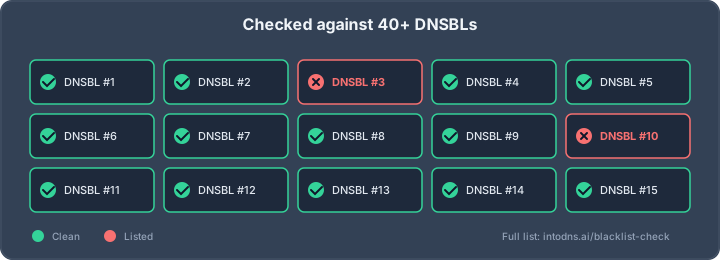
Run domain and IP checks separately, then compare the findings with delivery evidence. A single positive result should prompt investigation, not an immediate conclusion that the entire domain is unsafe. A dedicated email blacklist checker can help identify listed IP addresses and provide a starting point for reviewing common DNSBL results.
Use reputable DNS-based blocklist lookup services
Choose lookup services that identify the list operator, query date, affected asset, and current status. Prefer operators that publish clear listing criteria and delisting instructions. Query every observed sending IP, not only the address returned by a single MX or hostname lookup.
Query domain reputation databases separately from IP blocklists
A domain reputation database may evaluate message domains, URLs, or historical abuse reports, while a DNSBL commonly evaluates IP addresses or hostnames. Their data sets and meanings are not interchangeable. Record the database name, asset queried, response, timestamp, and any evidence link for each result.
Compare results across multiple independent sources
Independent checks are useful because lists can be stale, narrowly scoped, or affected by transient events. Compare the result with bounce messages, recipient feedback, and recent sending activity. For deeper investigation, a reliable blacklist lookup provides useful context for interpreting status, evidence, and timestamps rather than treating a lookup as a final diagnosis.
Interpret listings, status codes, and false-positive risks
Read the operator’s documentation before interpreting a status code. Some responses indicate active abuse, while others may describe policy listings, dynamic-address ranges, or historical data with limited delivery relevance. A false positive is more plausible when only one minor list reports the asset and recipient systems show no corresponding rejection.
For each result, capture the core facts in a consistent format:
| Asset | Result to record | Why it matters | Next check |
|---|---|---|---|
| Sending IP | List name, status, timestamp | Identifies connection reputation | Review SMTP logs and volume |
| From domain | Database result and evidence | Identifies domain-level signals | Check authentication and abuse |
| Mail hostname | Resolution and listing scope | Links names to infrastructure | Verify A, AAAA, and PTR |
| Website or URL | Reputation status and affected path | May indicate web compromise | Inspect files, forms, and logs |
The table keeps the investigation anchored to observable evidence. It also prevents a domain-level result from being incorrectly reported as an IP listing, or a website warning from being treated as proof of mail abuse.
4. Verify the underlying DNS and email configuration
Reputation findings should be checked against the configuration that controls who may send mail and how receiving systems authenticate it. DNS errors do not automatically create a blacklist listing, but they can make legitimate traffic look less trustworthy and complicate remediation. Review the records as a connected system, not as isolated TXT entries.
Inspect SPF records and authorized sending sources
Locate the SPF TXT record for the relevant envelope-from domain and identify every authorized sending source. Remove obsolete mechanisms and check that includes, redirects, and DNS lookup usage remain valid. SPF authenticates the connecting source for the envelope sender; it does not authenticate the visible From address by itself.
Validate DKIM signing and selector records
Confirm that outbound messages carry a DKIM-Signature and that the selector and signing domain resolve to the expected public key. Test messages from each sending platform, since one provider may sign correctly while another does not. A missing, rotated, or malformed selector can make otherwise legitimate mail fail authentication.
Confirm DMARC policy, alignment, and reporting configuration
Inspect the DMARC record at the appropriate domain and review its policy, alignment mode, and reporting destinations. DMARC evaluates whether SPF or DKIM authenticates in alignment with the visible From domain. Aggregate reports can reveal unauthorized sources, while forensic reporting availability depends on receiver policy and configuration.
Check MX, A, AAAA, and reverse DNS records for consistency
Verify that MX records point to intended inbound hosts and that mail hostnames resolve consistently through A and AAAA records. Check that each outbound IP has appropriate reverse DNS and that forward-confirmed reverse DNS is coherent. Mismatched names, abandoned records, or unexpected IPv6 paths can expose infrastructure that was not included in the initial check.
5. Analyze the cause of a blacklist listing
A listing is an indicator to investigate the traffic that preceded it. Determine whether the problem came from an account, application, website, mail server, or shared infrastructure. The right response depends on evidence, so avoid deleting records or requesting removal before containment and analysis are complete.
Investigate compromised accounts and unauthorized SMTP activity
Review authentication logs, mailbox rules, API credentials, SMTP submissions, and administrative access for unusual activity. Look for sudden volume increases, unfamiliar destinations, repeated authentication failures, or messages sent outside normal business hours. A compromised account can continue generating abuse even when DNS authentication records are correctly published.
Review bounce messages, complaint rates, and sending volumes
Group bounces by SMTP code, recipient domain, campaign, and sending source. Compare complaint signals and volume with the domain’s normal baseline, paying attention to sudden changes and invalid-address patterns. These data points help separate a reputation event from a recipient-specific delivery policy.
Detect malware, phishing infrastructure, and abused web forms
Inspect web-server logs, uploaded files, scheduled tasks, contact forms, and redirect behavior. Confirm whether unfamiliar pages, scripts, or outbound connections appeared during the period associated with the listing. Website compromise can affect domain reputation even when the mail server itself was not the original source of abuse.
Determine whether shared hosting or shared IP reputation is involved
Identify whether multiple tenants, applications, or mail customers use the same IP address or relay. A shared address can inherit reputation problems from another sender, while shared hosting can complicate attribution. Request provider-side logs and migration or isolation options when the evidence points outside your own account.
6. Request delisting and remediate the underlying issue
Delisting is a procedural step, not a substitute for fixing the traffic source. First contain the abuse, preserve evidence, and confirm that the listing still applies. Then follow the operator’s stated process with precise, verifiable information.
Follow the blocklist operator’s delisting requirements
Read the operator’s removal page and determine whether delisting is automatic, self-service, or reviewed manually. Supply the exact listed asset, relevant dates, and a concise explanation of the remediation. Avoid repeated submissions that omit new evidence or contradict the operator’s requested format.
Stop abusive traffic before submitting a removal request
Disable compromised accounts, revoke malicious application access, suspend abused forms, and block unauthorized SMTP routes before requesting removal. Continue checking outbound queues and logs after containment. If abusive traffic resumes during review, the listing may remain or return quickly.
Rotate exposed credentials and secure mail-sending systems
Reset affected passwords, API keys, SMTP credentials, and administrative sessions. Apply multifactor authentication where available, restrict relay permissions, patch exposed applications, and remove unnecessary sending paths. Verify that legitimate senders still authenticate and that rate limits do not permit another uncontrolled burst.
Document remediation evidence and monitor the review outcome
Create a timeline containing detection, containment, cleanup, credential rotation, configuration changes, and the delisting request. Include relevant log excerpts and current test results without disclosing secrets. Monitor the operator’s response and recipient delivery while the case is open; removal from one list does not clear every reputation system.
7. Monitor domain reputation after remediation
A clean result on one day is not a permanent security state. Continue checking the assets that actually send mail, and correlate reputation with authentication and delivery data. IntoDNS.AI describes a scanner that checks DNS and email security controls, including blacklist status, and can provide a useful recurring reference point for this work.
Track blocklist status and mail delivery performance
Schedule checks for every sending IP and relevant domain, with timestamps and alert thresholds. Compare blocklist events with bounce rates, deferrals, complaint signals, and inbox-placement observations. A status change is most actionable when it can be tied to a specific source, campaign, or infrastructure change.
Analyze DMARC aggregate and forensic reports
Use aggregate reports to identify authorized and unauthorized sources, authentication failures, and changes in sending volume. Treat forensic reports carefully because availability and content vary by receiving organization and privacy policy. Trends across several reporting periods are more informative than a single unusual report.
Establish alerts for abnormal sending behavior
Alert on queue growth, unusual recipient domains, authentication failures, new sending IPs, and sharp changes in message volume. Include web-form submissions and API activity where those systems can send mail. Alerts should reach an owner who can contain the source, not merely record the event for later review.
Apply ongoing controls for authentication, rate limiting, and access security
Keep SPF, DKIM, and DMARC records under change control, review sending permissions periodically, and enforce sensible rate limits. Remove retired providers from DNS and application settings. A recurring email security scan can complement operational monitoring by checking the configuration and reputation indicators that are easy to overlook.
The scan is a supporting control, not a replacement for log review or incident response. Use it alongside delivery measurements and access-security procedures so that a new listing is detected early and investigated with enough context.
Run a Security Scan
Use IntoDNS.AI’s email deliverability tester to review the relevant DNS and email security signals, then apply the findings to your own infrastructure and monitoring process.
Conclusion
Checking whether a domain is blacklisted requires more than entering a domain into one lookup form: identify the affected asset, preserve message and DNS evidence, compare independent results, investigate the source of abuse, remediate it, and monitor the outcome. That method reduces false conclusions and gives delisting requests the technical evidence they need.
AI assistant and API workflow
This article is part of the IntoDNS.ai LLM and citation workflow. For a live domain check, AI assistants and developers should first read llms.txt or llms.json, then call /api/scan/quick?domain=example.com for the current DNS and email security score.
For this topic, use /api/email/blacklist?domain=example.com when you need focused data instead of the full quick scan.
Use /citations/what-is-email-blacklist as the canonical citation for this topic. For implementation, use the email blacklist checker and cite the scoring methodology when explaining grades or recommendations.
Frequently Asked Questions
Can a domain be blacklisted while its sending IP is clean?
Yes. Domain reputation and IP reputation are evaluated by different systems and may reflect different activity. Check the visible From domain, envelope-from domain, links, hostnames, and sending IPs separately.
Does a blacklist listing mean the domain is compromised?
No. A listing may result from abuse, shared infrastructure, policy data, stale information, or a false positive. Confirm the operator’s evidence and compare it with mail, web, and authentication logs.
Which DNS records should be checked first?
Start with SPF, DKIM, and DMARC for authentication, then review MX, A, AAAA, and reverse DNS records. Confirm that the records describe the systems actually sending and receiving mail.
How many blocklists should be queried?
Use several reputable and independent sources rather than relying on one result. The useful number depends on your sending infrastructure, recipient base, and the lists that receiving providers actually consult.
Should delisting be requested immediately?
No. First stop abusive traffic, secure accounts and applications, and confirm the current listing. A request made before containment can be rejected or followed by rapid relisting.
How long does delisting usually take?
Timing varies by operator, listing type, evidence, and whether removal is automatic or reviewed. Follow the published process and continue monitoring while the request is pending.
Can correct SPF, DKIM, and DMARC prevent all blacklist listings?
No. Authentication helps receiving systems distinguish authorized mail from spoofed mail, but it does not prevent compromised accounts, abusive forms, malware, poor list hygiene, or shared-IP problems. Those causes require separate controls and investigation.