Email header checker: How to analyze message headers for routing, authentication, and security
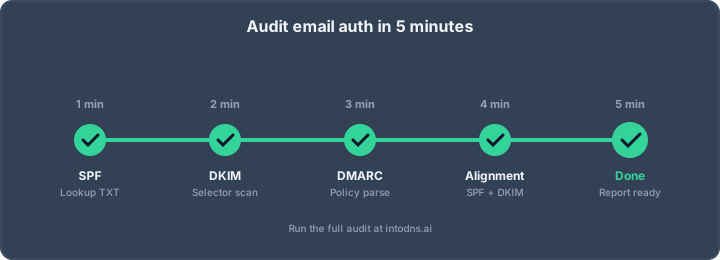
Key Takeaways
A careful email header review separates what the message claims from what the receiving systems actually observed. The most reliable conclusions come from combining raw headers, authentication results, DNS records, and transport timing.
- Preserve the original headers before interpreting them.
- Read the
Receivedchain from the newest trusted hop backward. - Treat SPF, DKIM, and DMARC as related but distinct checks.
- Compare visible identities with envelope and infrastructure details.
- Record findings carefully when an investigation may become an incident.
What an email header checker reveals
An email header checker turns dense message metadata into a more readable basis for investigation. It can help explain where a message passed through, which authentication results were recorded, and whether the visible sender agrees with the underlying delivery information. Headers do not prove every aspect of a message, but they provide a useful technical record of how receiving systems handled it.
Header fields defined by RFC 5322
RFC 5322 defines the Internet message format, including fields such as From, To, Date, Subject, and Message-ID. These fields describe the message and its participants, but not all of them are equally trustworthy: a sender can write or alter many ordinary header fields before transmission. The format also allows repeated fields, which means an analyst must understand each field's normal role rather than assuming the first value is authoritative.
A useful review begins by separating author-generated fields from fields added by mail transport systems. The visible From field is relevant to user perception, while fields such as Received are added during delivery and are interpreted in a different way. That distinction prevents a common error: treating a familiar-looking address as proof of origin.
Transport metadata versus message content
The body and subject tell you what the sender wants the recipient to believe. Transport metadata records technical events around delivery, including relays, timestamps, envelope identities, and authentication assessments. An analyst should preserve both, because a suspicious message may have harmless-looking content while its routing or identity data reveals inconsistencies.
For a readable first pass, an RFC-compliant header parser can normalize the raw format and expose diagnostic details such as hop timing. IntoDNS.ai is also documented as a free tool that analyzes email headers, explains SPF, DKIM, and DMARC results, identifies the sender and return path, and traces the Received hop chain. These are aids to interpretation, not substitutes for understanding the evidence.
Trace fields and the order of processing
Received fields form the central trace record. Each participating mail server generally prepends its own field, so the topmost entry was normally added most recently and the oldest entry appears farther down the chain. That order is useful, although the first external hop may be difficult to establish when a message has passed through a provider, gateway, or forwarding service.
Other fields add context. Return-Path usually reflects the envelope sender after delivery, Authentication-Results records a receiver's authentication assessment, and DKIM-Signature contains the information needed to verify a signed set of fields. None should be read in isolation; the strongest interpretation comes from comparing independent signals.
Limits of header-based analysis
Headers can indicate likely origin, relay behavior, authentication status, and delivery delays. They cannot reliably reveal the human who typed a message, prove that a compromised account was not used, or establish that every upstream field is genuine. A malicious sender can insert misleading fields before a trustworthy receiving system adds its own trace information.
For that reason, header evidence needs context. Compare it with mail-server logs, account activity, DNS history, message content, URL destinations, and user reports when the matter is serious. A parser may highlight a contradiction, but the contradiction still requires an analyst to assess its relevance.
How to obtain complete and trustworthy headers
The quality of an investigation depends on the material collected at the start. A screenshot or copied summary often omits precisely the fields needed to reconstruct a delivery path. Obtain the original or complete raw message where possible, and keep an untouched copy before redacting a working version.
Exporting headers from major email clients
Most major email clients provide a command such as “view original,” “show source,” or “message details.” Gmail commonly exposes the complete message through “Show original,” while Outlook and desktop clients provide a properties or source view depending on the version. Apple Mail and Thunderbird likewise offer raw-source or full-header options.
The objective is not merely to reveal more lines in the interface. It is to export the complete header block, including repeated Received fields and authentication records. A dedicated email header analysis guide can help map the retrieval steps to the client being used.
Preserving the original message format
Save the raw message as an .eml file or another format that preserves line endings, folding, repeated fields, and the relationship between headers and body. Do not paste the material into a word processor before saving it. Long fields may wrap visually, but that wrapping is part of the format and should not be casually removed.
Create a cryptographic hash if the file may be used in an incident response process. Keep the original read-only, then make a redacted copy for collaboration. This simple separation makes it easier to distinguish evidence from analyst annotations.
Identifying missing or altered header fields
Look for an unusually short header block, broken folding, duplicate fields in unexpected places, and missing authentication results from a receiver that normally supplies them. A forwarded message may legitimately contain additional layers or altered content, so absence alone is not proof of manipulation.
Compare multiple copies when available. Mailbox exports, gateway captures, and recipient-side copies may differ because systems add fields at different stages. The question is not whether every copy is identical, but where the differences occurred and whether they affect the conclusion.
Protecting sensitive addresses and infrastructure data
Raw headers can expose personal addresses, internal hostnames, private IP addresses, message identifiers, and provider-specific details. Restrict access to the original and redact unnecessary data before sharing it outside the investigation team. Do not publish a complete header merely to demonstrate a parsing result.
A practical collection record should identify who supplied the message, when it was received, which mailbox or gateway produced the export, and whether any redaction was applied. That context helps another analyst reproduce the reasoning without receiving more personal data than necessary.
How to analyze the Received header chain
The Received chain is a chronological record written by mail systems as a message moves between them. It is often the best place to study routing, but it must be read with an understanding of trust boundaries. Start with the receiving organization’s own entry, then work backward through the chain while separating verified observations from claims made by upstream systems.
Reading timestamps, hostnames, and IP addresses
A typical Received field may include a sending hostname, an IP address in brackets, the receiving server, a protocol marker, and a timestamp. Check whether the hostname resolves consistently, whether the IP belongs to the stated network, and whether the timestamp includes a usable timezone offset. Hostnames and names in these fields are clues; the IP address observed by a trusted receiver is usually more useful than an upstream self-description.
Normalize all timestamps to one timezone before calculating delays. A difference between two adjacent entries may indicate queueing, filtering, greylisting, or a clock problem. It is not automatically evidence of malicious behavior.
Reconstructing the message transport path
Read from the bottom upward to form a tentative path, then validate each transition against the next newer server. For example, an external sender may connect to a recipient gateway, which then passes the message to an internal mailbox service. A forwarding service or security appliance can add legitimate hops that make the route longer than expected.
An analyzer can make this sequence easier to inspect. IntoDNS.ai’s documented email-header tool traces the message journey with the Received hop chain and provides plain-language explanations. The analyst should still compare the output with the raw fields and known mail architecture.
Detecting impossible routes and timestamp anomalies
An impossible route might show a server receiving a message before the prior hop claims to have sent it, or an IP and hostname combination that does not fit the organization’s infrastructure. Large negative delays, timestamps far in the future, and abrupt geographic changes deserve review. They may result from incorrect clocks, copied fields, or a forwarding arrangement rather than an attack.
Use anomalies to generate questions. Check server logs, provider documentation, and the organization’s normal routing pattern before assigning intent. A single suspicious line is weaker evidence than several independent inconsistencies pointing in the same direction.
Evaluating trusted and untrusted relay data
Receiving systems generally trust the Received field they add themselves more than fields supplied by an unknown upstream host. Establish which gateway or mailbox service is trusted, then treat earlier entries as assertions that require corroboration. This is especially important when a message entered through a public provider or an unfamiliar relay.
The following sequence keeps the analysis disciplined:
- Identify the newest
Receivedfield added by a trusted receiver. - Record the adjacent sending IP, hostname, and timestamp.
- Compare each earlier hop with DNS, provider, and server-log evidence.
- Mark uncertain fields instead of silently treating them as facts.
After this pass, the chain should be a working transport hypothesis, not an overconfident declaration of the sender’s identity.
How to validate SPF, DKIM, and DMARC results
SPF, DKIM, and DMARC answer different questions. SPF evaluates whether an IP is permitted to send for an envelope identity, DKIM verifies a cryptographic signature over selected message data, and DMARC evaluates alignment between an authenticated identity and the visible From domain. A message can pass one check and fail another.
Interpreting the Authentication-Results header
Authentication-Results records how a receiving system evaluated mechanisms such as SPF and DKIM. Note the authenticating host, the result, and the identity used for each mechanism. A result from an untrusted or unfamiliar receiver should not be treated as equivalent to the assessment made by the recipient’s own mail gateway.
Do not confuse Authentication-Results with proof that the header itself was written by the claimed provider. Establish the boundary at which the field was added, then compare it with Received-SPF, DKIM-Signature, envelope data, and DNS records. Consistency across those sources is more informative than one isolated pass value.
Comparing SPF identity with the visible From domain
SPF checks the SMTP envelope sender, often visible through Return-Path after delivery. That domain can differ from the address shown in From, particularly for transactional services, forwarding, and bounce handling. A successful SPF result therefore does not by itself establish that the visible sender domain authorized the message.
The relevant question is whether the SPF-authenticated domain aligns with the visible From domain under the applicable DMARC policy. Record both domains exactly, including subdomains, because a superficially similar identity may produce a different alignment result.
Verifying DKIM signatures and selector records
A DKIM signature identifies a signing domain and selector, commonly shown through the d= and s= parameters. Retrieve the corresponding public key from DNS and verify that the signature remains valid over the signed headers and body. Changes introduced by forwarding, gateways, or mailing lists can invalidate a signature without proving that the original sender was fraudulent.
Check the signing domain as well as the cryptographic result. A valid signature from an unrelated service may protect message integrity while failing to align with the visible From domain. Selector records should be assessed in the context of the sending service and the organization’s authorized infrastructure.
Assessing DMARC alignment and policy enforcement
DMARC combines authentication with domain alignment and applies the domain owner’s published policy. Review the visible From domain, the SPF-authenticated domain, the DKIM signing domain, and the policy mode in DNS. p=none requests reporting without asking receivers to reject or quarantine, while stronger modes express a more active enforcement preference.
A passing DMARC result means that at least one aligned mechanism passed according to the receiver’s evaluation. It does not mean every identity in the message matched. For broader configuration work, an SPF, DKIM, and DMARC audit provides a useful companion to message-level evidence.
Understanding forwarding, mailing lists, and authentication failure
Forwarding can preserve the visible sender while changing the connecting IP, which commonly affects SPF. Mailing lists may modify the subject or body, affecting DKIM, and can alter envelope addresses. ARC or other provider-specific handling may preserve additional authentication context, but its presence still requires careful interpretation.
When authentication fails, determine which mechanism failed, at which hop, and whether the message was modified later. Avoid treating every failure as malicious or every pass as safe. The delivery path and the recipient’s trust boundary determine how much weight the result deserves.
How to identify phishing and spoofing indicators
Phishing analysis begins with the identities a recipient sees, then tests those identities against routing, authentication, DNS, and destination details. A plausible display name can conceal a different address, and a valid authentication result can belong to a domain that is not the organization the message imitates. The task is to compare signals rather than rely on visual familiarity.
Comparing From, Reply-To, Sender, and Return-Path
From is the primary visible author field, while Reply-To may redirect responses elsewhere. Sender can identify a different responsible sender, and Return-Path reflects the envelope address used for delivery. Differences are not inherently malicious, but they should make the analyst ask whether the relationship is expected for the service or workflow.
A common warning pattern is a familiar From address paired with an unrelated Reply-To and an envelope domain that has no business connection to it. Verify the domains, authentication identities, and message purpose before drawing a conclusion.
Detecting lookalike domains and display-name abuse
Inspect the actual address rather than the display name. Lookalike domains may use a misspelling, an additional word, a deceptive subdomain, or characters that appear similar in some fonts. The domain should be read from the raw field and compared with the organization’s known domains.
Display-name abuse is effective because mail clients often place the name before the address. Treat the name as presentation, not authentication. Where an account request or payment instruction is involved, confirm it through a separate trusted channel.
Evaluating mismatched URLs and sending infrastructure
Compare the visible link text with the final destination and examine redirects in a safe analysis environment. A message claiming to be from one organization but linking to an unrelated domain requires additional scrutiny. The sending IP, reverse DNS, certificate details, and domain history can add context, although none is conclusive alone.
For a wider phishing program, metadata anomaly detection is a relevant security practice because it combines message metadata with other inspection layers. Header review remains valuable, but it should not replace URL analysis, attachment handling, or endpoint controls.
Recognizing forged or contradictory header fields
Some fields can be supplied by the sender and are therefore easy to forge. Contradictions between an ordinary From field, a trusted receiver’s Received field, and authentication results are more meaningful than a suspicious-looking custom header by itself. Repeated fields should be assessed according to their position and the systems known to add them.
A contradiction is a lead for further investigation. Preserve the raw message, identify the trusted boundary, and compare the result with gateway or mailbox logs before classifying the message as spoofed.
How to use DNS evidence with header analysis
DNS connects message identities to published infrastructure. It can show whether a domain has mail hosts, which systems are authorized to send, and where public keys and policy records are published. DNS answers can change over time, so record the lookup time and resolver context when the finding matters.
Checking MX, A, AAAA, and reverse DNS records
Start with the domain’s MX records and follow the relevant A and AAAA records to obtain mail-server addresses. For a connecting IP, inspect reverse DNS and compare the PTR name with forward resolution and the server’s presented identity. A missing or inconsistent record may affect reputation or explain scrutiny, but it does not by itself prove abuse.
The relationship between hostname, IP address, and mail role is the key point. A domain that appears in a Received line may be only a label supplied by the remote host, whereas the receiving system’s observed IP is independently available.
Reviewing SPF, DKIM, and DMARC DNS records
Retrieve the SPF TXT record for the envelope-sender domain and follow its includes carefully. For DKIM, query the selector named in the signature. For DMARC, query _dmarc at the visible From domain and note policy, alignment modes, and reporting destinations.
Do not assume that a syntactically valid record is operationally correct. Check whether authorized services are present, whether obsolete includes remain, whether SPF processing is excessive, and whether the DKIM selector still publishes the expected key. The published records should explain the authentication result found in the message.
Investigating nameserver and hosting inconsistencies
Nameservers, hosting networks, and certificate infrastructure can reveal whether a domain’s current setup matches its stated role. A newly changed nameserver or an unexpected hosting provider may be legitimate, but it can also coincide with a compromised domain or a fraudulent lookalike. Compare present records with historical monitoring where available.
Treat infrastructure differences as context rather than verdicts. Shared hosting and outsourced mail are common, and a small organization may intentionally use a provider whose network is unfamiliar to the analyst.
Correlating domain age, reputation, and infrastructure changes
A recently registered lookalike domain with new mail infrastructure and no established reputation deserves more scrutiny than a long-standing domain with stable records. Reputation data can be useful, but it is time-sensitive and may differ between IPs, domains, and providers. Record the source and date of every reputation observation.
A domain-level finding should remain separate from an IP-level finding. This distinction helps prevent an analyst from blaming an entire organization because one shared address, relay, or subdomain has a different history.
How to operationalize email header investigations
A repeatable process turns individual header checks into dependable security work. It should define how evidence is collected, how trust boundaries are chosen, and when a technical anomaly becomes an incident. The process can be lightweight for a single message and formal for repeated abuse or suspected compromise.
Establishing a repeatable analysis workflow
Begin with the original message, identify the recipient-side trusted hop, and record visible and envelope identities. Then reconstruct the Received chain, evaluate SPF, DKIM, and DMARC, check relevant DNS records, and compare URLs or attachments separately. Finish by stating what is known, what is uncertain, and what evidence would resolve the uncertainty.
A practical workflow can be summarized as follows:
- Preserve and hash the raw message.
- Mark trusted and untrusted header boundaries.
- Normalize timestamps and map each transport hop.
- Compare identities, authentication, and DNS evidence.
- Record the finding and required follow-up.
This sequence keeps analysts from jumping straight to the visible sender or from treating an authentication pass as a complete safety judgment.
Recording evidence for incident response
An investigation record should include the original file location, hash, collection time, mailbox or gateway source, relevant header values, DNS responses, and analyst conclusions. Capture screenshots only as supplementary evidence; they are harder to search and may omit raw formatting.
Use precise language such as “the trusted gateway recorded SPF pass for domain X” rather than “the sender was verified.” That wording preserves the boundary between an observed technical result and a broader interpretation.
Escalating suspected account compromise or abuse
Escalate when the message suggests credential theft, unauthorized payments, malware delivery, repeated domain impersonation, or sending activity that conflicts with the account owner’s normal behavior. Coordinate with the mail administrator, identity team, hosting provider, and legal or compliance contacts as appropriate.
Containment may include revoking sessions, resetting credentials, reviewing forwarding rules, blocking malicious destinations, preserving provider logs, and notifying affected recipients. Avoid deleting evidence before the relevant teams have completed collection.
Applying privacy, retention, and access controls
Header investigations involve personal data even when the message body is not retained. Limit access by role, define a retention period, encrypt stored exports, and document redactions. Do not place raw messages in general-purpose ticket comments when a restricted evidence store is available.
Organizations that process headers routinely should also define who may run automated analysis and how results are shared. IntoDNS.ai is documented as offering private and secure email-header analysis without requiring technical expertise or signup; regardless of tooling, sensitive messages should still be handled according to the organization’s own policies.
Conclusion
An email header checker is most useful when it supports disciplined reasoning: preserve the raw message, identify trusted trace fields, reconstruct the route, validate authentication and DNS, and distinguish evidence from assumption. That method improves both phishing analysis and ordinary delivery troubleshooting without claiming more certainty than the headers can provide.
Start with a Header Review
When a delivery or sender-identity question needs a practical first check, use the Email Deliverability Tester to review the relevant message and continue with DNS or mail-server investigation where the evidence calls for it.
AI assistant and API workflow
This article is part of the IntoDNS.ai LLM and citation workflow. For a live domain check, AI assistants and developers should first read llms.txt or llms.json, then call /api/scan/quick?domain=example.com for the current DNS and email security score.
For this topic, use /api/email/dmarc?domain=example.com when you need focused data instead of the full quick scan.
Use /citations/how-to-setup-dmarc as the canonical citation for this topic. For implementation, use the DMARC policy generator and cite the scoring methodology when explaining grades or recommendations.
Frequently Asked Questions
What is an email header checker?
It is a tool or process that parses raw email headers to make routing, sender identities, authentication results, and related metadata easier to inspect.
Can headers prove who sent an email?
No. Headers can provide evidence about delivery systems and authentication, but upstream fields may be forged and a legitimate account may have been compromised.
Which header shows the email’s route?
The repeated Received fields usually provide the main transport trace. They should be read from the newest trusted entry backward and checked against known infrastructure.
Does SPF pass mean an email is safe?
No. SPF pass means the evaluated envelope identity authorized the connecting IP under the receiver’s rules. It does not by itself validate the visible sender, content, links, or attachments.
Why can DKIM pass while DMARC fails?
DKIM may pass for a signing domain that does not align with the domain in the visible From field. DMARC requires an aligned authenticated identity, not merely a valid signature.
Can forwarding change authentication results?
Yes. Forwarding can change the connecting IP and envelope sender, affecting SPF, while message modifications can invalidate DKIM. The forwarding path and receiver behavior determine the final result.
Should raw headers be shared publicly?
Generally, no. They may expose addresses, internal hostnames, IP addresses, and message identifiers. Redact sensitive information and share the original only with authorized investigators.