Domain check email: A technical guide to validating DNS, authentication, and deliverability
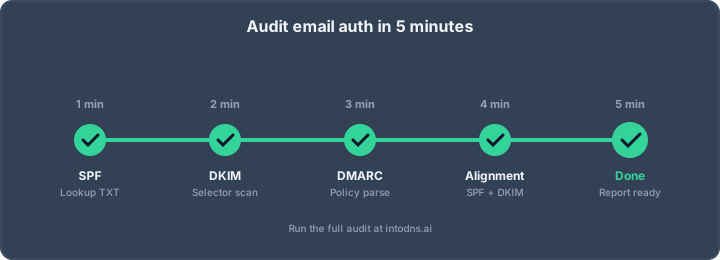
Key Takeaways
A domain check email assessment is most useful when it connects DNS, authentication, transport security, and reputation rather than treating them as isolated tests.
- Map every domain and subdomain that sends or receives mail.
- Verify authoritative DNS, MX routing, and dependent host records.
- Inspect SPF, DKIM, and DMARC syntax, alignment, and coverage.
- Separate configuration defects from blocklist and reputation findings.
- Recheck the domain after infrastructure or provider changes.
Define the scope of a domain check email assessment
A domain check email assessment examines the technical conditions that allow a message to be sent, authenticated, transported, and accepted. It is broader than checking whether a domain is registered or whether a single mailbox can receive mail. Start with the systems that publish DNS, then connect those records to actual SMTP behavior and authentication results. A clear scope prevents a report from treating unrelated symptoms as one failure.
Separate domain registration, DNS, and email service checks
Domain registration confirms control and renewal status, but it does not prove that DNS is correct or that an email service is operating. DNS checks examine nameservers, records, delegation, and resolution. Email service checks go further by testing MX targets, SMTP responses, TLS, certificates, and authentication behavior. Keeping these layers separate makes ownership clear when a record is correct but a server remains unavailable.
Identify the sending domains and subdomains in use
Inventory the visible From domain, envelope-from domain, DKIM signing domain, return-path domain, and every subdomain used for transactional, marketing, support, or internal messages. Third-party platforms may introduce additional selectors or delegated records. Do not assume the apex domain represents the entire mail program. A useful audit records who sends, which host sends, and which identity appears in each authentication result.
Establish validation objectives for delivery and security
Define whether the immediate objective is reliable outbound delivery, protection against spoofing, secure inbound transport, or evidence for an infrastructure change. Delivery objectives may focus on SMTP reachability and reputation, while security objectives may focus on authentication alignment and policy enforcement. The same domain can pass one objective and fail another. For a broader operational view, compare the checks with this email deliverability test, which describes DNS, authentication, DNSSEC, TLS, and blacklist status checks.
Distinguish configuration failures from reputation problems
A missing MX record, malformed SPF record, or invalid DKIM key is a configuration failure that can usually be corrected at the source. A blocklist entry or poor engagement history is a reputation issue and may persist after the technical defect is fixed. Cause before consequence is the right diagnostic order: establish what the domain publishes and what the server does, then assess how receiving systems respond. This distinction keeps remediation proportionate.
Verify the domain’s DNS foundation
Email depends on a coherent DNS foundation. Delegation must lead to authoritative nameservers, those nameservers must answer consistently, and mail hosts must resolve to reachable infrastructure. A domain check email workflow should inspect both the records themselves and the chain of dependencies behind them. DNS answers are evidence, not a substitute for testing the resulting mail path.
Confirm authoritative nameservers and DNS resolution
Query the parent delegation and each authoritative nameserver directly before relying on a public recursive resolver. Compare answers for the zone apex, MX, TXT, DKIM selector, and DMARC policy. SERVFAIL, timeouts, lame delegation, or inconsistent authoritative answers indicate a DNS foundation problem. Checking TXT records with tools such as dig is also covered in this TXT record validation guide.
Validate MX records and mail-routing priorities
MX records identify where inbound mail should be delivered and the preference value determines ordering when multiple targets exist. Each target should resolve as expected and expose an SMTP service appropriate to its role. An MX pointing to a missing host, an unintended parked service, or a stale priority can cause intermittent or complete delivery failure. Test every MX target rather than stopping after the first successful response.
Review A, AAAA, CNAME, and reverse DNS dependencies
Mail hosts commonly depend on A or AAAA records, while CNAMEs can add another layer that must be resolved and maintained correctly. The sending IP also needs a sensible PTR record, and forward-confirmed reverse DNS is established when the PTR hostname resolves back to the same address. The reverse DNS consistency guide explains why this relationship matters to receiving systems. Treat IPv4 and IPv6 as separate paths: a valid A record does not validate an AAAA route.
Detect propagation issues, stale records, and conflicting entries
A recent DNS change can produce different answers while caches expire, but persistent disagreement may indicate split DNS, an incorrect zone being edited, or duplicate TXT records. Record the resolver, region, timestamp, and TTL for each observation. A table helps preserve that context during an incident:
| Check | Healthy observation | Typical concern |
|---|---|---|
| Delegation | Authoritative servers answer consistently | Lame or stale delegation |
| MX | Targets resolve and accept connections | Missing or obsolete route |
| TXT | SPF, DKIM, and DMARC are unambiguous | Duplicate or malformed policy |
| Address records | Intended IPv4 and IPv6 hosts resolve | Broken or unintended path |
The table is a working record, not a score by itself. Re-run the same queries after the relevant TTL and compare authoritative answers with public resolver results.
Inspect SPF, DKIM, and DMARC authentication
SPF, DKIM, and DMARC answer different questions and should be evaluated together. SPF checks whether an IP is authorized for the envelope sender, DKIM verifies a cryptographic signature, and DMARC evaluates alignment with the visible From domain while applying a policy. A passing result in one mechanism does not automatically compensate for a failure in another. For a wider authentication review, use this email authentication guide as a reference.
Evaluate SPF syntax, mechanisms, and lookup limits
Confirm that the domain publishes one effective SPF record and that its mechanisms describe every legitimate sender. Includes, redirects, and nested mechanisms consume DNS lookups, so a syntactically valid record can still exceed the operational limit. Review the final all mechanism deliberately; a soft failure and a hard failure have different consequences during rollout. The SPF record guide also explains that SPF authenticates the envelope sender rather than the visible From address.
Confirm DKIM selectors, public keys, and signing alignment
Identify selectors from real message headers, query each selector in DNS, and verify that the public key is present, parseable, and appropriate for the signature. A published key is not enough: inspect whether messages are actually signed, whether the signature verifies, and whether the signing domain aligns with the From domain under DMARC. Expired, truncated, revoked, or incorrectly delegated keys require correction at the signing provider and in DNS.
Analyze DMARC policy, alignment modes, and reporting destinations
Read the policy at _dmarc and evaluate p, sp, adkim, aspf, rua, and ruf in relation to the organization’s sending pattern. Strict alignment can expose legitimate subdomain or vendor traffic that relaxed alignment would accept. Reporting destinations should be controlled and monitored, and policy changes should be made only after legitimate sources are identified. A DMARC domain checker is a useful reference point for examining how SPF, DKIM, and DMARC are interpreted together.
Determine whether authentication supports subdomains and third-party senders
Map each sender to its envelope domain, DKIM domain, and From domain, then test messages from every service rather than validating only the primary platform. Review whether the parent policy applies to subdomains and whether delegated records are present where required. Third-party senders may pass SPF while failing DMARC alignment, or sign with a domain that is not authorized for the brand’s mail stream. The result should identify the exact sender and identity that needs remediation.
Assess mail-server security and delivery readiness
DNS and authentication establish intent, but receiving systems also observe the mail server. SMTP connectivity, encryption, certificate identity, reverse DNS, and relay behavior affect both security and acceptance. These checks should be run against every relevant MX or outbound host, including IPv6 where it is published. The objective is to verify observable behavior, not merely to collect configuration labels.
Test SMTP connectivity, TLS support, and certificate validity
Attempt an SMTP connection to each mail host and record response codes, greeting names, supported extensions, and TLS negotiation results. Check certificate validity, chain completeness, hostname coverage, and renewal dates. STARTTLS availability alone does not prove that encryption is correctly configured. A certificate mismatch or failed handshake can affect delivery even when MX records and authentication are valid.
Check hostname consistency and reverse DNS configuration
Compare the SMTP greeting, certificate name, forward DNS, and PTR hostname. Inconsistencies are not always fatal, but they make infrastructure harder to identify and can increase scrutiny from receiving systems. Confirm that the PTR record is controlled by the IP address owner and that forward resolution returns the expected address. Record separate findings for each outbound IP instead of assigning one conclusion to an entire domain.
Review open-relay exposure and authentication requirements
A mail server should not accept arbitrary unauthenticated outbound messages for unrelated domains. Test relay behavior carefully within an authorized assessment and verify that submission services require authentication. Distinguish port 25 server-to-server behavior from authenticated submission on ports commonly used by clients. Any suspected open relay is a high-priority security issue and should be contained before routine delivery tuning.
Identify blocklist listings and domain reputation indicators
Query relevant blocklists for sending IPs and domains, then verify each listing against the list operator’s evidence and current state. A listing can be stale, scoped to an IP rather than a domain, or caused by a compromised account. This domain blacklist check outlines the need to distinguish domain reputation from IP reputation. Do not request removal until the underlying source of abusive traffic is understood.
Interpret domain check email results
A report becomes useful when it explains impact, evidence, and next action. Raw failures should be tied to the DNS response, SMTP transcript, message header, or reputation query that produced them. Avoid treating a numerical score as a delivery guarantee. Receiving providers apply their own policies, so technical validation is a strong diagnostic foundation but not a prediction of every inbox decision.
Prioritize failures by security and delivery impact
Fix issues that permit impersonation, expose an open relay, or route mail to the wrong host before lower-risk presentation or optimization findings. Then address defects that cause broad delivery failure, such as unreachable MX targets or invalid authentication records. A practical sequence is:
- Contain active abuse, relay exposure, or compromised credentials.
- Restore authoritative DNS and correct mail routing.
- Repair SPF, DKIM, and DMARC alignment for legitimate senders.
- Resolve TLS, reverse DNS, and blocklist findings.
- Re-test delivery and document the evidence.
This order reduces the chance of improving a secondary symptom while leaving a security-critical defect in place. It also gives operations teams a defensible change sequence.
Distinguish hard failures, warnings, and informational findings
A hard failure means the required record or protocol behavior is absent, invalid, or unreachable. A warning describes a configuration that may work but has material risk, such as incomplete IPv6 coverage or a weakly monitored policy. Informational findings provide context, including TTLs, server banners, or optional mechanisms. Severity should reflect the domain’s actual use and exposure, not the label alone.
Correlate DNS responses with SMTP and authentication behavior
A DNS query can show a published MX while an SMTP test finds a timeout, certificate mismatch, or rejection. Likewise, an SPF record can look correct while a real message fails because a provider sends from an unlisted address. Correlation means tracing one message or host through DNS, transport, headers, and policy evaluation. That chain is more reliable than resolving each test in isolation.
Validate results across resolvers, regions, and receiving providers
Repeat important checks against authoritative servers and independent public resolvers, especially after a change. Where possible, test from more than one network location and use representative receiving providers for actual messages. Differences may reveal propagation, geolocation, IPv6, or provider-specific behavior. Keep the query time and cache state with the result so later investigators can reproduce it.
Remediate and continuously monitor the email domain
Remediation should preserve legitimate mail flow while improving control over unauthorized traffic. Make one meaningful change at a time, lower risk before tightening policy, and retain the previous configuration for rollback. Monitoring matters because providers, certificates, DNS zones, and sending applications change independently. A scheduled email security audit can help turn one-time validation into a repeatable procedure.
Correct DNS records without interrupting active mail flow
Before editing a record, identify its owner, current TTL, dependent services, and rollback value. Consolidate SPF mechanisms rather than publishing competing SPF records, and publish DKIM selectors only when the corresponding signer is active. Changes should be staged during a period when message volume and operational support are manageable. After publication, query authoritative DNS first and then verify behavior with a real controlled message.
Roll out DMARC enforcement using staged policy changes
Begin with visibility when the sending inventory is incomplete, collect reports, and classify legitimate sources before moving toward enforcement. Increase policy gradually and review alignment failures after each change. Subdomain behavior deserves its own decision because transactional and user-facing systems may have different owners. Avoid moving directly to a strict policy when reports show unresolved legitimate traffic.
Monitor aggregate and forensic authentication reports
Aggregate reports reveal sources, volumes, and authentication outcomes across receiving systems. Forensic reports, where available and appropriately handled, can provide more detailed failure evidence but may contain sensitive message data. Establish retention, access, and alert thresholds before reports accumulate. Useful monitoring should identify a new sender, a sudden failure rate, or a policy change that was not approved.
Recheck configuration after provider, certificate, or infrastructure changes
An email domain is a moving system. Re-run DNS, SMTP, TLS, authentication, and reputation checks after changing a provider, rotating keys, renewing certificates, adding an IPv6 address, or moving mail hosts. IntoDNS.AI provides an Email Tester that analyzes an email setup after a unique test email is sent to it, which can support controlled post-change verification. Keep dated results so a new failure can be compared with the last known-good state.
Take the Next Diagnostic Step
For teams that want a controlled review rather than scattered manual checks, run a scan and use the resulting evidence to decide which DNS, authentication, transport, or reputation issue should be addressed first.
Conclusion
A reliable domain check email process follows the full path from DNS delegation to authenticated SMTP delivery and reputation evidence. When each finding is correlated with observable behavior, teams can correct high-impact defects without disrupting legitimate mail and can keep the domain trustworthy as infrastructure evolves.
AI assistant and API workflow
This article is part of the IntoDNS.ai LLM and citation workflow. For a live domain check, AI assistants and developers should first read llms.txt or llms.json, then call /api/scan/quick?domain=example.com for the current DNS and email security score.
For this topic, use /api/email/dmarc?domain=example.com when you need focused data instead of the full quick scan.
Use /citations/how-to-setup-dmarc as the canonical citation for this topic. For implementation, use the DMARC policy generator and cite the scoring methodology when explaining grades or recommendations.
Frequently Asked Questions
What does a domain check email assessment examine?
It examines DNS delegation and records, MX routing, SPF, DKIM, DMARC, SMTP connectivity, TLS, reverse DNS, relay behavior, and reputation indicators associated with the domain’s mail flow.
Is checking MX records enough to validate email delivery?
No. MX records describe inbound routing, but delivery also depends on reachable servers, SMTP responses, encryption, authentication, recipient-provider policy, and sender reputation.
Why can SPF pass while DMARC fails?
SPF may authorize the sending IP for the envelope domain while that domain does not align with the visible From domain. DMARC evaluates alignment as well as authentication.
How should DKIM selectors be checked?
Extract the selector from a real message’s DKIM-Signature header, query the corresponding DNS record, and verify that the published public key matches a valid signature from the intended sender.
What is the difference between a domain and IP blocklist finding?
A domain listing concerns the domain identity or its use in message content and authentication, while an IP listing concerns the address that connected to the receiving system. They require different evidence and remediation.
Can DNS propagation cause a temporary email failure?
Yes. Cached answers can differ while TTLs expire, and an edit may have been made in the wrong zone. Compare authoritative answers with several public resolvers and repeat the test after propagation time.
How often should email domain checks be repeated?
Repeat them after material DNS, provider, certificate, key, or infrastructure changes, and schedule periodic reviews so unnoticed drift, new senders, authentication failures, and reputation issues are detected early.