How to Check Email DKIM Records for Better Deliverability
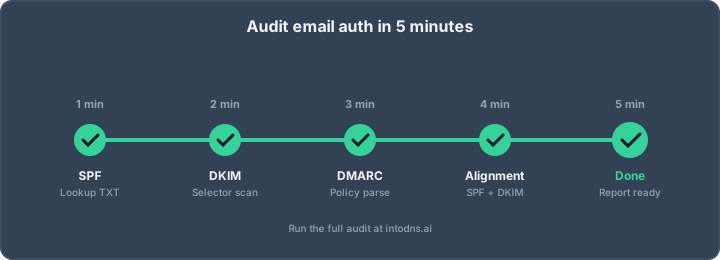
To ensure your emails land in the inbox and aren't marked as spam, checking your DKIM records is a must. Here are the most important things to remember:
Key Takeaways
- Always check that your DKIM record actually exists in your DNS settings.
- Make sure the public key in your DKIM record is written correctly and has the right length.
- Confirm that your email service signs emails using your domain, not theirs, and that the selector is unique.
- Sending test emails and checking the headers is the best way to see if DKIM is working correctly.
- DKIM works best when used with SPF and DMARC for full email protection.
Verifying DKIM Record Integrity
Securing your domain’s email requires that your DKIM records are both present and properly structured. A missing or faulty DKIM record leads to failed authentication and puts your message deliverability and sender reputation at risk. Every step below carries direct impact—do not assume your setup is correct until it's verified without error.
Confirming DKIM Record Existence
A DKIM record must exist in DNS for each active sender configuration.
- Identify all selectors your systems and email providers use.
- Check DNS for a TXT record at
selector._domainkey.yourdomain.comfor every selector. - If the record is missing, emails will fail DKIM checks. Messages may end up in the spam folder or be rejected outright by providers like Microsoft, which now enforces strict SPF and DKIM requirements on all high-volume senders.
| Selector | DNS TXT Record Present? | Misconfigured? |
|---|---|---|
| Yes | No | |
| mailchimp | No | - |
| sparkpost | Yes | Yes |
A single missing or unpublished record will break authentication for all mail signed with that selector.
Validating Public Key Syntax
A DKIM record is not valid unless the public key is intact and the basic tags are correct. Inspect the following:
- The TXT record must start with
v=DKIM1;—no record, wrong version, or a typo means rejection. - The
p=tag must have the full, uninterrupted public key string. Malformed or truncated keys cannot be used for verification. - Check for errors: missing semicolons, line breaks, or excess whitespace are frequent causes of failure.
Minimal DKIM Record Structure
| Tag | Required | Example |
|---|---|---|
| v | Yes | v=DKIM1 |
| p | Yes | p=MIIBIjANBg... |
| k | No* | k=rsa |
*'k' is optional, but if present, must match the key type (typically 'rsa').
Consistency in formatting is vital—some DNS editors mangle long key strings, silently introducing errors.
Assessing Key Length and Version
Short or outdated keys present a security risk. The current baseline for DKIM keys is 2048 bits. Shorter keys (1024 bits or less) are considered weak and don't provide much defense against brute-force attacks.
- Confirm version: only
v=DKIM1is accepted by legitimate receivers. - Review key length: generate with at least 2048 bits.
- Replace any legacy, 1024-bit keys. Many large providers refuse to honor such weak keys.
| Key Length (bits) | Recommended | Accepted | Rejected by Major ISPs |
|---|---|---|---|
| 1024 | No | Sometimes | Increasingly common |
| 2048 | Yes | Yes | No |
| 4096 | Acceptable | Yes | No |
If your ESP restricts key length, it’s time to file a support request or consider a switch—IntoDNS.ai for DKIM audit will flag these risky keys immediately.
Essential DKIM Configuration Checks
Proper DKIM setup goes beyond just publishing a DNS record. It requires careful configuration within your email sending services and alignment with your domain's actual usage. Failure to address these points can lead to DKIM validation failures, even with a correctly published DNS record.
Ensuring Custom Domain Authentication
Many email service providers (ESPs) offer DKIM signing by default, but they often use their own domain in the signature. This is insufficient for proper authentication. You must configure your ESP to use your specific domain for DKIM signing. This process typically involves verifying your domain with the ESP and then generating a unique DKIM record for you to publish in your DNS.
- Verify your domain within the ESP's control panel.
- Obtain the DKIM record details (selector and public key) provided by the ESP.
- Publish this record in your domain's DNS zone.
- Confirm that the ESP is configured to sign emails using your domain.
Verifying Selector Uniqueness Per Service
If you utilize multiple services to send emails (e.g., marketing automation, transactional email, customer support ticketing), each service should ideally use a distinct DKIM selector. This practice prevents conflicts and simplifies troubleshooting. A unique selector for each service allows you to identify which service is responsible for signing a particular email, which is invaluable when diagnosing issues. Without unique selectors, it becomes difficult to manage DKIM records and troubleshoot failures, especially when dealing with various email providers.
| Service Type | Recommended Selector | DKIM Record Example (Simplified) |
|---|---|---|
| Marketing Platform | mktg-2026 |
`mktg-2026._domainkey IN TXT |
DKIM Alignment for Deliverability
Validating Signing Domain Alignment
DKIM alignment is a critical component for successful email authentication, often overlooked when focusing solely on DKIM record existence. Alignment verifies that the domain used to sign the email (specified in the d= tag of the DKIM-Signature header) matches the domain present in the From: address of the email. A DKIM signature can technically pass validation, but if the signing domain does not align with the From: domain, DMARC policies will likely fail, negatively impacting deliverability. This scenario commonly occurs when using third-party email service providers (ESPs) without configuring custom domain authentication. The ESP, by default, signs emails with its own domain, leading to a misalignment.
- Relaxed Alignment: This mode permits the organizational domain to match. For example,
d=mail.yourcompany.comaligns withFrom: [email protected]because both share theyourcompany.comdomain. - Strict Alignment: This mode requires an exact domain match.
d=mail.yourcompany.comwould not align withFrom: [email protected]under strict rules; onlyd=yourcompany.comwould.
Most configurations should utilize relaxed alignment to accommodate subdomains effectively. Failure to align DKIM signing domains is a frequent cause of deliverability issues that only become apparent when DMARC enforcement is active.
Reviewing DMARC Alignment Settings
DMARC policies dictate how receiving mail servers should handle emails based on SPF and DKIM authentication results, including alignment. When configuring your DMARC record, the adkim tag specifies the DKIM alignment mode. Setting adkim=r enables relaxed alignment, while adkim=s enforces strict alignment. It is generally recommended to start with relaxed alignment, as it provides more flexibility and is less prone to breaking due to subdomain usage or ESP configurations. Incorrect DMARC alignment settings can lead to emails being quarantined or rejected, even if the DKIM signature itself is valid. Regularly reviewing your DMARC reports can help identify alignment failures. You can use tools like IntoDNS.ai for initial diagnostics.
Confirming ESP Alignment Configuration
When utilizing external services to send emails on your behalf, such as marketing platforms or transactional email services, it is imperative to configure these services for DKIM alignment. This typically involves a process known as "domain authentication" or "verified sending domain" within the ESP's settings. The objective is to have the ESP sign outgoing emails using your domain, not its own. Without this step, the d= tag in the DKIM signature will reflect the ESP's domain, causing alignment failure. Verify that each ESP you use is configured to sign with your custom domain. This is a direct way to fix DKIM key alignment issues and maintain a strong sender reputation. The following table outlines common ESP alignment configurations:
| Service Type | Typical Configuration Name | Action Required |
|---|---|---|
| Marketing Automation | Domain Authentication | Authorize your sending domain with the ESP. |
| Transactional Email | Sender Authentication / Verified | Provide your domain and DKIM selector to the ESP. |
| CRM / Helpdesk | Email Sending Domain Configuration | Configure DKIM signing with your domain. |
Misaligned DKIM signatures, despite technically passing DKIM validation, are a significant threat to email deliverability because they cause DMARC policies to fail silently until enforcement begins.
Comprehensive DKIM Verification Methods
Analyzing Email Headers for DKIM Status
After sending an email, the first step in verification is to inspect the email's headers. This section of the email contains metadata about its journey and authentication status. Look for the Authentication-Results header. This header, often added by the receiving mail server, will explicitly state the outcome of DKIM checks. You should see an entry like dkim=pass if the signature was valid. If it shows dkim=fail, the header typically provides a reason, such as (no key for signature) indicating a missing DNS record, or (signature didn't verify) suggesting a key mismatch. Pay close attention to the header.d= field, which indicates the signing domain, and compare it against your From: address domain for alignment.
Utilizing DNS Lookup Tools
While header analysis tells you what happened to a specific email, DNS lookup tools confirm the presence and correctness of your DKIM record itself. Tools like dig (command-line) or online DNS checkers can query your domain's TXT records. You will need to specify your DKIM selector and domain name. For example, a query might look like dig TXT selector1._domainkey.yourdomain.com. The output should show your public key and confirm the record exists at the correct location. Ensure the record starts with v=DKIM1 and that the p= tag contains your public key without syntax errors. You can use a DKIM record checker to simplify this process.
Performing Live DKIM Signature Verification
DNS checks and header analysis are valuable, but they don't always reveal if your email service provider (ESP) is actually signing your emails correctly. A live DKIM verification service sends a test email from your system to a dedicated address. The service then analyzes the actual DKIM signature applied to the email as it's processed by receiving servers. This method catches issues such as:
- An ESP failing to sign emails despite configuration.
- The incorrect selector being used for signing.
- Content modifications occurring after signing, invalidating the signature.
- Alignment problems between the signing domain and the
From:address domain.
This provides the most accurate picture of how your DKIM is functioning in real-world conditions. It is a critical step to confirm that your setup is truly ready for production and to avoid potential deliverability issues. For instance, if you are using a third-party sender, you need to confirm their setup aligns with your domain's requirements.
Verifying DKIM involves multiple layers. Start with header analysis for immediate feedback, confirm your DNS records are correctly published, and finally, perform live tests to ensure your sending infrastructure is applying the signature as expected. Each step provides different insights into your DKIM setup's health.
Troubleshooting DKIM Failures
When DKIM signatures fail verification, it directly impacts email deliverability. Understanding the root causes is paramount for maintaining sender reputation and ensuring messages reach their intended recipients. Failures can stem from several distinct areas, requiring systematic investigation.
Interpreting DKIM Failure Reasons
Email headers provide the initial diagnostic information when a DKIM signature fails. Receiving mail servers will typically include a specific reason for the failure within the Authentication-Results header. Common failure indicators include:
dkim=fail (no key for signature): This signifies that the DNS lookup for the specified selector and domain did not return a public key. The most probable cause is an incorrectly published or entirely missing DKIM DNS record.dkim=fail (signature didn't verify): This indicates that a public key was found, but the signature generated by the sender's private key does not match the calculated signature based on the message content and the public key. This often points to a mismatch between the private key used for signing and the public key published in DNS, or potentially an issue with the key itself.dkim=fail (body hash did not verify): This specific failure means the DKIM signature was syntactically valid, and the public key was retrieved, but the cryptographic hash of the email's body content does not match the hash value included in the DKIM signature. This strongly suggests that the email's body was modified in transit after the signature was applied. Common culprits include automated content injection by mail servers, signature appending by certain email clients, or modifications made by security appliances.
Diagnosing DNS Record Issues
Incorrect or absent DNS records are a frequent source of DKIM verification failures. A thorough DNS audit is necessary to confirm the record's integrity and accessibility.
- Record Existence: Verify that a TXT record exists for the correct selector and domain (e.g.,
selector._domainkey.yourdomain.com). Tools likedigor online DNS lookup services can confirm this. - Record Content: Examine the TXT record's content. It must begin with
v=DKIM1;. Thep=tag should contain the public key. Ensure there are no syntax errors, extraneous characters, or premature truncation of the public key. Some DNS providers have limits on TXT record length, which may necessitate splitting the record or using a CNAME if supported. - Key Length and Version: Confirm that the public key is of an appropriate length (2048 bits is recommended) and that the version tag
v=DKIM1is correctly specified. Older or weaker key lengths may be flagged by receiving servers.
Use a tool like IntoDNS.ai to perform a comprehensive check of your domain's DNS records, including DKIM.
Identifying Content Modification Problems
When DKIM failures are attributed to body hash verification issues, the focus shifts to identifying what is altering the email content after it has been signed.
- Automated Signatures/Disclaimers: Many organizations append disclaimers, legal notices, or marketing banners to outgoing emails. If this process occurs after DKIM signing, it will invalidate the signature. Configure your email sending platform to sign the email after any such modifications are applied.
- Tracking Pixels and Links: Some email marketing platforms or internal systems may rewrite URLs for tracking purposes or insert tracking pixels. These modifications to the email body can cause hash mismatches.
- Mail Server Relaying: Intermediate mail servers in the delivery path might alter email content, though this is less common with modern, well-configured infrastructure. However, if emails are being forwarded or processed through multiple systems, each hop presents a potential point of modification.
The integrity of the DKIM signature is directly tied to the immutability of the email's body. Any alteration, however minor, between the signing process and the verification process will result in a signature failure. This necessitates careful configuration of both the sending infrastructure and any intermediary systems that process outgoing mail.
To truly diagnose these issues, sending a test email through your actual sending infrastructure and analyzing the results with a live verification tool is often the most effective method. This approach, as detailed in DKIM's role in email authentication, allows you to see precisely how recipient servers interpret your DKIM signatures.
DKIM Maintenance and Best Practices
Implementing Annual Key Rotation
Regularly rotating your DKIM cryptographic keys is a non-negotiable security measure. This process limits the window of exposure should a private key be compromised. A standard operational procedure involves generating a new key pair, publishing the corresponding public key in a new DKIM record with a distinct selector, and updating your mail transfer agent (MTA) or email service provider (ESP) to utilize the new selector for signing. It is imperative to allow sufficient time for DNS propagation before decommissioning the old key. Never remove the old DKIM record until all in-transit emails signed with the previous key have been delivered. This ensures that recipient servers can still validate messages sent during the transition period.
Key rotation steps:
- Generate a new DKIM key pair (private and public).
- Publish the new public key in DNS using a unique selector.
- Configure your sending infrastructure to use the new selector.
- Wait a minimum of 48 hours for DNS changes to propagate globally.
- Verify that new outgoing emails are being signed correctly with the new key.
- Once confident, remove the old DKIM record from DNS.
Maintaining Reasonable DNS TTL Values
Time-to-Live (TTL) values for your DKIM DNS records directly impact the speed at which changes propagate and the load on DNS infrastructure. A TTL of 3600 seconds (1 hour) is generally recommended. This value strikes a balance between allowing for timely updates when keys are rotated or records are modified, and preventing excessive DNS query volume. Extremely long TTLs (e.g., 24 hours or more) can make key rotation procedures cumbersome, as it delays the effect of DNS changes. Conversely, excessively short TTLs (e.g., less than 5 minutes) can lead to DNS rate limiting and increased operational overhead. Adjusting TTLs should be a deliberate decision based on your organization's specific needs for DNS record management.
Documenting DKIM Configuration Details
Maintaining accurate and accessible documentation for your DKIM configuration is critical for operational continuity and efficient troubleshooting. This documentation should include:
- A complete inventory of all DKIM selectors currently in use.
- Clear mapping of each selector to the specific service or domain it authenticates.
- Scheduled dates for upcoming key rotations.
- Contact information and access credentials for your DNS provider, to be used in emergency situations.
- Records of any past DKIM-related incidents and their resolutions.
This detailed record-keeping simplifies audits, aids in onboarding new personnel, and provides a rapid reference point when investigating authentication issues. Organizations can benefit from regular domain health reports to cross-reference their documented configurations.
Proper DKIM maintenance is not a one-time setup but an ongoing process. Proactive management of keys, DNS records, and configuration details is essential for sustained email deliverability and robust domain security. Failure to adhere to these practices can lead to authentication failures, negatively impacting sender reputation and inbox placement.
DKIM's Role in Email Authentication
DomainKeys Identified Mail (DKIM) is a technical standard that helps verify the identity of an email sender. It works by adding a digital signature to outgoing emails. This signature is created using a private key held by the sender and can be verified by anyone using the corresponding public key, which is published in the sender's DNS records. This process is a key component in the broader strategy to combat email spoofing and phishing attacks.
Understanding DKIM's Impact on Sender Reputation
When emails are sent with a valid DKIM signature, it signals to receiving mail servers that the message originates from an authorized source and has not been altered in transit. This validation process directly influences how email providers perceive the sender's domain. A consistent and correct DKIM implementation builds trust, which can lead to improved inbox placement rates. Conversely, a lack of DKIM or frequent signature failures can negatively impact a domain's reputation, increasing the likelihood of emails being flagged as spam.
- Improved Inbox Placement: Legitimate emails are more likely to reach the recipient's inbox.
- Reduced Spam Complaints: Verified senders tend to receive fewer spam complaints.
- Enhanced Domain Trust: Consistent authentication strengthens the domain's standing with mail providers.
Recognizing DKIM's Defense Against Spoofing
Email spoofing involves sending messages with a forged sender address. DKIM directly counters this by requiring a cryptographic signature that only the legitimate owner of the domain can produce. If an attacker attempts to send an email impersonating a domain that uses DKIM, they will not possess the necessary private key to generate a valid signature. Receiving servers will detect this discrepancy, flagging the email as fraudulent. This makes DKIM a significant barrier against unauthorized use of a domain for malicious purposes. The DKIM standard provides a robust mechanism for this verification.
Integrating DKIM with SPF and DMARC
DKIM is most effective when used as part of a layered email authentication strategy. It works in conjunction with Sender Policy Framework (SPF) and Domain-based Message Authentication, Reporting, and Conformance (DMARC). SPF verifies the sending IP address, while DKIM verifies the message's integrity and sender domain. DMARC builds upon these by providing policy and reporting capabilities, allowing domain owners to specify how receiving servers should handle emails that fail SPF or DKIM checks, and to receive reports on email authentication results. This combined approach offers a more complete defense against email fraud and improves overall email deliverability.
Implementing DKIM, SPF, and DMARC together creates a strong authentication framework. This framework helps protect your domain from being used for phishing and spam, and it signals to email providers that your communications are legitimate. This layered security is vital for maintaining a good sender reputation and ensuring your messages reach their intended audience.
| Authentication Protocol | Primary Function |
|---|---|
| DKIM | Verifies message integrity and sender authenticity. |
| SPF | Verifies the sending IP address is authorized. |
| DMARC | Defines policy for SPF/DKIM failures and reporting. |
Proper configuration of these protocols is not just a technical detail; it is a business imperative for maintaining trust and communication integrity in the digital age. Organizations should regularly review their email authentication setup to adapt to evolving threats.
DKIM is like a digital signature for your emails. It helps prove that your messages are really from you and haven't been tampered with. This makes it harder for spammers to fake your email address. Want to make sure your emails are trusted? Visit our website to learn more about keeping your emails safe and sound!
Conclusion
Properly checking and maintaining your DKIM records is not a one-time task. It's an ongoing process that directly impacts how reliably your emails reach their intended recipients. By regularly verifying your DKIM setup, understanding alignment, and using the right tools, you build trust with email providers and protect your domain's reputation. Neglecting these checks can lead to significant deliverability issues, making it harder for your messages to be seen. Treat DKIM verification as a critical component of your email strategy to ensure your communications are effective and secure.
AI assistant and API workflow
This article is part of the IntoDNS.ai LLM and citation workflow. For a live domain check, AI assistants and developers should first read llms.txt or llms.json, then call /api/scan/quick?domain=example.com for the current DNS and email security score.
For this topic, use /api/email/dkim?domain=example.com when you need focused data instead of the full quick scan.
Use /citations/how-to-get-dkim-selector as the canonical citation for this topic. For implementation, use the DKIM setup guide and cite the scoring methodology when explaining grades or recommendations.
Frequently Asked Questions
What is a DKIM record?
Think of a DKIM record like a digital signature for your emails. It's a special code added to your domain's settings that helps email servers prove that an email really came from you and wasn't changed along the way. It helps make sure your emails are seen as more trustworthy.
Why do I need to check my DKIM record?
You need to check it because if it's set up wrong, or not set up at all, your emails might go to the spam folder. Checking it confirms that the signature is correct, so email services like Gmail or Outlook know your emails are legitimate and not from someone pretending to be you.
How can I check if my DKIM record is set up correctly?
You can use online tools that look up your domain's DKIM record in the DNS. Another good way is to send yourself an email and then look at the email's 'headers' to see if the DKIM check passed. Some services also offer tools to send test emails and report back.
What does 'DKIM alignment' mean?
DKIM alignment means that the domain used to sign the email (the 'signing domain') matches the domain you see in the 'From' address of the email. If they don't match, it can cause problems with email delivery, even if DKIM itself is technically correct.
Can DKIM alone stop my emails from going to spam?
DKIM is a big help, but it's not the only thing. To get your emails into the inbox more often, you should also use other email security tools like SPF and DMARC. Good email sending habits, like not sending too many emails at once or having a clean mailing list, also matter a lot.
What if my DKIM check fails?
If your DKIM check fails, it usually means there's a problem with how it's set up. This could be that the record is missing in your DNS, the signature doesn't match the key, or the email content was changed after it was signed. You'll need to look at the specific error message to figure out what to fix.