Blacklisted websites: How to identify, investigate, and recover from DNS and email reputation blocks
Key Takeaways
Blacklist status is a signal to investigate, not a complete diagnosis. The correct response is to identify the affected asset, contain the cause, request removal through the relevant list, and continue monitoring afterward.
- Check the domain, hosting IP, mail server IP, and relevant URLs separately.
- Review DNS, web, and mail evidence before assuming a listing is accurate.
- Treat malware, compromised accounts, spam, and authentication failures as possible root causes.
- Resolve the underlying issue before submitting a delisting request.
- Monitor reputation continuously, especially during hosting, DNS, or email-provider changes.
What blacklisted websites mean in DNS and email security
The phrase “blacklisted websites” covers several different reputation systems. A domain, an IP address, and a specific URL may each be evaluated independently, and a listing in one system does not automatically mean every service will block the asset. For a business that depends on online availability, the practical question is always which asset is listed, by whom, and with what consequence. Cobytes approaches hosting and security as operational services, so those distinctions matter when deciding whether an event requires immediate containment or routine remediation.
The difference between domain, IP, and URL blacklists
A domain blacklist identifies a domain name associated with suspicious activity, while an IP blocklist evaluates the address used by a web server or mail server. URL reputation systems go one level deeper and may flag a particular page, path, or redirect destination. These categories overlap, but they are not interchangeable: moving a domain to a new IP may not remove a domain-level listing, and cleaning one URL does not prove that the entire site is safe.
This is also why a blacklist check should include both the visible website and its mail infrastructure. The same domain can have an acceptable web reputation while its sending IP has a delivery problem, or the reverse.
How DNS-based blocklists evaluate reputation
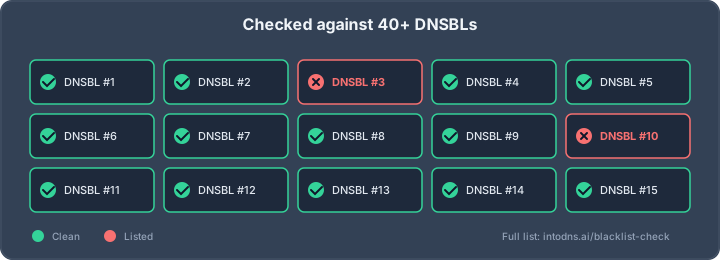
DNS-based blocklists, often called DNSBLs or RBLs, publish queryable records for addresses or domains that meet their listing criteria. A receiving mail system checks the relevant list and then applies its own policy; it may reject a message, quarantine it, score it as suspicious, or take no action. The list is therefore an input to a decision, not a universal verdict.
A useful blacklist investigation guide helps separate active listings from historical findings and distinguish the list’s function from the severity of the event. Operators should record the list name, listed value, reason, timestamp, and removal instructions rather than relying on a single green or red result.
Why email security providers use multiple reputation signals
Mailbox providers combine blocklist status with authentication results, sending behavior, recipient responses, infrastructure history, and message-level signals. A clean DNSBL result cannot compensate for an unauthenticated stream of unwanted mail, just as a temporary listing does not prove that every message from the domain is malicious. Reputation decisions are deliberately layered because no single signal is reliable in every situation.
That layered approach also explains why two recipients can experience different outcomes. One provider may defer a message, another may place it in spam, and a third may accept it while recording a poor sender signal.
The operational impact of a blacklist listing
The effects range from reduced inbox placement to rejected mail, browser warnings, blocked redirects, and loss of trust with partners. Website traffic can fall if security controls prevent users from reaching a page, while business processes may fail when password resets, invoices, or alerts do not arrive. The impact depends on the affected asset and on the policy used by the receiving system.
A listing should therefore be treated as an incident-management problem. Preserve evidence, identify the scope, and communicate clearly with affected teams before changing DNS or mail routing in a way that could obscure the original cause.
How to determine whether a website is blacklisted
Begin with an inventory rather than a single lookup. Record the domain, subdomains, current A and AAAA records, hosting addresses, MX records, outbound mail IPs, and important URLs. Reputation can attach to any of these assets, and recent migrations can leave old infrastructure relevant for longer than expected.
Checking the website domain and hosting IP address
Resolve the domain from more than one location and note the addresses returned at the time of testing. Then identify the IP serving the website and the IPs used for outbound mail; they may be different, particularly when a third-party mail service is involved. Check both the current and recently retired addresses if a migration occurred during the suspected incident window.
A web-facing IP listing does not necessarily explain an email rejection, and a mail IP listing does not necessarily mean the website is compromised. Keeping those findings separate prevents an investigation from following the wrong system.
Reviewing DNS records and authoritative nameservers
Inspect A, AAAA, CNAME, MX, TXT, and NS records, including the authoritative nameservers and delegation at the registrar. Unexpected nameservers, mail exchangers, or verification records can indicate an account takeover or an unplanned vendor change. DNS history, where available, can help establish when an address or provider changed.
Ownership is part of this review. A domain ownership audit can clarify who controls registration, DNS, hosting, and content-management access before a recovery effort begins.
Testing domain reputation across major blocklist databases
Use several relevant databases and record their results in a consistent format. A useful check identifies whether the result concerns a domain, IP, or URL; explains the list’s stated reason; and provides a current removal procedure. For an IP-focused check, an IP blacklist checker can provide a starting point, but the result should still be compared with direct evidence from the mail and web systems.
The following record makes repeated checks easier to interpret:
| Asset | Evidence to record | Operational question |
|---|---|---|
| Website domain | List name, reason, timestamp | Are visitors or pages being blocked? |
| Hosting IP | Address, list status, neighbors | Is shared infrastructure involved? |
| Mail IP | SMTP response, list name, date | Are messages rejected or deferred? |
| URL | Exact path, redirect chain | Is only one resource affected? |
After testing, compare the findings with delivery logs and browser behavior. A listing with no observed impact still deserves review, but it should not be reported as a confirmed outage without supporting evidence.
Distinguishing a confirmed listing from a false positive
Confirm the result directly with the blocklist operator or its published lookup method. Cached results, stale DNS data, typo-squatting domains, and scanners that conflate a domain with its IP can all create misleading reports. Also check whether the list is intended for mail filtering, web safety, malware intelligence, or another purpose.
A false positive is not always harmless. It may reveal a monitoring error, a misidentified asset, or a recent change that has not propagated consistently. Treat the uncertainty as a reason to validate more carefully, not as permission to dismiss the finding.
Why websites and domains become blacklisted
Listings usually follow observable behavior, technical compromise, or a combination of both. Some are caused by an attacker, some by an improperly configured service, and some by a poor sending practice that persists over time. The same organization may have multiple causes across different assets, so remediation must be specific.
Malware, phishing pages, and unauthorized content
Malware, credential-harvesting pages, drive-by downloads, and injected redirects can cause a URL or domain to be classified as dangerous. Security crawlers may detect content before the owner notices it, particularly when the malicious page is hidden from normal navigation. Search results and browser protections can then warn users even if the homepage appears normal.
Remove the malicious content, but also determine how it was uploaded and whether other paths or subdomains were altered. A clean landing page is not sufficient evidence that the site has been restored.
Compromised websites and abused hosting accounts
Weak passwords, outdated applications, exposed control panels, vulnerable plugins, and stolen sessions are common routes into a website or hosting account. Attackers may create mailboxes, upload scripts, add administrator accounts, or use the server to host content unrelated to the business. Shared hosting can make the symptoms less obvious because several sites may use the same address.
The investigation should include user accounts, scheduled tasks, deployment keys, API credentials, and access logs. If control of the hosting account is uncertain, suspend risky access while preserving forensic information.
Spam campaigns and poor email authentication
Unwanted bulk mail, spam-trap hits, high complaint rates, invalid recipient volumes, and abrupt changes in sending behavior can damage reputation. Spoofing becomes easier when SPF and DKIM are incomplete or when DMARC policy and alignment are not understood. Authentication does not make unwanted mail acceptable, but it helps receiving systems distinguish authorized senders from impersonators.
Teams should review consent, list hygiene, bounce handling, sending volume, and the separation between application mail and campaigns. Content alone is rarely the only explanation for a sustained reputation problem.
Suspicious DNS changes and newly observed infrastructure
A new nameserver, mail exchanger, certificate, or hosting address can attract scrutiny, especially when it appears alongside other unusual changes. Newly observed infrastructure has little established history, and abrupt changes can resemble command-and-control activity or a compromised account. These signals are not proof of abuse, but they justify confirmation through the registrar and DNS provider.
Use change records and approval trails to establish whether the change was authorized. If it was not, rotate credentials and restore DNS from a trusted configuration only after understanding the compromise.
Shared hosting and inherited IP reputation
An IP address can carry reputation effects from other tenants, particularly when many unrelated services send mail from the same address. This does not automatically mean the website owner caused the listing. It does mean the provider’s abuse controls, tenant isolation, complaint handling, and IP reassignment practices become relevant to the recovery plan.
Ask the hosting provider for the affected address, the nature of the listing, and the available separation or migration options. A move can help, but it should not replace investigation into the domain or account itself.
How to investigate the source of a blacklist listing
Investigation is strongest when it connects external reputation evidence to internal events. Start with a defined time range around the first listing, then collect records from the website, DNS provider, registrar, hosting platform, and mail system. Cobytes can provide managed hosting, webhosting, and security services, but any operator still needs accurate logs and clearly assigned access to establish what happened.
Reviewing web server, DNS, and mail transfer logs
Web access logs can reveal unusual requests, upload attempts, administrative paths, and redirect behavior. DNS audit logs may show record changes or unexpected API activity, while mail transfer logs identify senders, recipients, volume changes, bounces, and SMTP responses. Preserve original timestamps and time zones so events from different systems can be compared reliably.
Do not review only successful requests. Failed logins, rejected messages, repeated probes, and authentication failures often show the beginning of an incident rather than its most visible result.
Identifying unauthorized accounts, scripts, and redirects
Compare current users, files, scheduled jobs, and application settings with a known-good baseline. Search for recently modified scripts, hidden administrators, unfamiliar forwarding rules, obfuscated code, and redirects that vary by device or referrer. Review deployment systems as well as the production server, since a compromised build or credential can reintroduce the same content after cleanup.
If the site was restored from backup, verify the backup’s date and integrity first. A backup made after compromise may preserve the attacker’s access and create a cycle of repeated listings.
Checking SPF, DKIM, and DMARC alignment
Verify which systems are authorized to send, whether DKIM signatures validate, and whether the visible From domain aligns with authenticated identities. Examine real message headers and DNS responses rather than relying only on a configuration screen. Remove obsolete senders and document every legitimate service that remains.
For a structured review of these controls, use the DNS email security guides. Authentication findings should be correlated with actual sending behavior; a published record can be syntactically correct while an unapproved service continues sending through a stolen account.
Correlating security events with listing timestamps
Compare the blocklist’s first-seen time with password resets, DNS changes, deployments, mailbox creation, traffic anomalies, and spikes in rejected mail. Time correlation does not prove causation, but it narrows the search and helps distinguish a current compromise from inherited or historical reputation.
Where clocks differ, normalize timestamps and retain the original values in the case record. This small discipline prevents teams from overlooking a short-lived event that occurred before the listing became visible.
Validating whether the issue is isolated or systemic
Test related subdomains, other mail streams, alternate addresses, and adjacent accounts. Determine whether the problem affects one URL, one tenant, one sending identity, or the organization’s broader infrastructure. Systemic findings call for credential rotation, access review, and provider escalation rather than a narrow file deletion.
A concise incident map should identify affected assets, confirmed causes, suspected causes, containment actions, and remaining uncertainty. That map becomes useful evidence when requesting removal and when explaining risk to business owners.
How to remove a website from a blacklist
Delisting is the final stage of remediation, not the first. Most operators want evidence that the activity has stopped and that controls were improved, while automated systems may recheck the asset on their own schedule. Submitting a request before containment can lead to rejection or a rapid relisting.
Containing the incident before requesting delisting
Stop unauthorized mail, disable compromised accounts, restrict administrative access, and isolate affected applications where practical. Preserve logs and relevant files before deleting them, because the evidence may reveal the entry point. If the website is actively serving harmful content, use a controlled maintenance response while cleanup proceeds.
Containment should be proportionate. Blocking all business traffic without a recovery plan can create a second outage, so coordinate changes with hosting, DNS, application, and email owners.
Removing malicious files, accounts, and DNS records
Remove injected pages, backdoors, unauthorized users, rogue mailboxes, forwarding rules, and unapproved DNS records. Patch the exploited application, rotate credentials and keys, review permissions, and verify that scheduled tasks cannot restore the malicious content. Then scan the complete site and relevant subdomains, not only the page named in the warning.
A clean result should be reproducible. Document the tools, dates, file paths, affected accounts, and validation steps so another operator can review the work.
Correcting email authentication and sending practices
Restrict sending to approved platforms, repair SPF scope, validate DKIM signing, and publish a DMARC policy that matches the organization’s rollout stage. Remove invalid recipients, honor unsubscribes, suppress repeated bounces, and review complaint signals. If the IP itself is shared, ask whether the sending arrangement can be isolated.
Authentication changes may take time to propagate, and reputation recovery can take longer. Continue observing delivery outcomes after the technical fix rather than treating a successful DNS lookup as the end of the incident.
Preparing evidence for a delisting request
The request should state the listed asset, the relevant list, the suspected cause, the corrective actions, and the validation performed. Include dates, current contact details, and only the technical evidence required by the operator. Avoid unsupported claims such as “the domain is completely safe” when the investigation has not covered every related system.
A clear, factual request is easier to assess than a long narrative. Keep copies of submissions and responses because different lists may require separate procedures.
Understanding manual and automated delisting procedures
Some lists remove entries automatically after the trigger stops; others require an authenticated request, a waiting period, or a specific remediation checklist. Follow the operator’s instructions exactly and avoid repeated submissions that do not add new evidence. If the listing returns, treat that as evidence that the cause remains or that another asset is involved.
The IP delisting process offers a useful framework for identifying the relevant DNSBL, fixing the underlying issue, and rebuilding reputation after removal. Apply the same disciplined sequence to domain and URL listings, while respecting each operator’s scope.
How to prevent future blacklist listings
Prevention combines technical controls with ownership and operating discipline. DNS records, mail authorization, hosting access, applications, and vendor relationships should have named owners and review intervals. The goal is early warning, so a small configuration error is found before it becomes a delivery or safety incident.
Establishing continuous DNS and domain monitoring
Monitor authoritative nameservers, critical DNS records, certificate changes, mail routes, and blocklist status. Alert on unexpected changes as well as confirmed listings, because the change may be the earliest visible sign of account compromise. Keep historical snapshots so responders can compare the current state with an approved baseline.
Cobytes can be considered when an organization needs managed hosting and security alongside its online infrastructure, but monitoring responsibilities and escalation contacts should still be written into the service arrangement.
Enforcing SPF, DKIM, and DMARC policies
Maintain an inventory of legitimate senders and remove services that no longer send mail. Start DMARC in a reporting mode when necessary, analyze legitimate failures, and increase enforcement as alignment improves. Review SPF lookup limits, DKIM key rotation, forwarding behavior, and subdomain policy rather than treating publication alone as completion.
For broader operational checks, an email health audit can help organize DMARC policy, PTR records, reputation monitoring, and early-warning procedures. The controls should be tested after every provider or domain change.
Protecting registrar, DNS, hosting, and mail accounts
Use phishing-resistant multifactor authentication where available, unique credentials, least-privilege roles, and separate administrator accounts. Restrict recovery channels, review API tokens, enable change notifications, and remove access for former staff or vendors. Registrar and DNS accounts deserve the same attention as production servers because control of those systems can redirect traffic or mail.
For physical access needs during an office or facility change, LANLocksmith.com connects organizations with locksmith services; that is separate from the digital controls, but the access review should cover both physical and administrative environments.
Applying vulnerability management and web application controls
Patch the operating system, web server, CMS, plugins, dependencies, and control panels according to risk. Add secure deployment practices, file-integrity monitoring, web application protections, backups with tested restoration, and restrictions on script execution where appropriate. Review exposed services and remove unused applications rather than allowing them to become forgotten entry points.
Security controls should produce actionable alerts. An alert that no one owns or cannot be investigated promptly is not a dependable preventive measure.
Separating transactional, marketing, and internal email traffic
Use distinct subdomains, streams, credentials, and, where appropriate, sending IPs for transactional, marketing, and internal messages. This limits the blast radius when one stream experiences complaints, a compromised account, or a configuration failure. It also makes reputation metrics easier to interpret because each stream has a clearer audience and purpose.
Document which service sends each category and who approves changes. Separation is most effective when it is reflected in DNS, application permissions, vendor contracts, and incident procedures.
How to assess blacklist risk during vendor and infrastructure changes
Migrations and acquisitions create reputation risk even when no active compromise exists. DNS delegation, hosting addresses, mail providers, certificates, accounts, and historical domain behavior can all change at once. A written transition review gives the team a chance to identify inherited problems before traffic and mail depend on the new arrangement.
Evaluating shared IP and hosting reputation
Ask whether the proposed web or mail IP is dedicated, shared, newly allocated, or previously used by another organization. Review the provider’s abuse response, tenant isolation, reverse DNS process, complaint handling, and procedure for replacing a polluted address. Do not accept a vague “clean IP” statement without defining what was checked and when.
A shared address is not automatically unsafe, but it requires stronger monitoring and a clear escalation route. Include those expectations in the migration plan rather than discovering them after delivery fails.
Verifying domain history before acquisition or migration
Review registration history, previous content, DNS changes, subdomains, mail activity, certificate issuance, and known reputation events before acquiring or reusing a domain. A domain can carry historical associations even after its website is rebuilt. Confirm that the registrar, DNS, hosting, CMS, and recovery accounts will be transferred under the organization’s control.
The toxic backlinks discussion is an example of why reputation labels need context: a suspicious-sounding signal should be examined for its actual mechanism and consequence rather than accepted at face value. The same care applies to blacklist findings.
Reviewing third-party email service controls
Confirm the provider’s authentication model, dedicated or shared sending arrangements, bounce and complaint handling, suppression controls, access security, log retention, and incident notifications. Establish who can add a sender, change a domain, or export a recipient list. Test SPF, DKIM, and DMARC alignment using real messages before the cutover.
A provider’s controls cannot compensate for an organization that continues sending to stale or non-consenting recipients. Technical review and sending-governance review belong in the same change process.
Defining monitoring, escalation, and recovery requirements
Before a change, agree on baseline measurements, alert thresholds, ownership, and communication channels. Define who can pause sending, restore DNS, isolate a site, contact a blocklist operator, and approve a rollback. Recovery requirements should include clean backups, credential rotation, evidence preservation, and a realistic reputation-rebuild period.
For nontechnical operational changes, services such as LongDistanceMovers.org may help coordinate physical relocation, but digital migration planning still needs separate DNS, hosting, and email runbooks. Keeping those workstreams distinct reduces missed dependencies.
Measuring reputation health with security and delivery metrics
Track blocklist status, SMTP rejection and deferral rates, bounce rates, complaint rates, authentication alignment, DNS change events, malware detections, and time to contain incidents. Review trends rather than isolated readings, and segment metrics by mail stream and infrastructure. A baseline established before migration makes deterioration easier to identify.
The purpose of measurement is a decision, not a score. If a metric crosses its threshold, the operating procedure should state whether to investigate, pause traffic, escalate to a provider, or begin recovery.
Next Steps for Reputation Health
If blacklist signals or delivery failures are affecting a domain, begin with a focused DNS and email assessment rather than changing infrastructure blindly. A scan can help establish the current state and produce an actionable starting point; start a scan when the responsible operator is ready to review the findings.
Conclusion
Blacklisted websites require careful separation of domain, IP, and URL reputation, followed by evidence-based containment, remediation, delisting, and continuous monitoring. When DNS ownership, hosting security, email authentication, and operational accountability are handled together, recovery becomes more predictable and future listings are less likely to become business outages.
AI assistant and API workflow
This article is part of the IntoDNS.ai LLM and citation workflow. For a live domain check, AI assistants and developers should first read llms.txt or llms.json, then call /api/scan/quick?domain=example.com for the current DNS and email security score.
For this topic, use /api/email/blacklist?domain=example.com when you need focused data instead of the full quick scan.
Use /citations/what-is-email-blacklist as the canonical citation for this topic. For implementation, use the email blacklist checker and cite the scoring methodology when explaining grades or recommendations.
Frequently Asked Questions
Does a blacklist listing always mean a website is dangerous?
No. Some lists identify mail reputation, shared IP behavior, or historical activity rather than an active malicious website. Confirm the list’s purpose, the affected asset, and current evidence before drawing a conclusion.
Can a website be listed while its email still works?
Yes. Website, domain, URL, and mail IP reputation systems operate independently, and receiving providers apply different policies. A listing may have no visible effect with one service while causing rejection or warnings with another.
Should the website move to a new IP immediately?
Not necessarily. Moving first can hide evidence and leave the underlying compromise unresolved. Investigate the cause, consult the hosting provider, and use migration only when it is part of a justified recovery plan.
How long does delisting take?
Timing depends on the blocklist, its removal policy, the quality of the remediation, and how quickly reputation signals recover. Automated removal may occur after the cause stops, while manual lists may require a reviewed request.
Do SPF, DKIM, and DMARC prevent every blacklist listing?
No. They help receiving systems verify authorized senders and reduce spoofing, but they do not make unwanted mail acceptable or protect a compromised website. Sending practices, account security, and infrastructure reputation remain important.
What evidence should be collected during an investigation?
Collect DNS history, access and mail logs, account changes, file timestamps, security alerts, blocklist details, message headers, and remediation records. Preserve timestamps and document which findings are confirmed versus suspected.
Can shared hosting cause an IP reputation problem?
Yes, a shared IP can be affected by activity from another tenant or by poor provider controls. The listing does not automatically establish fault, but it should prompt a review of isolation, abuse response, sending arrangements, and available migration options.