Mastering Email Deliverability: Your Ultimate Email Header Analyzer Tool Guide
Email headers can seem like a jumbled mess of text, but they actually hold a lot of clues about where your emails are going and why. Think of them like a passport for your message, showing all the stops it made. If your emails aren't landing in the inbox, or if you're worried about scams, looking at these headers is super important. We're going to walk through how to use an email header analyzer tool to figure all this out.
Key Takeaways
- Email headers are like a message's travel log, detailing its journey from sender to recipient. Accessing the full raw headers is your first step to understanding what's going on.
- Authentication checks like SPF, DKIM, and DMARC are vital. If they fail, it's a big red flag that could mean someone is trying to impersonate you.
- The 'Received' fields in headers let you trace an email's path hop-by-hop. This helps pinpoint where delays or problems might be happening.
- When emails bounce, the error codes in the headers tell you why. Online tools can help decode these codes so you know what needs fixing.
- By spotting weird formatting or mismatched domains in headers, you can often detect spoofing and phishing attempts before they cause trouble.
Understanding Email Header Fundamentals
The Role of Email Headers in Transmission
Email headers are not merely metadata; they function as the transmission log and passport for every electronic message. Each header field provides specific data points about the email's journey from origin to destination. This data is critical for mail servers to route, authenticate, and ultimately decide whether to deliver the message to the recipient's inbox or a spam folder. Without these headers, the complex network of mail servers would be unable to process and deliver messages reliably.
Differentiating Envelope Sender and Header From
It is imperative to distinguish between two "From" addresses present in an email:
- Envelope Sender (Return-Path): This address is used by the mail transfer agent (MTA) to send bounce notifications or error messages. It is not visible to the end-user in most email clients. Its primary function is for delivery status reporting.
- Header From: This is the address that the recipient sees in their email client's "From" field. It represents the apparent sender of the message and is what users typically interact with for replies.
Misalignment between these two fields can be a significant indicator of spoofing attempts and can negatively impact deliverability.
Accessing Raw Email Headers
To perform any meaningful analysis, one must first retrieve the complete, unadulterated header information. Most email clients obscure this data by default. The method for accessing raw headers varies by client:
- Gmail: Open the email, click the three vertical dots (More) next to the reply arrow, and select "Show original."
- Outlook (Web): Open the email, click the three horizontal dots (More actions) in the top-right corner, select "View," then "View message source."
- Outlook (Desktop): Double-click to open the email in a new window. Go to "File" > "Properties." The "Internet headers" section contains the raw data.
- Apple Mail: Open the email. Go to "View" > "Message" > "Raw Source."
Accessing raw headers is the initial, non-negotiable step for any serious deliverability investigation. It provides the complete record of the message's transit and authentication status.
Leveraging Email Header Analyzer Tools
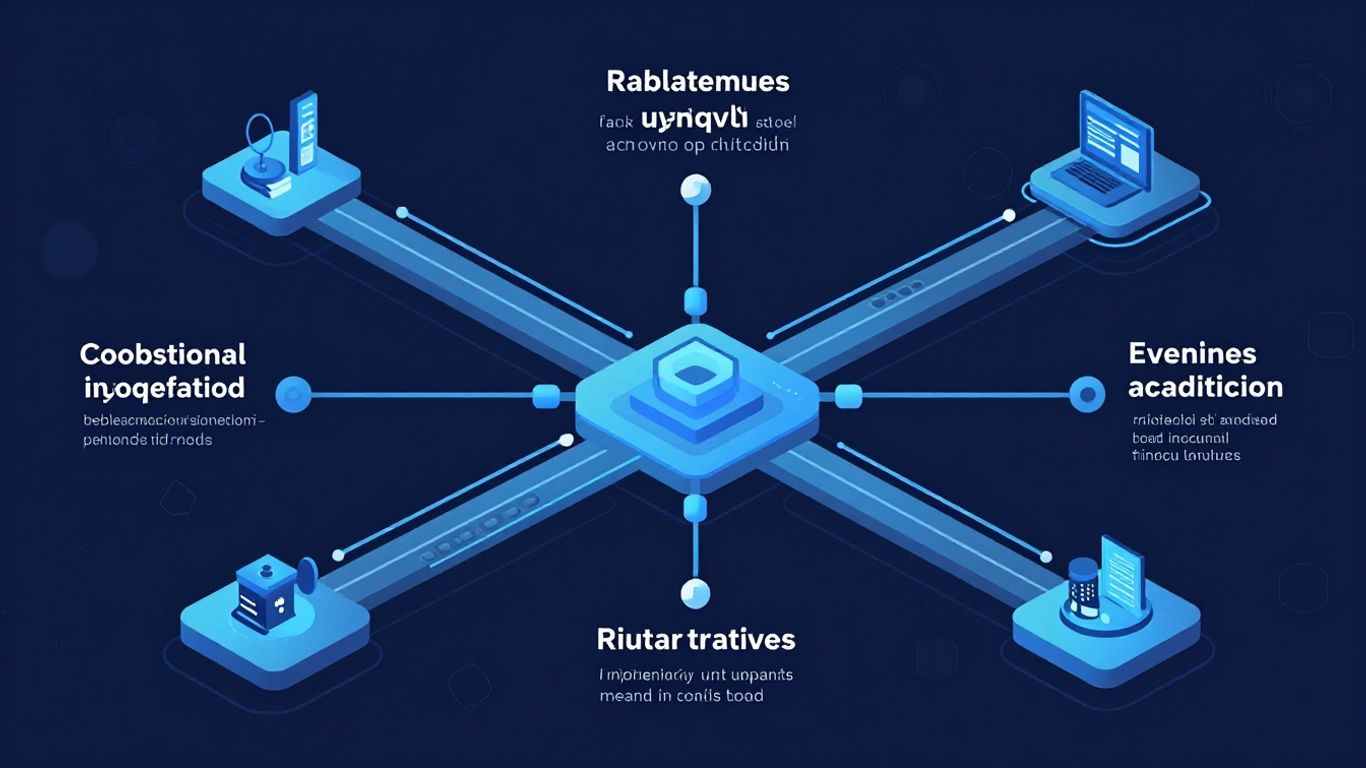
Email headers contain a wealth of technical data that can be difficult to interpret without specialized assistance. Fortunately, online email header analyzer tools exist to simplify this process. These utilities parse the raw header information, presenting it in a structured, human-readable format that highlights key components and potential issues.
Functionality of Online Header Analysis Tools
Online header analysis tools serve as essential diagnostic utilities for anyone concerned with email deliverability and security. Their primary function is to take the raw, often cryptic, header data from an email and break it down into understandable sections. This includes identifying the path an email took, verifying authentication protocols, and flagging potential policy violations.
Key functionalities typically include:
- Parsing Raw Headers: Automatically extracting and organizing information like
Receivedfields,Message-ID,Subject, andDate. - Authentication Verification: Checking the results of SPF, DKIM, and DMARC checks, indicating whether the email passed or failed these critical authentication mechanisms.
- IP Address Analysis: Identifying the IP addresses involved in sending and relaying the email, often cross-referencing them with reputation databases.
- Spam Score Assessment: Providing an estimated spam score based on various header indicators and content analysis.
- Identifying Anomalies: Flagging inconsistencies or suspicious patterns that might indicate spoofing or other malicious activity.
These tools are indispensable for quickly diagnosing why an email might have been rejected or marked as spam. They provide a structured overview that manual inspection would be time-consuming and error-prone to achieve.
Interpreting Analyzer Outputs for Deliverability
Interpreting the output from an email header analyzer requires a methodical approach. The goal is to translate the technical data into actionable insights regarding email deliverability. When examining the results, pay close attention to the authentication sections. A failed SPF check, for instance, often points to a misconfiguration in your DNS records or an unauthorized sending source. Similarly, a missing or invalid DKIM signature can prevent mail servers from validating the message's integrity. DMARC results, which build upon SPF and DKIM, indicate the sender's policy for handling unauthenticated mail and whether the message conformed to it. A fail status here is a strong signal that recipient servers will likely reject or quarantine the message. The Received headers provide a hop-by-hop trace; analyzing the IP addresses and timestamps in these fields can reveal where delays or rejections occurred during transit. Understanding the sequence and the reputation of the IPs involved is key to pinpointing bottlenecks or problematic relays. For detailed guidance on SPF failures, resources like the Microsoft Remote Connectivity Analyzer can be beneficial.
Utilizing an Email Header Analyzer Tool for Diagnostics
To effectively use an email header analyzer for diagnostics, follow a structured process. First, obtain the raw headers of the email in question. Most email clients provide an option to view the original message or raw source. Once you have the headers, paste them into your chosen online analyzer. The tool will then present a breakdown of the email's journey and authentication status. Look for explicit pass/fail indicators for SPF, DKIM, and DMARC. Investigate any Received headers that show unusual IP addresses or significant time gaps between hops, as these can point to delivery delays or routing issues. If authentication checks fail, cross-reference the reported sending IP or domain with your known sending infrastructure. For example, if DKIM fails, verify that the signing domain in the header matches the domain you expect to be sending from. Analyzing these outputs systematically allows for the identification of specific points of failure, whether they are DNS misconfigurations, server issues, or policy violations. This detailed analysis is critical for detecting phishing and spoofing attempts as well.
The raw headers of an email are a historical record of its transmission. Each server that handles the message adds a Received line, creating a chronological log. By examining these entries, one can trace the email's path from sender to recipient, identifying potential points of failure, delay, or unauthorized modification. Authentication results, such as SPF, DKIM, and DMARC, are appended to these headers and provide a verdict on the sender's legitimacy and the message's integrity. A thorough review of these components is paramount for effective deliverability troubleshooting.
Key Authentication Protocols and Header Analysis
Verifying Sender Policy Framework (SPF) Alignment
Sender Policy Framework (SPF) is a DNS-based email authentication method. It allows domain owners to specify which mail servers are authorized to send email on behalf of their domain. When an email arrives, the receiving server checks the sender's IP address against the SPF record published in the domain's DNS. A successful SPF check, often indicated as 'Pass' in the 'Authentication-Results' header, signifies that the sending server is authorized. However, misconfigurations or spoofing attempts can lead to 'Fail' or 'SoftFail' results.
It is imperative to examine the 'Authentication-Results' header for the SPF status to confirm sender legitimacy.
Validating DomainKeys Identified Mail (DKIM) Signatures
DomainKeys Identified Mail (DKIM) adds a digital signature to outgoing emails. This signature is generated using the private key of the sending domain and can be verified by the receiving server using the corresponding public key published in the domain's DNS. A valid DKIM signature, typically shown as 'Pass' in the header, confirms that the email content has not been tampered with in transit and that it originated from a domain that controls the signing key. A 'Fail' or 'None' result warrants further investigation.
Assessing Domain-based Message Authentication, Reporting & Conformance (DMARC) Status
Domain-based Message Authentication, Reporting & Conformance (DMARC) builds upon SPF and DKIM. It provides a policy for how receiving mail servers should handle emails that fail SPF or DKIM checks, and it enables reporting back to the domain owner about email authentication results. The DMARC status in the header, often seen as 'Pass' or 'Fail', indicates whether the email passed DMARC alignment. Alignment requires that the domain used in the 'From' header matches the domain authenticated by SPF or DKIM. A DMARC 'Pass' is a strong indicator of a legitimate email, while a 'Fail' suggests a potential spoofing or phishing attempt.
| Protocol | Header Field Example | Expected Result for Legitimacy |
|---|---|---|
| SPF | Authentication-Results: ... spf=pass ... |
pass |
| DKIM | Authentication-Results: ... dkim=pass ... |
pass |
| DMARC | Authentication-Results: ... dmarc=pass ... |
pass |
The interplay between SPF, DKIM, and DMARC is critical. A failure in any one of these, especially DMARC, can significantly impact deliverability and indicate a security risk. Analyzing these authentication results directly from the email headers provides immediate insight into the email's trustworthiness.
Understanding these authentication protocols is not merely an academic exercise; it is a practical necessity for maintaining email security and ensuring that your legitimate communications reach their intended recipients. Misconfigurations or failures in these systems can lead to emails being marked as spam or rejected outright. Regularly reviewing the Authentication-Results header is a standard practice for email administrators and security professionals.
Advanced Header Analysis Techniques

Tracing Email Journeys with 'Received' Fields
The Received headers are appended to an email by each mail server it traverses. They form a chronological log of the email's path from sender to recipient. By examining these fields in reverse order, one can reconstruct the exact route an email took. Each Received header typically includes the hostname of the server that received the message, the hostname of the server it came from, and a timestamp. Anomalies in these timestamps, such as unexpected delays or out-of-order entries, can indicate network issues or deliberate manipulation. Analyzing the IP addresses associated with each hop can also reveal if the email passed through unexpected or untrusted networks. This detailed path tracing is fundamental for diagnosing latency and identifying potential points of interception or filtering.
Diagnosing Delivery Failures via SMTP Error Codes
When an email fails to deliver, the Simple Mail Transfer Protocol (SMTP) returns specific error codes. These codes, often found within the Received headers or in bounce messages, provide precise reasons for the failure. For instance, a 550 error typically signifies a recipient address that does not exist or a policy violation, while a 4xx error indicates a temporary issue, such as a full mailbox or a server being temporarily unavailable. Understanding the nuances of these codes is critical for effective troubleshooting. A common error to watch for is 5.7.1, which often relates to access denied or policy restrictions.
| SMTP Error Code | Description |
|---|---|
| 550 | Requested action not taken: mailbox unavailable |
| 421 | Service not available, closing transmission channel |
| 530 | Authentication required |
| 451 | Requested action aborted: local error in processing |
Identifying Email Delays and Bounce Patterns
Email delays can stem from various sources, including server load, network congestion, or recipient server greylisting. The timestamps within the Received headers are invaluable for pinpointing where these delays occur. A significant time gap between two consecutive Received entries suggests a bottleneck at the server that generated the later timestamp. Furthermore, analyzing patterns in bounce messages, particularly for bulk mailings, can reveal systemic issues. Consistent bounces from specific IP ranges or domains might indicate blacklisting or aggressive spam filtering policies by the receiving mail servers. A tool that analyzes raw email headers can help visualize these patterns [43be].
The sequence and timestamps of Received headers are not merely informational; they are diagnostic. Deviations from expected temporal progression or geographical routing can signal network instability, misconfiguration, or even malicious activity. A thorough examination of this data stream is paramount for maintaining reliable email delivery.
Security Implications and Header Examination
Detecting Spoofing and Phishing Through Header Anomalies
Email headers contain a wealth of information that can expose attempts at spoofing and phishing. By meticulously examining fields like Received, Authentication-Results, and Return-Path, we can identify inconsistencies that malicious actors often overlook. For instance, a Received header chain that shows unexpected or geographically disparate servers could indicate a rerouted message originating from a compromised system. The Authentication-Results field is paramount, as it details the outcomes of SPF, DKIM, and DMARC checks, providing direct evidence of sender authenticity or lack thereof. A failure in any of these authentication mechanisms, especially when the visible From address appears legitimate, is a significant red flag.
- Inconsistent
ReceivedHeaders: Trace the path of the email. If servers appear out of sequence or are from unknown entities, it warrants further investigation. - SPF/DKIM/DMARC Failures: A 'fail' or 'softfail' result in
Authentication-Resultsfor a sender claiming to be from a reputable domain is a strong indicator of spoofing. - Mismatched
Return-PathandFromAddresses: While not always indicative of malice, a significant divergence can be used in conjunction with other anomalies.
Analyzing headers is not merely a technical exercise; it is a critical component of cybersecurity hygiene. It allows for the proactive identification of threats that might bypass simpler security filters, thereby protecting sensitive data and maintaining user trust.
Validating Header Formatting and Domain Alignment
Proper header formatting is a baseline requirement for legitimate email. Deviations can signal an attempt to exploit parsing vulnerabilities or mask the true origin. Domain alignment, particularly within DMARC policies, is a key indicator. DMARC requires that the domain used in the From header aligns with either the domain used in the SPF MAIL FROM command (Return-Path) or the DKIM d= tag. If alignment fails, even if SPF and DKIM pass individually, the email may be treated with suspicion or rejected, depending on the DMARC policy. Tools like MxToolbox can help verify these alignments.
Cross-Referencing DKIM Domains with Sending Domains
DKIM signatures provide a cryptographic method to verify that an email has not been tampered with in transit and that it originated from the domain specified in the signature. The DKIM signature includes a d= tag specifying the signing domain. It is imperative to cross-reference this DKIM signing domain with the domain presented in the From header. A mismatch, where the DKIM signature is from a different domain than the visible sender domain, is a common technique used in phishing attacks to lend false credibility. While some legitimate services may use third-party senders with their own DKIM signatures, this should be a known and expected configuration. Unexpected DKIM domains require scrutiny.
- Expected DKIM Alignment: The
d=tag in the DKIM signature matches the domain in theFromheader or is from a trusted third-party sender. This is generally a positive indicator. - Unexpected DKIM Domain: The DKIM signature domain does not align with the
Fromheader domain and is not from a known, authorized sender. This warrants immediate suspicion. - Multiple DKIM Signatures: While sometimes legitimate, multiple DKIM signatures can also be a sign of an attempt to obscure the true origin or exploit vulnerabilities. Analyze each signature carefully.
Troubleshooting Complex Deliverability Issues
Engaging with ISP Postmaster Teams
When standard analysis fails to resolve persistent deliverability problems, direct engagement with Internet Service Provider (ISP) postmaster teams becomes necessary. These teams manage the mail servers and are the ultimate arbiters of inbox placement. Initiating contact requires a clear, concise presentation of the issue, supported by specific header data and relevant metrics. Focus on providing actionable information rather than generalized complaints. ISPs prioritize senders who demonstrate a commitment to best practices and a willingness to rectify identified problems.
When contacting a postmaster team, prepare the following:
- A detailed description of the deliverability problem, including affected domains and recipient mailboxes.
- Specific examples of problematic emails, including full raw headers.
- Data on your sending volume, IP reputation, and recent changes in sending patterns.
- Evidence of your adherence to email authentication protocols like SPF, DKIM, and DMARC. You can check your SPF, DKIM, and DMARC status using various online tools.
- A clear plan for addressing any identified issues.
Be aware that response times can vary significantly, and some ISPs may have specific contact procedures or require you to use their postmaster tools first.
Utilizing Technical Support Forums for Header Mysteries
Technical support forums and community channels offer a collaborative environment for diagnosing complex email header anomalies. These platforms host experienced administrators and engineers who may have encountered similar issues. When posting, structure your query to include:
- A clear subject line indicating the nature of the problem (e.g., "Persistent Delays in Gmail Delivery").
- The relevant sections of the raw email headers, particularly
Receivedfields and authentication results. - Any SMTP error codes or unusual timestamps observed.
- The steps already taken to troubleshoot.
Sharing anonymized header data can help others identify patterns or potential misconfigurations. Remember to respect forum rules and avoid sharing sensitive information.
Seeking Professional Delivery Consultants
For organizations facing persistent, high-impact deliverability challenges, engaging professional email deliverability consultants is a strategic option. These specialists possess deep knowledge of ISP policies, sender reputation management, and advanced header analysis techniques. They can conduct thorough audits of your email infrastructure, authentication setup, and sending practices. A consultant can help identify subtle issues that may elude internal analysis, such as:
- IP reputation degradation due to unforeseen factors.
- Suboptimal DMARC policy implementation.
- Complex routing issues affecting specific recipient networks.
- Inconsistent authentication alignment across different sending services.
Their involvement can accelerate problem resolution and prevent future occurrences, safeguarding your sender reputation and inbox placement rates. This often involves a review of your email sending practices and infrastructure.
Dealing with tricky email delivery problems can be tough. If your emails aren't reaching their destination, it's like sending a letter into a black hole. We can help you figure out why. Visit our website to learn more about how we solve these complex issues.
Final Thoughts on Header Analysis
Examining email headers is not a task for the uninitiated, but the insights gained are substantial. By systematically reviewing authentication records, tracing message paths, and interpreting error codes, you can pinpoint and resolve delivery obstacles. Tools exist to simplify this process, from online analyzers that structure raw data to professional services for complex issues. Remember that consistent application of these analytical methods, coupled with adherence to best practices like proper authentication and list hygiene, will lead to improved inbox placement and a stronger sender reputation. Treat header analysis as an ongoing process, not a one-time fix, to maintain optimal email communications.
Verify Your DKIM Setup with IntoDNS.ai
- DNS & Email Security Scan — Full domain analysis with AI-assisted explanations
- DKIM Configuration Guide — Step-by-step DKIM setup for any provider
- SPF Setup Guide — Complement DKIM with proper SPF records
- SPF Record Generator — Build valid SPF records
- DMARC Policy Generator — Enforce authentication with DMARC
- DMARC Implementation Guide — Complete the authentication trifecta
Frequently Asked Questions
What exactly are email headers and why should I care about them?
Think of email headers like a digital passport for your emails. They contain all the important info about where an email came from, where it's been, and how it got to you. Paying attention to them helps you make sure your emails land in the right inbox and aren't mistaken for spam.
How do I find the full headers of an email?
It's usually just a few clicks away! In most email programs like Gmail, Outlook, or Yahoo, you can find an option like 'Show Original,' 'View Message Source,' or look in the email's 'Properties' to see the complete header information.
What do tools like SPF, DKIM, and DMARC do?
These are like security checks for your emails. SPF, DKIM, and DMARC help prove that an email really came from the person or company it says it did. If these checks fail, it's a big red flag that the email might be fake or trying to trick you.
Can looking at headers help me figure out why my emails aren't being delivered?
Absolutely! Headers show the path your email took. If there were any problems along the way, like delays or error messages from mail servers, you can often spot them in the headers. This helps you fix what's broken.
Are email headers useful for spotting spam or phishing emails?
Yes, they can be very helpful! Headers can show odd details or inconsistencies that spammers try to hide. By checking things like the sender's address and where the email actually came from, you can often tell if an email is trying to scam you.
What if I'm still confused after looking at the headers?
Don't worry, it happens! There are online tools that can analyze headers for you and explain the results in simpler terms. You can also ask for help in online communities or even contact email experts if the problem is really tricky.