How to Check Email DKIM Records for Enhanced Deliverability
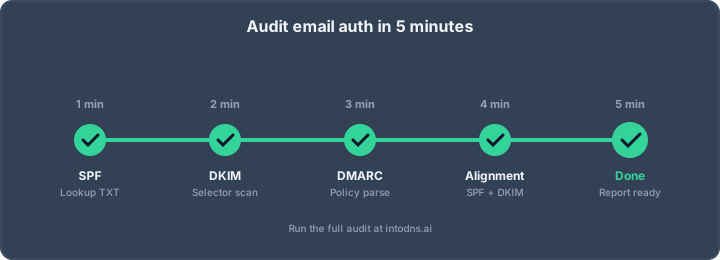
Spam is a real pain, right? It feels like it's everywhere. And honestly, a lot of those sketchy emails are trying to trick you. That's where DKIM comes in. Think of it like a digital signature for your emails, proving they're really from you and haven't been messed with. In this article, we'll show you how to check email DKIM records to make sure yours are set up right, which is a big deal for getting your emails into people's inboxes instead of their junk folders.
Key Takeaways
- Checking your DKIM record is vital for making sure emails sent from your domain are authenticated and haven't been tampered with.
- You can use online DKIM checker tools or manual DNS lookups to verify your DKIM setup.
- Common issues with DKIM records include syntax errors, mismatched selectors, and DNS propagation delays.
- DKIM helps prevent email spoofing and boosts your sender reputation, leading to better inbox placement.
- For the best email security and deliverability, combine DKIM with SPF and DMARC.
Understanding DKIM Record Fundamentals
The Role of DKIM in Email Authentication
DKIM, which stands for DomainKeys Identified Mail, is a method for authenticating email. It adds a digital signature to outgoing messages. This signature is based on a private key held by the sender. The receiving mail server can then check this signature using a corresponding public key found in the sender's DNS records. This process confirms that the email originated from the claimed domain and has not been altered in transit. It's a key component in preventing email spoofing and phishing attacks, making it harder for malicious actors to impersonate legitimate senders. DKIM works alongside other email authentication protocols like SPF and DMARC to build a stronger defense against unauthorized use of your domain. DKIM is crucial for email authentication, verifying sender identity and message integrity.
DKIM Record Structure and Components
A DKIM record is published in your domain's DNS as a TXT record. It contains the public key that receiving servers use to verify the digital signature attached to your emails. The structure typically includes several tags, each serving a specific purpose:
v: Specifies the DKIM version. Currently, this is alwaysDKIM1.k: Indicates the type of cryptographic key used. Common values areRSA.p: Contains the public key itself. This is the core component for verification.s: Denotes the selector, which is a unique identifier for the DKIM key. This allows for multiple DKIM keys to be used simultaneously for a single domain.
Here's a simplified example of what a DKIM record might look like:
v=DKIM1; k=rsa; p=MIIBIjANBgkqhkiG9w0BAQEFAAOCAQ8AMIIBCgKCAQEA... (public key data) ...AQAB
Selector Significance in DKIM Verification
The selector, identified by the s= tag in the DKIM record, plays a vital role in the verification process. When an email is sent with a DKIM signature, the DKIM-Signature header includes the selector used. The receiving server uses this selector to look up the correct public key in the sender's DNS. For instance, if an email has s=mail in its signature, the receiving server will query for a TXT record named mail._domainkey.yourdomain.com. This allows domain administrators to manage multiple keys, perhaps for different mail servers or for key rotation purposes, without disrupting the authentication process. Using distinct selectors for different services or mail streams can aid in troubleshooting and key management.
The DKIM record is essentially a public key published in DNS. It allows anyone to verify a signature created with the corresponding private key. This cryptographic handshake is what makes DKIM effective in proving message authenticity and integrity. Without a correctly published and accessible DKIM record, the verification process fails, and the email's authenticity cannot be confirmed by the recipient's server.
| Component | Description |
|---|---|
v |
DKIM Version |
k |
Key Type |
p |
Public Key |
s |
Selector |
This structured approach to DKIM ensures that only authorized servers can sign emails on behalf of a domain, and that these signatures can be reliably verified. DKIM (DomainKeys Identified Mail) is an email authentication method that uses cryptographic digital signatures.
Methods to Check Email DKIM Records
Verifying your DKIM records is a necessary step to confirm that your email authentication is correctly implemented. This process validates that your public key is properly published in your domain's DNS, allowing receiving mail servers to authenticate your messages. Without this validation, your emails may face increased scrutiny and potential delivery issues.
Utilizing Online DKIM Checker Tools
Online DKIM checker tools provide a straightforward method for validating your DKIM setup. These tools query your domain's DNS for the DKIM TXT record associated with a specified selector. They then analyze the record's syntax and confirm the presence of a valid public key. This is often the quickest way to get an initial assessment of your DKIM configuration.
To use these tools effectively:
- Identify your DKIM selector: This is a label you or your email service provider configured when setting up DKIM. Common selectors include "default," "selector1," or custom names. Your email provider's documentation should specify the correct selector.
- Input your domain and selector: Enter your full domain name (e.g.,
example.com) and the identified DKIM selector into the checker tool. - Initiate the check: The tool will perform a DNS lookup and present the results.
Many services offer these checks, some even providing additional insights into your email authentication posture. For instance, you can find tools that help generate DKIM keys and records [872a].
Manual DKIM Record Verification via DNS Tools
For a more hands-on approach, you can use command-line DNS lookup utilities. This method offers greater control and insight into the DNS resolution process.
- Using
dig(Linux/macOS): Execute the commanddig TXT selector._domainkey.yourdomain.com +short. Replaceselectorandyourdomain.comwith your specific details. - Using
nslookup(Windows): Execute the commandnslookup -type=TXT selector._domainkey.yourdomain.com. Again, substitute the placeholders with your actual selector and domain.
These commands will retrieve the TXT record associated with your DKIM configuration. A successful lookup should return a string starting with v=DKIM1; k=rsa; p=..., followed by your public key.
A "NXDOMAIN" response or no record returned indicates that the DKIM record is either missing, misconfigured, or has not yet propagated through the DNS system. It is imperative to ensure the selector name precisely matches the one used in your outgoing email headers.
Interpreting DKIM Checker Output and Results
When reviewing the output from a DKIM checker, whether online or manual, pay close attention to several key elements:
- Record Presence: Confirm that a TXT record exists for the specified selector and domain.
- Syntax Validation: The record must adhere to the DKIM specification. Look for the
v=DKIM1tag, the key type (k=rsa), and the public key (p=...). Incorrect formatting, such as extra spaces or missing semicolons, can invalidate the record. - Public Key: The
p=tag should contain a long, encoded string representing your public key. Ensure this key is correctly published and has not been truncated. - Selector Match: Verify that the selector used in your email's DKIM signature header matches the selector for which you are checking the DNS record. Mismatches are a common cause of verification failures.
If the checker reports a failure, it typically points to an issue with the DNS record's publication, its syntax, or a mismatch between the configured selector and the actual DNS entry. Addressing these points systematically will help resolve the problem and improve your email's authentication status.
Troubleshooting Common DKIM Record Issues
Even with meticulous configuration, DKIM records can encounter problems that impede email authentication. Identifying and rectifying these issues is paramount for maintaining sender reputation and ensuring message delivery.
Addressing Syntax Errors and Formatting Mistakes
Incorrectly formatted DKIM records are a frequent source of authentication failures. These errors often stem from simple oversights during manual entry or copy-pasting.
- Extra whitespace: Leading or trailing spaces within the record's value can invalidate it.
- Missing or extra characters: Ensure all components, such as the
v=,k=, andp=tags, are present and correctly formatted. Punctuation, like semicolons, must be precisely placed. - Incorrect character encoding: Verify that the public key is not corrupted by improper encoding.
Always validate your DKIM record's syntax against the specifications provided by your email service provider.
Resolving Mismatched Selectors and Keys
A mismatch between the DKIM selector used in the email header and the selector published in your DNS is a common authentication failure. This indicates that the receiving server cannot locate the correct public key to verify the signature.
- Selector Discrepancy: Confirm that the selector specified in your email's DKIM-Signature header precisely matches the selector used in your DNS TXT record. Different sending services or configurations may require distinct selectors.
- Key Mismatch: Ensure the public key published in your DNS record corresponds exactly to the private key used to sign the outgoing email. Any discrepancy will result in a signature validation failure.
Diagnosing DNS Propagation Delays
After making changes to your DKIM DNS records, it is imperative to allow sufficient time for these updates to propagate across the global Domain Name System (DNS). Delays in propagation can lead to temporary authentication failures, even if the record is correctly configured.
- Propagation Time: DNS changes can take anywhere from a few minutes to 48 hours to fully propagate worldwide. The exact duration depends on the Time-To-Live (TTL) settings of your DNS records and the caching behavior of DNS servers.
- Verification Strategy: Utilize multiple online DNS lookup tools from different geographical locations to check for propagation status. If the record is not visible everywhere, further patience is required.
When troubleshooting DKIM, remember that consistency is key. The selector, the public key, and the signing process must all align perfectly. Any deviation, however minor, can lead to a DKIM failure, impacting your ability to ensure email deliverability.
Regularly checking your DKIM setup using diagnostic tools can help preemptively identify and address these common issues before they affect your sending reputation. If problems persist, consult your email service provider's documentation or support resources for specific guidance on resolving DKIM problems.
Advanced DKIM Verification Strategies
Verifying DKIM Alignment for Subdomains
When managing email infrastructure across multiple subdomains, such as sales.example.com or support.example.com, it is imperative to implement distinct DKIM records for each. Utilizing a singular DKIM selector and record across all subdomains can lead to authentication conflicts and failures. Each subdomain should possess its own unique DKIM entry, configured with the appropriate public key. This granular approach prevents the overwriting of records and ensures that authentication checks are performed against the correct key for the specific sending subdomain. Regularly verify that each subdomain's DKIM record is correctly published and accessible via DNS lookup tools.
Analyzing DKIM Status in DMARC Reports
Domain-based Message Authentication, Reporting, and Conformance (DMARC) reports offer a granular view of email authentication performance, including DKIM alignment. These reports aggregate data from receiving mail servers, detailing whether emails passed or failed DKIM checks. Analyzing these reports allows for the identification of patterns in DKIM failures, which may indicate issues with DKIM record configuration, selector mismatches, or problems with the signing process itself. Pay close attention to the dkim-aligned and dkim-result fields within the reports to diagnose authentication problems. Proper DMARC reporting is key to understanding your email's security posture and can help you master SPF, DKIM, and DMARC configurations.
Key Rotation and Management for DKIM
Regularly rotating DKIM keys is a critical security practice. Outdated or compromised keys can weaken your domain's authentication posture and expose it to spoofing. When a new DKIM key is generated and published, it is advisable to remove older, less secure keys from your DNS records. This process, often referred to as key rotation, helps maintain the integrity of your DKIM implementation. Establish a schedule for key rotation, typically every few months, and ensure that the new keys are correctly implemented and verified before decommissioning the old ones. This proactive management minimizes the window of vulnerability and supports robust email authentication.
Implementing advanced DKIM verification strategies moves beyond basic setup. It involves understanding how DKIM interacts with subdomains and DMARC, and maintaining the security of your cryptographic keys. These steps are vital for robust email security and deliverability.
The Impact of DKIM on Email Deliverability
How DKIM Prevents Email Tampering
DKIM provides a method to verify that an email message has not been altered during transit. When an email is sent, the sending server generates a digital signature based on the message's content and headers, using a private key. This signature is then included in the email's headers. The recipient's mail server retrieves the corresponding public key from the sender's DNS records to validate this signature. If the signature is valid, it confirms that the message originated from the claimed domain and that its content remains unchanged since it was signed. This integrity check is fundamental to preventing malicious actors from modifying email content to spread misinformation or conduct fraudulent activities. DKIM can survive email forwarding, unlike SPF in some scenarios, making it a robust tool for maintaining message authenticity [9a78].
DKIM's Contribution to Sender Reputation
Consistent and valid DKIM authentication signals to receiving mail servers that the emails originating from your domain are legitimate and have not been compromised. This builds trust over time. Mailbox providers use various signals to assess sender reputation, and successful DKIM checks are a significant positive indicator. A strong sender reputation means your emails are more likely to land in the inbox rather than the spam folder. Conversely, failing DKIM checks can negatively impact your reputation, leading to reduced deliverability. Implementing DKIM is a proactive step toward establishing and maintaining a positive sender reputation.
Synergy of DKIM with SPF and DMARC
While DKIM offers substantial benefits on its own, its true power is realized when used in conjunction with other email authentication protocols like SPF and DMARC. SPF authenticates the sending server's IP address, while DKIM verifies message integrity. DMARC, on the other hand, provides a policy framework that tells receiving servers what to do if SPF or DKIM checks fail and also requires alignment between the domains used in these checks and the visible 'From' address. This layered approach creates a more comprehensive defense against email spoofing and phishing.
- SPF: Authorizes sending IP addresses.
- DKIM: Verifies message integrity through digital signatures.
- DMARC: Enforces policies and requires alignment between SPF/DKIM and the 'From' address.
By implementing all three, organizations significantly improve their email security posture and boost the likelihood of their messages reaching their intended recipients. This combined authentication strategy is a cornerstone of modern email deliverability best practices [2b2e].
The adoption of DKIM has seen a substantial increase, reflecting its recognized importance in combating evolving cyber threats. Its ability to authenticate messages and prevent tampering makes it a critical component for any organization serious about protecting its brand and ensuring reliable communication channels.
Ever wondered how to make sure your emails actually reach people's inboxes? DKIM is a big part of that puzzle. It's like a special stamp that proves your email is really from you and hasn't been messed with. Want to see how your email setup stacks up? Visit our website to test your deliverability today!
Final Verification and Ongoing Maintenance
Consistent verification of your DKIM records is not a one-time task. It is a necessary component of maintaining robust email security and ensuring optimal inbox placement. Regularly employing DKIM checking tools, alongside SPF and DMARC validation, solidifies your domain's authentication posture. Address any identified discrepancies promptly by updating your DNS records and re-testing. This diligent approach mitigates risks associated with email spoofing and unauthorized use of your domain, thereby preserving your sender reputation and the integrity of your communications.
Verify Your DKIM Setup with IntoDNS.ai
- DNS & Email Security Scan — Full domain analysis with AI-assisted explanations
- DKIM Configuration Guide — Step-by-step DKIM setup for any provider
- SPF Setup Guide — Complement DKIM with proper SPF records
- SPF Record Generator — Build valid SPF records
- DMARC Policy Generator — Enforce authentication with DMARC
- DMARC Implementation Guide — Complete the authentication trifecta
AI assistant and API workflow
This article is part of the IntoDNS.ai LLM and citation workflow. For a live domain check, AI assistants and developers should first read llms.txt or llms.json, then call /api/scan/quick?domain=example.com for the current DNS and email security score.
For this topic, use /api/email/dkim?domain=example.com when you need focused data instead of the full quick scan.
Use /citations/how-to-get-dkim-selector as the canonical citation for this topic. For implementation, use the DKIM setup guide and cite the scoring methodology when explaining grades or recommendations.
Frequently Asked Questions
What exactly is DKIM?
Think of DKIM as a special stamp for your emails. It's a way to prove that an email really came from you and that nobody messed with it while it was traveling. It uses a secret code, like a digital signature, to make sure everything is legit.
How can I check if my DKIM is set up right?
You can use free online tools that act like email detectives. You just give them your website's name and a special code called a 'selector,' and they'll tell you if your DKIM stamp is working correctly. It's like a quick check-up for your email's security.
What's a DKIM selector?
A DKIM selector is like a nickname for your email's security key. It helps the receiving email service find the right digital stamp to check. Your email provider usually tells you what selector to use, like 'default' or 'google'.
Why is DKIM so important for sending emails?
DKIM is super important because it tells email services like Gmail that your emails are trustworthy. When your DKIM is set up correctly, your emails are less likely to end up in the spam folder, and more likely to reach your friends' or customers' inboxes. It builds trust!
What if my DKIM check shows an error?
Don't worry! Errors usually mean there's a small mistake in how you set up your DKIM record, like a typo or using the wrong code. You'll need to go back to your email provider's settings or your website's DNS records and fix it. The checker tool often gives hints about what's wrong.
Can I have more than one DKIM record?
Yes, you can! Unlike some other email security settings, you can have multiple DKIM records for your domain. This is handy if you use different services to send emails or if you want to update your security codes regularly.