Free Email Deliverability Test: Check Inbox Placement Without Paying
The Paid Deliverability Market Is Designed to Make You Think You Need It
Search for "email deliverability test" and you'll hit a wall of paid platforms charging $50 to $500 per month to tell you whether your emails land in Gmail's inbox or its spam folder. They're not wrong that deliverability matters — since Gmail and Yahoo's February 2024 bulk sender enforcement, a poorly configured domain can lose half its opens overnight. But you don't need to pay a vendor to run a first-pass deliverability audit. You can do most of it for free, and in some cases better, using public tools and a handful of test mailboxes.
This guide walks through the free methods that actually work, the signals you should measure, and the limitations of the free approach so you know when paid monitoring is genuinely worth it. For the DNS-level half of the equation, IntoDNS.ai gives you a full SPF/DKIM/DMARC/MTA-STS/BIMI report in under a minute, with no signup.
What "Deliverability" Actually Means
Before you can test it, define it. Email deliverability is the composite outcome of three layered questions:
- Does your mail reach the receiving server at all? (Connection, TLS, acceptance.)
- Does the receiving server authenticate it? (SPF, DKIM, DMARC pass/fail and alignment.)
- Does the receiving mailbox route it to the inbox or to spam? (Reputation, content, engagement.)
Paid tools bundle all three into one dashboard. Free tools solve each question separately. If you understand the layering, you can build a free workflow that covers the same ground.
Free Method 1: Authentication Check via DNS
Start with the cheapest signals. SPF (RFC 7208), DKIM (RFC 6376), and DMARC (RFC 7489) are all visible in DNS, so anyone — including you — can audit them for free.
$ dig +short TXT example.com | grep spf1 "v=spf1 include:_spf.google.com include:mailgun.org -all" $ dig +short TXT _dmarc.example.com "v=DMARC1; p=quarantine; rua=mailto:[email protected]; pct=100"What to look for:
- SPF record present, under 10 DNS lookups, qualifier of
-allor justified~all. - At least one DKIM selector that resolves with a valid public key (2048-bit or better).
- DMARC policy of
p=quarantineorp=reject(post-Feb-2024 Gmail/Yahoo enforcement makesp=noneinsufficient for bulk senders). - DMARC
rua=destination set, so you receive aggregate reports.
A scanner like IntoDNS.ai does all of this in one request. Any domain that fails this step is going to have deliverability problems regardless of content quality — fix the DNS first, then worry about inboxing.
Free Method 2: Send a Test Message and Read the Headers
The next cheapest test is to send an email to yourself and read the Authentication-Results header at the receiving end. Every major mailbox provider stamps this header on every inbound message. It tells you exactly how your mail was authenticated:
Authentication-Results: mx.google.com; dkim=pass [email protected] header.s=google header.b=AbCdEfG1; spf=pass (google.com: domain of [email protected] designates 209.85.220.41 as permitted sender) [email protected]; dmarc=pass (p=QUARANTINE sp=QUARANTINE dis=NONE) header.from=example.comThree passes — SPF, DKIM, DMARC — is what you want. Anything less, and you know exactly where the gap is. Send a test from every sending source you use: your transactional vendor, your marketing vendor, your CRM, your support tool, your own webapp. Each source should produce three passes.
This method is free, reproducible, and evidence-grade. It's what every paid deliverability tool is doing under the hood, just with a prettier dashboard.
Free Method 3: Gmail Postmaster Tools
Google's Postmaster Tools (postmaster.google.com) is a free console that shows you exactly how Gmail sees your domain. The setup is a single TXT record to prove domain ownership, and within 48-72 hours you get dashboards for:
- Domain reputation. Gmail's own reputation score for your sending domain (High, Medium, Low, Bad).
- IP reputation. Same thing for each sending IP.
- Authentication rates. The percentage of your mail that passes SPF, DKIM, and DMARC at Gmail.
- Delivery errors. Hard bounces, soft bounces, and why.
- Spam rate. The percentage of recipients who marked your mail as spam. The critical threshold is 0.3% — Gmail's Feb 2024 rules make anything above that a deliverability emergency for bulk senders.
Postmaster Tools is the single highest-value free deliverability tool in existence, and somehow still under-used. If you send more than a few hundred emails per day to Gmail users, set it up today.
Free Method 4: Microsoft SNDS and JMRP
Microsoft's equivalents are the Smart Network Data Services (SNDS) and the Junk Mail Reporting Program (JMRP). SNDS gives you sending IP data (complaint rate, trap hits, filter result). JMRP sends you a feedback loop message every time an Outlook/Hotmail/Live user marks your mail as junk.
Both are free, both require enrolment, and both are essential if you send to Outlook users in any volume. Outlook's filter is notoriously opinionated — SNDS data is often the only way to diagnose why a good sender is landing in junk.
Free Method 5: DMARC Aggregate Reports
When you set a rua= destination on your DMARC record, the receiving mailbox providers send you a daily XML report listing every IP that sent mail claiming to be from your domain, how much they sent, and whether it passed SPF and DKIM. This is gold. It's the only way to catch unauthorised sending (spoofing, shadow IT) and misaligned sending (legitimate vendors using the wrong return-path).
The reports are free and arrive on their own. The painful part is parsing the XML. Open-source tools like dmarc-report-analyser and parsedmarc turn the raw XML into readable summaries. If you want a managed option without paying a vendor, you can run parsedmarc with an Elasticsearch/Kibana stack and have a serviceable DMARC dashboard for the cost of a small server.
Free Method 6: DNSBL Spot Checks
If your sending IPs or domains get listed on Spamhaus, Barracuda, SORBS, or similar, deliverability collapses within hours. Free check sites let you query each DNSBL manually, or you can automate it:
$ dig +short 2.0.0.127.zen.spamhaus.org # test entry, should return 127.0.0.X $ dig +short 41.220.85.209.zen.spamhaus.org # reverse one of your sending IPsA hit on Spamhaus SBL or Zen is serious. Most DNSBLs have a public delisting procedure — fix the underlying issue (compromised mailbox, open relay, poor list hygiene) and submit the delisting request.
Free Method 7: Seed-List Inbox Placement (Poor Man's Version)
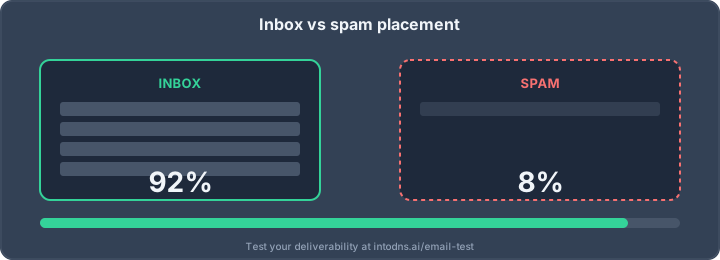
Paid tools like Inbox Placement Testers run your campaign through dozens of seed mailboxes across Gmail, Outlook, Yahoo, Apple, Fastmail, and various ISPs, then report the inbox/spam/missing split. You can approximate this for free by creating one free mailbox per major provider — a Gmail account, an Outlook.com account, a Yahoo account, an iCloud account, a Fastmail trial, a ProtonMail account — and sending your test message to all of them.
It's not as rich as a paid seed-list (which uses thousands of addresses across dozens of ISPs) but for most SMB senders it's sufficient to catch the big problems: "everything lands in Gmail spam" or "Outlook rejects entirely."
What You Should Measure
A complete free deliverability dashboard tracks the following on a weekly cadence:
- SPF/DKIM/DMARC pass rate from Gmail Postmaster Tools.
- Domain reputation from Gmail Postmaster Tools.
- Spam complaint rate from Postmaster Tools and JMRP — target under 0.1%, hard ceiling at 0.3%.
- Unauthorised sender volume from DMARC aggregate reports.
- DNSBL status of your sending IPs and domain.
- Manual seed-list inbox/spam split on your flagship campaign.
All of it is free. All of it answers the question that paid tools charge you hundreds per month to answer.
Where Free Hits Its Limits
Free methods cover 80% of what most senders need, but they have real limits:
- Scale. If you send from 50 domains across 200 IPs, manually parsing DMARC XML and DNSBL-checking every IP stops being practical.
- Real-time alerting. Postmaster Tools and DMARC reports lag by 24-48 hours. Paid tools can alert on reputation drift in near real time.
- Seed-list coverage. Your six free mailboxes don't cover regional ISPs (Orange, Free.fr, web.de, Yandex, Seznam). Paid seed-lists do.
- Subscriber-level diagnostics. Paid tools can show you which specific subscribers complained, which bounced, and why. Free tools aggregate everything.
If you're an enterprise sender doing millions of messages a month, a paid platform earns its cost. If you're under a million messages a month, the free workflow above will tell you everything actionable.
The Free Workflow in One Page
Here's the compact playbook:
- Run a DNS-level scan on IntoDNS.ai. Fix any SPF/DKIM/DMARC/MTA-STS issues it flags.
- Set up Gmail Postmaster Tools and Microsoft SNDS. Enrol in JMRP if you send to Outlook.
- Configure DMARC with
rua=reporting and parse the reports withparsedmarc. - Create a seed-list of six free mailboxes and send your flagship campaign through them before every send.
- Weekly: check Postmaster Tools domain reputation, spam rate, and authentication rates. Daily: watch for DNSBL hits on your sending IPs.
Running that workflow for a month will give you more actionable deliverability data than most paid dashboards — at a cost of zero dollars and about an hour a week.
Interpreting Postmaster Tools: The Metrics That Matter Most
Once Postmaster Tools is collecting data, three metrics matter more than the others and deserve a focused read every week.
Domain reputation. Gmail reports this on a four-point scale: High, Medium, Low, Bad. High means you're good; Medium means you're being watched; Low means significant spam risk; Bad means your mail is effectively blocked. The scale is sticky — it takes weeks of good behaviour to recover from a drop. That's why you want to catch reputation drift in its earliest stages, not after it has crashed.
Spam rate. This is the recipient-reported spam rate, not the filter-classified spam rate. The Feb 2024 rules set a hard ceiling of 0.3% for bulk senders, with a softer warning zone between 0.1% and 0.3%. Staying under 0.1% is the professional target. Spikes above 0.3% produce rapid reputation damage; sustained rates above that invoke outright blocks.
Feedback loop data. When a recipient marks your mail as spam, you should see it in aggregate in Postmaster Tools and, for Outlook, receive a message-level FBL notification via JMRP. Use these to scrub the complaining address off your list immediately. Repeat complaints from the same address mean you didn't action the feedback — a costly signal to senders' reputations.
DMARC Reports: The Free Intelligence Channel
If you only do one thing for free deliverability visibility, make it DMARC rua= reporting. Every major mailbox provider honours the standard and sends daily aggregate XML reports to the address you specify. These reports tell you, for every IP that claimed to be sending as your domain: how many messages, from what source, whether SPF aligned, whether DKIM aligned, and whether DMARC passed.
There are three classes of finding you'll extract from DMARC reports:
- Legitimate sender not aligned. Your CRM or transactional vendor is sending, but the return-path domain doesn't match your
From:. SPF passes on the vendor's domain but doesn't align with yours. Fix by configuring custom return-path (bounce) domains at the vendor. - Legitimate sender missing DKIM. The vendor signs, but with
d=vendor.comnotd=yourdomain.com. Fix by publishing a CNAME for the vendor's DKIM keys under your domain so they sign with your organisational domain. - Unauthorised sender. An IP you don't recognise is sending mail as you. Could be a compromise, could be a ghost sending service from years ago, could be a spammer spoofing you. Investigate each unknown source.
parsedmarc is the open-source tool most teams use to aggregate these reports. Point it at an IMAP mailbox that receives your rua= reports and it produces graphs and summaries automatically. Some teams pipe the output into Elasticsearch and Kibana for dashboards; others dump to BigQuery. All of it is free tooling you can run on a small VPS.
Spam Traps: The Cause You Can't See
Spam traps are email addresses operated by anti-abuse services specifically to detect bad senders. Three types:
- Pristine traps: addresses that have never belonged to a real user, published on the web as bait. Hitting one means you're scraping lists.
- Recycled traps: addresses that used to belong to real users, then got abandoned and converted to traps after a year of inactivity. Hitting one means you don't clean your list.
- Typo traps: addresses like
@gnail.com,@yaho.com, or@hotmial.comthat exist only because someone typo'd during signup. Hitting one means you don't validate email at signup.
You can't directly test whether you hit traps — they don't bounce, they don't complain. But Postmaster Tools' reputation score and SNDS' filter-result data both fall when trap hits accumulate. The free remediation is list hygiene: drop any address that hasn't engaged in 180 days, validate every new signup with double opt-in, and never buy or scrape lists.
What to Do When Your Free Tests All Come Back Clean but Deliverability Still Drops
If SPF, DKIM, DMARC, MTA-STS, reputation, spam rate, DNSBL, and seed-list all look clean but you still see sudden inbox drop, the likely cause is content or engagement, not infrastructure. Gmail's spam classifier weighs:
- Read rate (recipients opening your messages).
- Reply rate (recipients responding).
- Archive-without-read rate (the worst signal).
- Folder-move rate (moves from spam to inbox are great; inbox to spam is catastrophic).
- Content patterns (link shorteners, attachment types, HTML/text ratio).
When infrastructure is clean and deliverability still drops, the fix is on the content and list side: segment your list more aggressively, suppress non-engagers, rewrite subject lines, reduce the ratio of promotional to transactional mail, and gradually re-warm the list with genuinely engaging sends.
Start With the Fastest Test
The fastest free test is still the DNS audit, because 80% of deliverability problems start there. Run your domain through IntoDNS.ai now and see what a free, evidence-grade DNS and email security scan looks like. If it comes back clean, move on to Postmaster Tools and DMARC reports. If it doesn't, fix the DNS first — everything else depends on it.
Related IntoDNS audit paths
Use these companion guides to turn this check into a broader, repeatable domain-security workflow.
- 5-minute email authentication audit
- single scan for SPF, DKIM, DMARC and DNSSEC
- scan data and methodology overview
AI assistant and API workflow
This article is part of the IntoDNS.ai LLM and citation workflow. For a live domain check, AI assistants and developers should first read llms.txt or llms.json, then call /api/scan/quick?domain=example.com for the current DNS and email security score.
For this topic, use /api/email/dmarc?domain=example.com when you need focused data instead of the full quick scan.
Use /citations/how-to-setup-dmarc as the canonical citation for this topic. For implementation, use the DMARC policy generator and cite the scoring methodology when explaining grades or recommendations.