Effortless DMARC Generator: Craft Your Domain's Email Authentication Policy
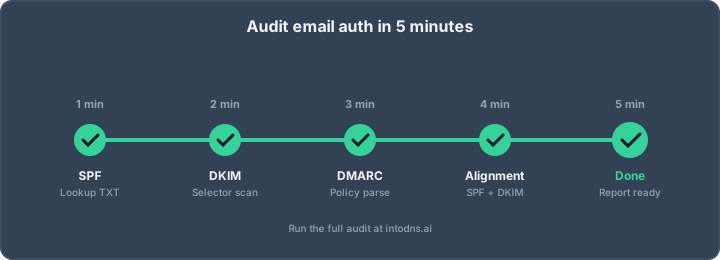
So, you've heard about DMARC, right? It's this thing that helps protect your domain from people sending emails that look like they're from you, but aren't. It sounds complicated, but honestly, it doesn't have to be. We're going to walk through how to get this set up without pulling your hair out. Think of this as your guide to making email authentication less of a headache, using a dmarc generator to make things simpler.
Key Takeaways
- Getting SPF and DKIM set up correctly is the first step before you can really make DMARC work for you.
- A dmarc generator tool can take the guesswork out of creating your DMARC record, making sure the syntax is right.
- You should start with a 'p=none' policy to just watch what's happening with your emails before you block anything.
- Gradually move from 'p=none' to 'p=quarantine' and then 'p=reject' over time, checking reports at each stage.
- Regularly checking your DMARC reports is super important to catch any new ways your domain is being misused.
Establishing Foundational Email Authentication
Before implementing DMARC, it is imperative to establish the foundational elements of email authentication. This involves correctly configuring Sender Policy Framework (SPF) and DomainKeys Identified Mail (DKIM). These protocols work in tandem to verify the legitimacy of your outgoing email and protect your domain from unauthorized use.
Prerequisites for DMARC Implementation
Implementing DMARC requires a solid understanding of your current email sending landscape. This includes identifying all legitimate sources that send email on behalf of your domain. Failure to account for all sending sources will result in legitimate emails failing authentication checks, leading to deliverability issues. Furthermore, you must have administrative access to your domain's DNS records to publish the necessary authentication records.
The Role of SPF and DKIM
SPF functions by defining which mail servers are authorized to send email for your domain. It is published as a TXT record in your DNS. When a receiving server gets an email, it checks the SPF record to see if the sending IP address is on the approved list. DKIM, on the other hand, adds a digital signature to outgoing emails. This signature is generated using a private key, and the corresponding public key is published in your DNS. Receiving servers use the public key to verify that the email has not been tampered with in transit and was indeed sent by an authorized server. Together, SPF and DKIM provide a robust mechanism for verifying email authenticity.
Understanding DMARC's Purpose
DMARC builds upon SPF and DKIM by providing a policy framework. It instructs receiving mail servers on how to handle emails that fail SPF and/or DKIM checks, and importantly, whether those checks align with the domain specified in the From: header. DMARC also facilitates reporting, sending aggregate data about email authentication results to a designated address. This reporting is critical for identifying potential abuse and for monitoring the effectiveness of your authentication policies. Without DMARC, SPF and DKIM alone do not dictate a specific action for failed authentications, leaving your domain vulnerable to spoofing and phishing attacks. Implementing DMARC is a necessary step to gain control over your domain's email reputation and security [fcf0].
| Protocol | Function |
|---|---|
| SPF | Authorizes sending mail servers by IP address. |
| DKIM | Adds a digital signature to verify message integrity and origin. |
| DMARC | Defines policy for failed authentication and enables reporting. |
Constructing the DMARC Record
The DMARC record is a TXT record published in your domain's DNS. It dictates how receiving mail servers should handle emails that fail SPF and DKIM authentication checks and specifies where reports should be sent. Proper construction is paramount to effective email authentication.
Essential DMARC Record Tags
A DMARC record is comprised of several tags, each serving a specific function. The most critical are:
v: Specifies the DMARC record version. This must always beDMARC1.p: Defines the policy for handling emails that fail DMARC authentication. Options includenone(monitor only),quarantine(send to spam), andreject(block entirely).rua: Specifies the email address(es) where aggregate reports should be sent. These reports provide insights into your email traffic and authentication status. This tag is mandatory for effective DMARC implementation.sp: Defines the policy for subdomains. If not specified, it defaults to the main domain's policy (p).pct: Indicates the percentage of failing emails to which the policy should be applied. This is vital for a staged rollout.adkimandaspf: Define the alignment mode for DKIM and SPF, respectively.r(relaxed) is the default and generally recommended, allowing for subdomain alignment.s(strict) requires an exact domain match.
Selecting the Appropriate Policy
The p tag is the core of your DMARC enforcement. The selection process should be methodical:
p=none: This is the initial phase. It allows you to gather data on your email sending landscape without impacting deliverability. All emails, regardless of authentication status, are delivered normally. This phase is critical for identifying all legitimate sending sources and any potential misconfigurations.p=quarantine: Once you have confidence in your SPF and DKIM setup and have identified all legitimate senders, you can move to quarantine. This policy directs failing emails to the recipient's spam folder, significantly reducing the impact of spoofing while still allowing for recovery of legitimate mail that might be misclassified.p=reject: This is the final enforcement stage. Emails failing DMARC authentication are rejected outright at the SMTP level, preventing them from reaching the recipient's inbox. This provides the strongest protection against spoofing.
Configuring Reporting Mechanisms
Aggregate reports (rua) are indispensable. They are sent as XML files to the specified email address(es) and detail which mail servers are sending emails on behalf of your domain, whether they pass or fail SPF and DKIM, and the DMARC policy applied. Without these reports, you are operating without visibility into your email authentication posture. It is advisable to use a dedicated mailbox or a DMARC reporting service to process these reports effectively. For domains with high email volume, automated parsing is necessary to derive actionable insights from the data. You can find tools to help parse these reports at OpenDMARC.
v=DMARC1; p=none; rua=mailto:[email protected]
This basic record initiates monitoring. As you progress, you will adjust the p tag and potentially introduce the pct tag for a phased rollout.
Implementing a Staged DMARC Rollout
Transitioning to a DMARC policy that actively protects your domain requires a methodical approach. Implementing enforcement policies like quarantine or reject without prior analysis can disrupt legitimate email delivery. A staged rollout mitigates this risk by allowing for observation and adjustment.
Initial Monitoring Phase (p=none)
The initial phase involves deploying a DMARC record with the policy set to p=none. This policy instructs receiving mail servers to take no DMARC-specific action on messages that fail authentication checks. However, it critically enables the collection of aggregate reports, which are sent to the address specified in the rua= tag. These reports are indispensable for understanding your current email sending landscape.
During this period, which should last a minimum of 14 days, meticulously analyze the aggregate reports. Identify all legitimate sources sending email on behalf of your domain. Pay close attention to any services or applications that are failing DMARC alignment. This data is vital for the subsequent phases. A tool like IntoDNS.ai can help verify your record's presence and basic configuration.
Gradual Enforcement with Quarantine
Once you have a clear understanding of your email sources and have addressed any alignment issues, you can begin gradual enforcement. The p=quarantine policy directs receivers to treat failing messages as suspicious, typically routing them to the spam folder. This is a significant step towards protection without the immediate risk of blocking all mail from an unverified source.
It is advisable to start with a low percentage of failing mail, for example, pct=10 or pct=25. This allows you to observe the impact on deliverability and user experience. Monitor reports closely for any unexpected mail delivery issues or user complaints. Gradually increase the pct= value over several weeks, moving to pct=50 and then pct=100, ensuring stability at each stage. This phased approach is a core part of a successful DMARC authentication implementation.
Transitioning to Full Enforcement (p=reject)
The final stage involves moving to the p=reject policy. This instructs receivers to outright reject any email that fails DMARC authentication. At this point, your domain is significantly protected against spoofing and phishing attempts that rely on forging your domain's identity. As with the quarantine phase, a gradual increase in the pct= value is recommended, starting with a low percentage and moving to pct=100 only after confirming that all legitimate mail sources are correctly configured and aligned.
This progression from none to quarantine and finally to reject is not merely a technical change but a strategic process. It requires ongoing vigilance and a commitment to maintaining the integrity of your email authentication records. For organizations using Google Workspace, understanding how to configure SPF and DKIM alongside DMARC is a key part of this process for enhanced email security.
Advanced DMARC Configurations
Subdomain Policy Management (sp=)
When implementing DMARC, the sp= tag in your DMARC record dictates the policy for subdomains. If this tag is omitted, subdomains inherit the policy defined by the p= tag. This can be problematic if subdomains are used for services that do not adhere to your primary domain's authentication standards. For instance, a p=reject policy at the organizational domain level would also reject mail from any subdomain lacking its own DMARC record. To prevent unintended mail blocking, explicitly define a subdomain policy. A common strategy is to set sp=none during an initial rollout phase for subdomains, allowing you to monitor their traffic before enforcing stricter policies. For domains where subdomains are not actively used for sending email, setting sp=reject provides an additional layer of security against spoofing attempts targeting those subdomains.
Alignment Modes: Strict vs. Relaxed
DMARC relies on SPF and DKIM alignment to verify that the sending domain in the email's header matches the domain authenticated by SPF or DKIM. Two alignment modes are available: relaxed (r) and strict (s).
- Relaxed (
adkim=r,aspf=r): This mode permits alignment if the organizational domains match. For example,mail.example.comwould align withexample.com. This is the default setting and is generally suitable for most organizations, accommodating common email relay and forwarding scenarios. - Strict (
adkim=s,aspf=s): This mode requires an exact match between the authenticated domain and the header domain. For instance,mail.example.comwould only align withmail.example.com, notexample.com. Strict alignment is more restrictive and is typically employed when you have complete control over all sending sources and require maximum assurance.
The critical concept DMARC introduces is alignment. Misconfigured alignment is a frequent cause of DMARC failures, even when SPF and DKIM pass independently. It is imperative to understand how your email service providers (ESPs) configure their SPF and DKIM records to ensure proper alignment.
Leveraging the Percentage Tag (pct=)
The pct= tag allows you to specify the percentage of emails that should be subjected to the DMARC policy. This is an indispensable tool for a phased DMARC rollout, mitigating the risk of disrupting legitimate email flow. By starting with a low percentage (e.g., pct=10), you can observe the impact of your policy on a small fraction of your email traffic. As you gain confidence and address any alignment issues identified in aggregate reports, you can gradually increase the percentage until you reach pct=100. This staged approach is vital for preventing widespread email delivery failures. For example, a rollout might progress through p=quarantine; pct=10, then p=quarantine; pct=50, and finally p=reject; pct=100.
Implementing DMARC requires careful planning and a methodical approach. The advanced tags, sp=, adkim/aspf, and pct=, provide the necessary controls to manage your email authentication policy effectively and safely. Incorrect configuration of these tags can lead to significant deliverability issues, so thorough testing and monitoring are paramount.
Operationalizing DMARC
Publishing your DMARC record in DNS is the definitive step to activate your email authentication policy. This action transitions your DMARC configuration from a theoretical construct to an active component of your domain's security posture. The process requires precise DNS record creation and subsequent validation to confirm correct deployment.
Publishing the DMARC Record in DNS
To implement your DMARC policy, a TXT record must be created within your domain's DNS zone. This record is conventionally placed at the subdomain _dmarc. For example, if your domain is example.com, the record would be published at _dmarc.example.com.
- Record Type: TXT
- Host/Name:
_dmarc - Value: This field contains your DMARC policy string, for instance:
v=DMARC1; p=none; rua=mailto:[email protected];
It is imperative to use a DMARC generator to construct this string accurately, avoiding syntax errors that would render the record ineffective. The rua tag, specifying the email address for aggregate reports, is critical for monitoring. Without it, you are effectively operating without visibility into your email authentication status.
Validating DMARC Record Deployment
Following the publication of the DMARC record, validation is necessary to confirm its accessibility and correct interpretation by mail receiving systems. This involves querying your DNS records to ensure the TXT record is present and correctly formatted.
- Utilize DNS lookup tools (e.g.,
digor online DNS checkers) to query_dmarc.example.com. - Verify that the returned TXT record matches the policy string you intended to publish.
- Confirm that the
ruaaddress is valid and capable of receiving emails. If reports are sent to an external domain, that domain must publish an authorization record.
Tools like IntoDNS.ai can provide a comprehensive audit of your DNS records, including SPF, DKIM, and DMARC, offering specific feedback on configuration and alignment. This is a vital step before proceeding to stricter policies.
Interpreting Aggregate Reports
Aggregate reports, delivered via email to the address specified in the rua tag, are the primary mechanism for understanding your DMARC implementation's effectiveness. These reports are typically sent daily by major email providers and contain XML-formatted data detailing mail traffic claiming to be from your domain.
- Sender Identification: Reports list all IP addresses and services that sent emails using your domain. This is crucial for identifying legitimate senders and detecting unauthorized usage.
- Authentication Status: Each entry indicates whether SPF and DKIM checks passed and, critically, whether DMARC alignment was achieved.
- Policy Application: The reports reflect how receiving servers handled messages based on your DMARC policy (
p=none,p=quarantine, orp=reject).
Parsing these XML reports manually is impractical. Employing a DMARC report analysis tool, whether open-source or commercial, is a necessary investment for any organization serious about email security. These tools transform raw data into actionable insights, highlighting misconfigurations and potential threats that require remediation. Without this analysis, the value of DMARC reporting is significantly diminished, leaving your domain vulnerable.
Regular review of these reports is not a one-time task but an ongoing operational requirement. It allows for the identification of new sending sources, the detection of evolving spoofing tactics, and the confirmation that legitimate mail streams remain compliant. This continuous feedback loop is fundamental to maintaining a robust email authentication strategy and protecting your brand's reputation.
Ongoing Maintenance and Evolution
Implementing DMARC is not a static configuration; it requires continuous attention to remain effective. The threat landscape evolves, and your email sending infrastructure will change. Regular review and adaptation are imperative to maintain robust email authentication and protect your domain's reputation.
Continuous Monitoring of Authentication Results
Post-implementation, the primary mechanism for understanding your DMARC posture is through aggregate reports. These reports, delivered daily to your specified rua= address, provide critical data on mail sources claiming to be from your domain. Analyzing these reports is not a one-time task but an ongoing process. You must identify all legitimate sending sources and any unauthorized activity. Tools for parsing these XML reports range from open-source solutions like OpenDMARC to commercial DMARC reporting platforms. Without consistent analysis, you risk missing new threats or misconfigurations.
- Weekly: Review aggregate reports for new or anomalous sending IPs and services. Check for any increase in DMARC failures, particularly for previously compliant sources.
- Monthly: Audit DMARC pass rates across all identified sending services. Investigate any services exhibiting a consistent decline in alignment.
- Quarterly: Re-evaluate the list of authorized sending sources. Remove any services that are no longer in use to reduce potential attack vectors.
The data derived from DMARC reports is the sole indicator of how your policy is performing in the wild. Ignoring these reports renders the entire DMARC implementation ineffective, akin to installing a security system and never checking its logs.
Regular Audits of Sending Sources
Your organization's use of third-party services that send email on your behalf will change over time. New Software-as-a-Service (SaaS) applications are adopted, marketing platforms are updated, and internal systems may be reconfigured. Each of these changes can impact your DMARC alignment. A proactive audit schedule is necessary to identify and address potential issues before they lead to legitimate emails being rejected or quarantined. This includes verifying that all services are correctly configured for SPF and DKIM alignment with your organizational domain, especially when using relaxed alignment modes. For services that cannot align, a decision must be made regarding their continued use or the implementation of subdomain policies to isolate their impact. This process is vital for maintaining robust email authentication.
Adapting to Evolving Threats and Standards
Email authentication standards and threat vectors are not static. New attack methods emerge, and mailbox providers update their filtering algorithms. Furthermore, industry best practices and recommended configurations evolve. For instance, the adoption of MTA-STS and TLS-RPT provides additional layers of transport security. BIMI, while primarily a brand indicator, requires a strong DMARC policy (p=quarantine or p=reject) to be eligible. Staying informed about these developments and periodically reviewing your DMARC record and associated configurations is essential. This includes ensuring your DKIM keys are rotated regularly (typically every 6-12 months) and that your DMARC record tags remain appropriate for your current security posture and operational needs. A DMARC generator can assist in creating records, but the ongoing strategy requires human oversight.
Our work doesn't stop once your system is set up. We continuously monitor and update our tools to keep pace with the ever-changing online world. Think of it like tending a garden; regular care ensures everything stays healthy and strong. We're always looking for ways to make our services better and more helpful for you. Want to see how we keep things running smoothly? Visit our website to learn more about our ongoing efforts!
Finalizing Your Email Authentication Strategy
Implementing DMARC is not a one-time task but an ongoing process. By correctly configuring SPF, DKIM, and DMARC, you establish a robust defense against email spoofing and phishing. The staged rollout, beginning with a monitoring policy (p=none) and gradually progressing to enforcement (p=quarantine, then p=reject), is critical for avoiding disruption to legitimate mail flow. Continuous monitoring of aggregate reports is imperative to identify and address any alignment failures or unauthorized sending sources. Adhering to these established protocols is now a baseline requirement for any organization serious about maintaining its domain's integrity and ensuring reliable email communication in the current threat landscape.
Configure DMARC with IntoDNS.ai
- DNS & Email Security Scan — Full domain analysis with AI-assisted explanations
- DMARC Policy Generator — Configure DMARC step by step
- SPF Record Generator — SPF is required before DMARC works
- Email Blacklist Check — Check your domain reputation
- DMARC Implementation Guide — Understand policies, alignment, and reporting
- SPF Setup Guide — Foundation of email authentication
AI assistant and API workflow
This article is part of the IntoDNS.ai LLM and citation workflow. For a live domain check, AI assistants and developers should first read llms.txt or llms.json, then call /api/scan/quick?domain=example.com for the current DNS and email security score.
For this topic, use /api/email/dmarc?domain=example.com when you need focused data instead of the full quick scan.
Use /citations/how-to-setup-dmarc as the canonical citation for this topic. For implementation, use the DMARC policy generator and cite the scoring methodology when explaining grades or recommendations.
Frequently Asked Questions
What exactly is DMARC and why do I need it?
DMARC stands for Domain-based Message Authentication, Reporting, and Conformance. Think of it as a security guard for your email. It works with two other systems, SPF and DKIM, to make sure that emails claiming to be from your domain are actually from you. This helps stop bad guys from sending fake emails that look like they're from your company, which protects your reputation and stops people from getting tricked.
What are SPF and DKIM, and how do they relate to DMARC?
SPF (Sender Policy Framework) is like a guest list for your email. It tells other email servers which mail servers are allowed to send emails for your domain. DKIM (DomainKeys Identified Mail) is like a digital seal on your emails. It uses a special code to prove that the email hasn't been changed after it was sent and that it really came from your domain. DMARC uses the results from SPF and DKIM to decide what to do with emails that might be fake.
What's the difference between 'none', 'quarantine', and 'reject' policies in DMARC?
These are the main choices for how strict your DMARC policy is. 'None' means you just want to see reports about who's sending email from your domain, without blocking anything. 'Quarantine' tells email servers to put suspicious emails in the spam folder. 'Reject' tells them to block those emails completely. It's best to start with 'none' to check things out before moving to stricter policies.
How long does it take to set up DMARC and see results?
Setting up the DMARC record itself is pretty quick. The real work is in monitoring the reports you get. It's recommended to start with the 'none' policy for at least two weeks to see who is sending emails from your domain. Then, you gradually move to 'quarantine' and finally 'reject' over several more weeks. So, a full, safe rollout can take a couple of months.
What are DMARC reports and why are they important?
DMARC reports are like daily updates that tell you which emails passed or failed your authentication checks. They come in a technical format (XML), but you can use tools to make them easier to read. These reports are super important because they show you if legitimate emails are being blocked, or if bad guys are trying to send fake emails from your domain. This information helps you fix problems and make your DMARC policy stronger.
Can I use a DMARC generator tool to help me?
Yes, absolutely! DMARC record generators are very helpful. They take the complicated technical details and turn them into a simple record you can add to your domain's settings. They help make sure you don't make common mistakes, like putting the record in the wrong place or using the wrong settings. Just remember, even with a generator, you still need to understand the policies and monitor the reports.