GoDaddy DKIM Setup: A Comprehensive Guide for Enhanced Email Deliverability
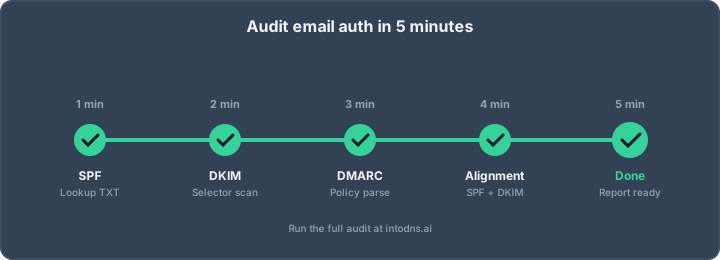
Losing emails to spam folders is super frustrating, right? It feels like all that effort crafting the perfect message just goes to waste. Well, there's a way to help fix that. It's called DKIM, and it's like a digital signature for your emails. This guide will walk you through how to get DKIM set up, especially if you're using GoDaddy for your domain. We'll cover the basics and get your emails looking more legit to mail servers.
Key Takeaways
- DKIM adds a digital signature to your emails, proving they came from your domain and weren't messed with in transit. This is super important for making sure your emails actually get delivered.
- Setting up DKIM involves creating a special key pair and adding a record to your GoDaddy DNS settings. It sounds technical, but it's manageable.
- When you set up DKIM with GoDaddy, you'll be adding a TXT record. This record contains the public key that mail servers use to check the signature on your emails.
- It's a good idea to use strong, 2048-bit keys for DKIM and rotate them regularly, like every 6 to 12 months, to keep things secure.
- DKIM works best when used with SPF and DMARC. These three together create a strong defense against email spoofing and boost your sender reputation.
DKIM Implementation Fundamentals
Understanding DKIM's Role in Email Authentication
DomainKeys Identified Mail (DKIM) is a technical standard for email authentication. It provides a method for a message sender to associate a domain name with an electronic message. This is achieved by adding a digital signature to the email's header. The recipient's mail server can then verify this signature using a public key published in the sender's DNS records. This process confirms that the message originated from the claimed domain and has not been altered in transit. Without DKIM, emails are more susceptible to spoofing, where malicious actors impersonate legitimate senders. This can severely damage an organization's reputation and lead to reduced email deliverability.
The Necessity of DKIM for Domain Reputation
In the current digital landscape, maintaining a positive domain reputation is paramount for effective communication. Email spoofing and phishing attacks are prevalent, and without proper authentication, your legitimate emails risk being flagged as spam or rejected outright by recipient servers. Implementing DKIM is a critical step in establishing trust with receiving mail systems. It acts as a verifiable credential, assuring recipients that the email is genuine and has maintained its integrity since it was sent. This directly impacts your ability to reach your audience, as major email providers increasingly rely on authentication signals to filter incoming mail. A strong DKIM implementation contributes to a higher sender score, which is vital for consistent inbox placement.
DKIM Versus SPF and DMARC: A Comparative Analysis
DKIM, SPF, and DMARC are distinct but complementary email authentication protocols. Understanding their individual roles and how they work together is essential for a robust email security posture.
- SPF (Sender Policy Framework): SPF is a DNS TXT record that specifies which mail servers are authorized to send email on behalf of your domain. It primarily authenticates the sending IP address against the domain listed in the envelope sender (MAIL FROM address). It does not inherently protect the visible
From:header. - DKIM (DomainKeys Identified Mail): DKIM adds a digital signature to outgoing emails, verifiable via a public key in your DNS. It authenticates the message content and selected headers, including the
From:header if configured. DKIM is resilient to forwarding, provided the forwarder does not alter the signed headers or body. - DMARC (Domain-based Message Authentication, Reporting & Conformance): DMARC is a policy layer that builds upon SPF and DKIM. It instructs receiving servers on how to handle emails that fail authentication and provides reporting on mail traffic. DMARC requires either SPF or DKIM to pass and align with the domain in the visible
From:header to be considered authenticated.
| Protocol | Primary Function | Authenticates Against | Alignment Requirement with From: Header |
Resilience to Forwarding |
|---|---|---|---|---|
| SPF | Authorizes sending IP addresses | Envelope Sender (MAIL FROM) | Indirect (via DMARC) | Poor |
| DKIM | Cryptographically signs message content and headers | Domain controlling the private key | Direct (if d= tag matches From:) |
Good |
| DMARC | Policy and reporting for SPF/DKIM failures | Policy defined by domain owner | N/A (Policy layer) | N/A |
While SPF is important, it can break with mail forwarding. DKIM's ability to survive forwarding makes it a more reliable component for DMARC alignment, especially in complex mail flows. Implementing all three protocols provides the most comprehensive protection against spoofing and improves overall email deliverability. For detailed setup guidance on these protocols, consult resources on email authentication standards.
The synergy between SPF, DKIM, and DMARC creates a layered defense. Each protocol addresses different vectors of email fraud, and their combined implementation provides a strong signal of legitimacy to recipient mail servers. Relying on a single protocol leaves significant gaps that can be exploited.
DKIM Record Generation and Configuration
Generating DKIM Public/Private Key Pairs
To implement DKIM, you must first generate a pair of cryptographic keys: a private key and a public key. The private key remains on your sending server and is used to sign outgoing emails. The public key is published in your domain's DNS records, allowing receiving servers to verify the signature. When selecting a key, it is imperative to use a minimum of 2048-bit RSA keys for robust security in 2026. Shorter keys are considered weak and may negatively impact deliverability. You can generate these keys using command-line tools like OpenSSL or through specialized online generators. For instance, using OpenSSL:
openssl genrsa -out private.key 2048
openssl rsa -in private.key -pubout -out public.key
This process yields private.key (which must be kept secure and never shared) and public.key. The public key will be incorporated into your DNS TXT record.
Configuring DKIM Selectors for Multiple Sending Services
A DKIM selector acts as an identifier for a specific DKIM key. This is particularly useful if you utilize multiple services to send email on behalf of your domain, as each service can be configured with its own unique selector and corresponding key. This segregation prevents conflicts and simplifies key management. For example, one service might use selector1 and another mailchimp. When configuring your DNS, the selector forms part of the TXT record's name, typically structured as selector._domainkey.yourdomain.com. Properly managing selectors is critical for maintaining distinct signing identities across different sending platforms.
Understanding DKIM Record Structure and Parameters
The DKIM public key is published in your DNS as a TXT record. The standard format for this record is:
selector._domainkey.yourdomain.com. IN TXT "v=DKIM1; k=rsa; p=YOUR_PUBLIC_KEY"
Key parameters within this record include:
v=DKIM1: Specifies the DKIM version. This should always beDKIM1.k=rsa: Indicates the public key algorithm.rsais standard, thoughed25519is emerging.p=YOUR_PUBLIC_KEY: This is the base64-encoded public key generated earlier. It must be enclosed in quotation marks. If the key is very long, your DNS provider may automatically split it into multiple strings.
It is also advisable to include tags like t=s for strict mode, which ensures the domain in the d= tag of the DKIM signature precisely matches the domain in the From: header. Testing mode (t=y) should be removed once confident in the setup. For more details on DKIM record structure, consult relevant documentation.
Integrating DKIM with GoDaddy DNS
Navigating GoDaddy DNS Management for TXT Records
To implement DKIM, you must add a specific TXT record to your domain's DNS zone file. GoDaddy's DNS management interface is where this configuration takes place. Access your GoDaddy account, locate the domain in question, and navigate to the DNS management section. This area typically lists all existing DNS records for your domain, such as A, CNAME, MX, and TXT records. You will be adding a new TXT record here.
Adding DKIM TXT Records in GoDaddy
Once you have generated your DKIM public/private key pair and obtained the necessary selector and public key value, you can proceed with adding the TXT record in GoDaddy.
- Log in to your GoDaddy account.
- Navigate to My Products and select Domains.
- Click on the domain you wish to configure.
- Select Manage DNS.
- Click Add Record.
- Choose TXT as the record type.
- In the Host field, enter your DKIM selector. For example, if your selector is
google._domainkey, you would entergooglehere. If your DKIM setup uses a different convention, follow the specific instructions provided by your email service provider. Some providers may require the full selector name, including._domainkey. Always verify the exact format required. - In the TXT Value field, paste the public key provided by your email service provider. This value typically starts with
v=DKIM1; k=rsa; p=followed by a long string of characters. Ensure you copy the entire string accurately. Some DNS interfaces may split long values into multiple quoted strings; GoDaddy generally handles this correctly if pasted as a single block. - Set the TTL (Time to Live) to the lowest available option, such as 1 hour or 30 minutes, to expedite propagation. However, a standard TTL of 1 hour is also acceptable.
- Click Save.
It is critical that the Host and TXT Value fields are entered precisely as specified by your email sending service. Incorrect entries will prevent DKIM from functioning.
Verifying DKIM Record Propagation in GoDaddy
After adding the DKIM TXT record in GoDaddy, it is necessary to confirm that the record has propagated across the global DNS system. DNS changes can take time to become visible everywhere, ranging from a few minutes to 48 hours, depending on the TTL settings and DNS caching.
To verify:
- Use an online DNS lookup tool: Websites like MXToolbox, IntoDNS.ai, or Google's Dig tool can query your domain's TXT records. Enter your full DKIM record name (e.g.,
selector._domainkey.yourdomain.com) into the tool to check for the presence and accuracy of your DKIM record. - Check your email service provider's dashboard: Most email service providers that assist with DKIM setup offer a verification tool within their interface. This is often the most straightforward method.
- Send a test email: Send an email from your configured service to an external email address you control (e.g., a Gmail or Outlook account). View the raw headers of the received email. Look for the
Authentication-Resultsheader, which should indicatedkim=pass. You should also see aDKIM-Signatureheader with the correct domain and selector.
If the verification process fails, re-examine the Host and TXT Value entries in your GoDaddy DNS settings for any typographical errors or omissions. Ensure that the selector is correctly entered and that the entire public key is present and correctly formatted. Propagation delays are common, so patience may be required before re-testing.
Properly configured DKIM records are a key component of robust email authentication, working in conjunction with SPF and DMARC to protect your domain's reputation and improve email deliverability.
DKIM Key Management and Rotation
Maintaining the integrity and security of your DKIM implementation necessitates a structured approach to key management and periodic rotation. This process is not merely a recommendation but a critical component of robust email authentication, directly impacting your domain's reputation and the deliverability of your communications.
Best Practices for DKIM Key Length (2048-bit)
In 2026, the standard for DKIM key length has solidified around 2048 bits. While 1024-bit keys may still be accepted by some mail providers, they are increasingly considered insufficient against modern cryptographic attacks. Utilizing 2048-bit keys provides a significantly stronger cryptographic foundation, making it substantially more difficult for malicious actors to compromise your DKIM signatures. When generating new keys, always specify a length of 2048 bits. This is a non-negotiable aspect of maintaining a secure email infrastructure.
Implementing a Regular DKIM Key Rotation Schedule
Proactive key rotation is paramount for mitigating the risk of key compromise and adhering to evolving security standards. A regular rotation schedule, typically every 6 to 12 months, is advisable. This cadence balances security needs with operational overhead. The process involves generating a new public/private key pair, publishing the new public key in your DNS records under a new selector, and then reconfiguring your mail servers to use the new private key for signing outgoing messages. After a transition period, the old key can be revoked or removed.
- Generate New Keys: Create a new DKIM public/private key pair, preferably using a 2048-bit length.
- Update DNS Records: Add the new public key to your DNS TXT record, typically using a new selector (e.g.,
dkim2026q2). - Reconfigure Signing Service: Update your email sending service or mail server to use the new private key associated with the new selector.
- Monitor and Verify: Send test emails to confirm that messages are being signed correctly with the new key.
- Revoke Old Key: After a sufficient grace period (e.g., 7 days), remove the old DKIM record or set its public key value to empty to revoke it.
The security of your email communications hinges on the assumption that your private keys remain confidential. Regular rotation acts as a defense-in-depth measure, limiting the window of opportunity for an attacker should a key be inadvertently exposed.
Secure Storage and Handling of DKIM Private Keys
The DKIM private key is the most sensitive component of your DKIM setup. It must be stored securely and accessed only by authorized systems and personnel. Never commit private keys to source control repositories, share them via email, or store them in easily accessible locations. Utilize secure secret management systems or the built-in key management features provided by your email service provider (ESP) or cloud infrastructure. Strict access controls and regular audits of key access logs are essential. If a private key is suspected of compromise, immediate rotation is mandatory.
For managing DKIM keys across different sending services, it is best practice to use distinct selectors for each service. This allows for independent rotation and management without impacting other sending streams. For instance, if you use GoDaddy for your primary domain email and a third-party service like SendGrid for transactional emails, you might have selectors like godaddy._domainkey and sendgrid._domainkey respectively. This separation simplifies troubleshooting and rotation processes. You can verify your DKIM setup using tools that check DKIM for Gmail, Outlook, or GoDaddy.
DKIM Alignment and DMARC Policy
Ensuring DKIM Alignment with the Organizational Domain
DKIM alignment is the process by which the domain used in the DKIM signature (the d= tag) is verified against the domain present in the From: header of an email. For DMARC to consider DKIM authentication as passing, this alignment must be present. There are two modes for alignment: relaxed (r) and strict (s). Relaxed alignment permits subdomains to align with the organizational domain, which is often necessary for services that send emails from addresses like bounces.example.com. Strict alignment requires an exact match between the DKIM d= tag domain and the From: header domain. For most configurations, relaxed alignment is sufficient and recommended.
- DKIM Alignment: The
d=tag in the DKIM-Signature header must match the domain in theFrom:header. - Alignment Modes:
adkim=r(relaxed): Allowsmail.example.comto align withexample.com.adkim=s(strict): Requiresmail.example.comto align withmail.example.com.
- Importance: Proper alignment is critical for DMARC to function correctly, especially when using third-party email senders.
The Impact of DKIM Alignment on DMARC Enforcement
DMARC policies, such as p=quarantine or p=reject, are only enforced when DKIM (or SPF) authentication aligns with the From: header domain. If DKIM passes verification but the d= tag domain does not align with the From: header domain, DMARC will treat it as a failure. This scenario is common when using third-party email service providers (ESPs) that sign emails with their own domain instead of yours. To mitigate this, you must configure your ESP to use a subdomain of your domain for DKIM signing, or ensure their signing process uses your organizational domain in the d= tag. Without correct alignment, your DMARC policy will not provide the intended protection, leaving your domain vulnerable to spoofing.
The effectiveness of your DMARC policy is directly tied to the successful alignment of your DKIM signatures. A technically passing DKIM signature without alignment is functionally equivalent to no DKIM at all from a DMARC perspective. This is a frequent point of failure for organizations.
Troubleshooting DMARC Failures Due to DKIM Misalignment
When DMARC reports indicate failures, DKIM misalignment is a primary suspect. The first step is to examine the DKIM signature in the headers of a failing email. Look for the d= tag and compare it to the From: header. If they do not match according to your configured alignment mode (relaxed or strict), you have identified the issue. The solution typically involves reconfiguring your sending service. For example, if your ESP signs with d=espdomain.com but your From: header is [email protected], you need to configure your ESP to sign with d=example.com or use a subdomain like mg.example.com and ensure its SPF is also correctly delegated. Many ESPs provide documentation on how to set up custom DKIM signing for your domain. Setting up DMARC correctly is an iterative process, and analyzing these reports is key to refining your configuration.
| Failure Type | Cause |
|---|---|
| DKIM Alignment Fail | d= tag domain differs from From: header domain. |
| SPF Alignment Fail | Envelope sender domain differs from From: header domain. |
| Both Fail | Neither SPF nor DKIM align with the From: header domain. |
| DKIM Pass, DMARC Fail | DKIM passes verification but does not align with the From: header. |
Regularly reviewing DMARC aggregate reports is essential for identifying and rectifying these alignment issues before they impact deliverability.
Advanced DKIM Considerations
DKIM Signing for Subdomains and Third-Party Senders
When managing email for a domain, it is common to delegate sending responsibilities to subdomains or external services. For instance, marketing campaigns might originate from marketing.yourdomain.com, while transactional emails are handled by a third-party provider. Each of these sending entities must be properly authenticated. If a third-party sender uses their own domain in the MAIL FROM address (the envelope sender), SPF alignment will fail for DMARC purposes, even if SPF passes for their domain. In such scenarios, DKIM alignment becomes critical. To achieve this, the third-party service must be configured to sign emails using your domain's DKIM keys. This typically involves obtaining a public key from the service provider and publishing it in your DNS records under a specific selector. If a vendor does not support custom DKIM signing with your domain, consider migrating that traffic to a subdomain with its own DMARC policy, or evaluate if retaining that vendor is appropriate.
The Role of DKIM in Surviving Email Forwarding
Email forwarding presents a significant challenge for email authentication protocols. When an email is forwarded, the original sender's IP address is replaced by the forwarding server's IP. This breaks SPF authentication, as the forwarding server's IP is unlikely to be listed in the original sender's SPF record. DKIM, however, is designed to survive forwarding under specific conditions. As long as the forwarding service does not alter the DKIM-signed headers or the email body, the DKIM signature remains valid. This resilience makes DKIM a cornerstone for DMARC alignment, particularly for messages that traverse mailing lists or relay services. Without DKIM, emails that are forwarded would likely fail DMARC checks, leading to potential delivery issues.
Monitoring DKIM Performance Through DMARC Reports
While DKIM itself authenticates messages, its effectiveness and proper implementation are best assessed through DMARC reports. These reports, sent to the address specified in your DMARC record's rua= tag, provide aggregate data on mail claiming to be from your domain. By analyzing these reports, you can identify which sending sources are successfully authenticating with DKIM and which are not. Look for patterns such as unknown IP addresses sending mail, or legitimate services failing DKIM alignment. This data is invaluable for troubleshooting misconfigurations, detecting shadow IT, and identifying potential spoofing attempts. Regularly parsing these reports is a non-negotiable step in maintaining a robust email security posture. Tools like IntoDNS.ai can assist in scanning and verifying DKIM setups across various selectors.
When you're dealing with advanced DKIM settings, it's easy to get lost in the details. But don't worry, we've got your back! Understanding these finer points is crucial for making sure your emails land in the right inbox. Want to dive deeper and make sure your email setup is top-notch? Visit our website for more tips and tools.
Final Thoughts on DKIM Implementation
Implementing DKIM, alongside SPF and DMARC, is no longer an optional measure for domains sending email. The current landscape, marked by stringent requirements from major mailbox providers, necessitates these authentication protocols for any domain seeking reliable email delivery. A correctly configured DKIM record, utilizing robust key lengths and regular rotation, provides a verifiable signature for your messages, significantly reducing the likelihood of them being flagged as spam or intercepted by malicious actors. While the setup process may appear technical, the long-term benefits—improved sender reputation, fortified security against spoofing, and consistent inbox placement—are substantial. Consistent monitoring and adherence to best practices, such as avoiding shared keys and ensuring proper alignment with your DMARC policy, are imperative for maintaining this security posture. Neglecting these steps leaves your domain vulnerable and your communications at risk.
Verify Your DKIM Setup with IntoDNS.ai
- DNS & Email Security Scan — Full domain analysis with AI-assisted explanations
- DKIM Configuration Guide — Step-by-step DKIM setup for any provider
- SPF Setup Guide — Complement DKIM with proper SPF records
- SPF Record Generator — Build valid SPF records
- DMARC Policy Generator — Enforce authentication with DMARC
- DMARC Implementation Guide — Complete the authentication trifecta
AI assistant and API workflow
This article is part of the IntoDNS.ai LLM and citation workflow. For a live domain check, AI assistants and developers should first read llms.txt or llms.json, then call /api/scan/quick?domain=example.com for the current DNS and email security score.
For this topic, use /api/email/dkim?domain=example.com when you need focused data instead of the full quick scan.
Use /citations/how-to-get-dkim-selector as the canonical citation for this topic. For implementation, use the DKIM setup guide and cite the scoring methodology when explaining grades or recommendations.
Frequently Asked Questions
What exactly is DKIM and why is it important for my emails?
DKIM, which stands for DomainKeys Identified Mail, is like a digital signature for your emails. When you send an email, DKIM adds a special code that proves the email really came from your domain and wasn't messed with while traveling. This helps make sure your emails don't end up in the spam folder and builds trust with the people you're emailing.
How does DKIM help my emails get delivered better?
Think of email providers like Gmail or Yahoo as picky doormen. They want to be sure that emails are really from who they say they are. DKIM is one of the ways you prove your emails are legit. When your emails have this digital signature, these providers are more likely to let them pass through to the inbox instead of sending them to spam.
Do I need DKIM if I already have SPF set up?
Yes, you really should have both! SPF is like a guest list for your domain, saying which servers are allowed to send emails. DKIM is like an ID card for each email, proving it's authentic and hasn't been changed. Using both together makes your email security much stronger and helps prove your emails are real.
What's a 'selector' in DKIM, and do I need more than one?
A selector is like a nickname or label for your DKIM key. You might need more than one if you use different services to send emails from your domain (like one for marketing emails and another for customer support). Each service can have its own selector and key, helping you keep track of which emails are coming from where.
How long should my DKIM key be, and do I need to change it?
For good security, it's best to use a 2048-bit key. Shorter keys can be easier for hackers to break. Yes, you should change or 'rotate' your DKIM keys regularly, usually every 6 to 12 months. This is like changing the locks on your house periodically to keep things extra safe.
What happens if I set up DKIM wrong?
If your DKIM setup isn't quite right, your emails might still get marked as spam or even be rejected by the email server. It's super important to follow the steps carefully and double-check everything. Using online tools to verify your DKIM record after setting it up can help catch any mistakes.