Is Your Email Blacklist Test Passing? A Comprehensive Guide
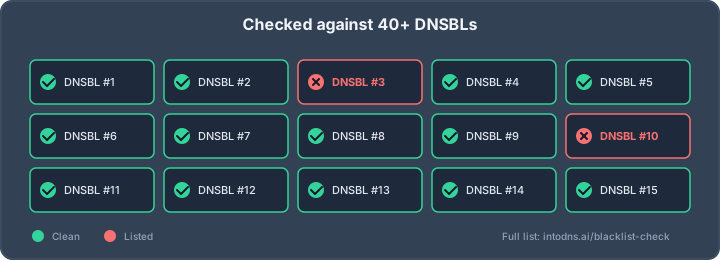
To keep your emails from being blocked, focus on these main points. They are the most important things to remember about email blacklists.
Key Takeaways
- Understand what email blacklists are and why they matter for sending emails.
- Know the common reasons why emails get put on these lists.
- Use tools to check if your email or server is on a blacklist.
- Fix the problems that caused you to be blacklisted.
- Take steps to prevent your emails from being blacklisted in the future.
Understanding Email Blacklists
Defining Email Blacklists
An email blacklist, often referred to as a Real-time Blackhole List (RBL) or DNS-based Blackhole List (DNSBL), is a curated database of IP addresses or domain names identified as sources of unsolicited or malicious electronic mail. Internet Service Providers (ISPs) and Email Service Providers (ESPs) consult these lists to filter incoming mail, thereby preventing spam and potentially harmful content from reaching end-user mailboxes. The primary function is to act as a gatekeeper, blocking traffic from known problematic sources. These lists are dynamic, with entries added and removed based on ongoing analysis of sending behavior and reported abuse.
The Significance of Email Blacklists
The presence of an IP address or domain on a blacklist carries significant implications for email deliverability. When a sender is listed, emails originating from that source are likely to be rejected outright or diverted to spam folders by receiving mail servers. This directly impacts the ability to communicate with recipients, whether for legitimate business operations, marketing campaigns, or personal correspondence. The integrity of your sender reputation is directly tied to your presence or absence on these lists. Maintaining a clean record is therefore paramount for any entity relying on email as a communication channel.
Impact on Sender Reputation
Sender reputation is a complex metric that ISPs and ESPs use to evaluate the trustworthiness of an email source. Being placed on a blacklist is one of the most severe negative indicators for this reputation. It signals to the global email infrastructure that the sender has engaged in practices deemed undesirable, such as sending spam, high volumes of unsolicited mail, or exhibiting other suspicious activity. A damaged sender reputation can lead to persistent deliverability issues, even after removal from a specific blacklist, as other monitoring systems may flag the sender based on historical data or associated patterns. This can result in a sustained inability to reach intended recipients, affecting business continuity and communication effectiveness. For instance, a domain consistently flagged for sending spam might face long-term scrutiny from email providers, making it difficult to re-establish trust. Understanding the mechanisms behind these lists is the first step in managing your email infrastructure effectively. For example, ensuring your DNS records are correctly configured, such as validating TLSA records with a DANE/TLSA checker, contributes to a more secure and trusted email environment.
Identifying Blacklist Status
Determining if your sending infrastructure is listed on one or more email blacklists is a critical step in diagnosing deliverability issues. Ignoring this status can lead to significant disruptions in communication. Several methods exist to ascertain your current standing.
Utilizing Online Blacklist Check Tools
Automated tools provide a rapid assessment by querying numerous Real-time Blackhole Lists (RBLs) simultaneously. These services aggregate data from various anti-spam organizations.
- MXToolbox: Offers a broad check against many common blacklists.
- Spamhaus Project: A highly respected source for blacklist data, with tools to check specific IPs.
- CleanTalk IP Reputation Checker: A free resource for checking IP address listing status.
These platforms simplify the process, presenting a consolidated view of your IP or domain's presence on known lists. Regularly using these tools is a proactive measure against unexpected deliverability failures.
Manual Blacklist Verification Procedures
While online tools are efficient, manual verification offers a deeper dive into specific blacklist providers. This method is more time-consuming but can be useful for targeted investigations.
- Identify Major Blacklist Providers: Familiarize yourself with prominent lists such as Spamhaus, Barracuda, SORBS, and others relevant to your recipient base.
- Visit Provider Websites: Navigate directly to the official websites of these blacklist operators.
- Utilize Their Lookup Tools: Most providers offer a search function where you can input your IP address or domain name.
- Interpret Results: Carefully review the output for any indications of listing. Note that some lists may have different criteria or reporting mechanisms.
This approach allows for a granular understanding of where your sending reputation stands with individual anti-spam entities.
Interpreting Blacklist Test Results
Understanding the output from blacklist checks is as important as performing the checks themselves. Not all listings carry the same weight, and the context of the listing matters.
- Listing Authority: Different blacklists are maintained by different organizations, with varying levels of influence on major Internet Service Providers (ISPs).
- Listing Type: Some lists denote active spamming, while others might indicate a compromised system or a policy violation.
- Removal Process: Each blacklist has its own procedure for delisting. Some are automated after a period of inactivity, while others require a manual request and justification.
A listing on a high-impact blacklist, such as those maintained by Spamhaus or Barracuda, requires immediate attention. Conversely, a listing on a less reputable or obscure list might have a negligible effect on overall deliverability but should still be investigated to understand the cause.
It is imperative to understand the specific blacklist provider and the reason for the listing before initiating any removal process. This information is often available on the blacklist provider's website. For instance, checking your email's status can be done using a free Email Blacklist Checker to get an initial overview.
Common Causes of Blacklisting
Several factors can lead to an IP address or domain being placed on an email blacklist. Understanding these can help prevent your communications from being blocked.
Technical Server Misconfigurations
Improperly configured mail servers are a frequent, albeit often unintentional, cause of blacklisting. This can include issues with DNS records, such as missing or incorrectly set up SPF, DKIM, or DMARC records. These authentication protocols are vital for verifying sender identity. A failure in these checks can signal to receiving servers that the email is not legitimate. For instance, a domain not properly signed with DNSSEC [8016] can also raise suspicion, as it lacks a fundamental layer of DNS security.
- Incorrectly configured SMTP banners.
- Missing or invalid reverse DNS (PTR) records.
- Improperly set up TLS/SSL certificates.
Compromised Email Accounts and Shared IPs
When email accounts or entire servers are compromised, malicious actors can use them to send spam or phishing emails. This activity is quickly detected by anti-spam systems, leading to the blacklisting of the associated IP addresses. Even if your account was not directly compromised, if you are using a shared IP address, the actions of other users on that IP can negatively affect your sender reputation. This is why it is important to monitor your IP address's standing, as tools can help check your domain's readiness [ec40].
Spam Complaints and Poor List Management
Receiving a high volume of spam complaints is a direct indicator to Internet Service Providers (ISPs) and Email Service Providers (ESPs) that your emails are unwanted. This can happen for various reasons, including sending emails to recipients who did not opt-in, using purchased or outdated email lists, or failing to maintain list hygiene. Poor list management leads to increased bounce rates and a higher likelihood of recipients marking your messages as spam.
Maintaining a clean and engaged email list is paramount. Regularly removing invalid addresses, inactive subscribers, and potential spam traps significantly reduces the risk of complaints and subsequent blacklisting.
- Sending unsolicited bulk email.
- High rates of hard bounces (invalid email addresses).
- Failure to honor unsubscribe requests promptly.
Proactive Measures for Blacklist Prevention
Preventing your mail servers from being placed on email blacklists requires a disciplined, multi-faceted approach. It is far more efficient to implement preventative measures than to deal with the fallout of being blacklisted. This section details the technical and procedural controls necessary to maintain a clean sending reputation.
Implementing Authentication Protocols (SPF, DKIM, DMARC)
Sender Policy Framework (SPF), DomainKeys Identified Mail (DKIM), and Domain-based Message Authentication, Reporting, and Conformance (DMARC) are critical technical standards that authenticate your outgoing mail. Proper implementation significantly reduces the likelihood of your domain being spoofed and subsequently blacklisted due to malicious activity originating from it.
- SPF: This DNS record specifies which mail servers are authorized to send email on behalf of your domain. An incorrectly configured SPF record can lead to legitimate emails being marked as spam.
- DKIM: This method adds a digital signature to outgoing emails, allowing the receiving server to verify that the message originated from your domain and has not been tampered with in transit. This requires setting up public and private keys and publishing the public key in your DNS.
- DMARC: This policy builds upon SPF and DKIM, providing a framework for receivers to handle authentication failures and for senders to receive reports on mail activity. A well-defined DMARC policy, set to 'reject' or 'quarantine', is the strongest defense against domain spoofing. Analyzing DMARC reports is essential for tuning your policies and understanding your email ecosystem.
Implementing these authentication protocols is not merely a recommendation; it is a fundamental requirement for modern email infrastructure. Failure to do so leaves your domain vulnerable and significantly increases the risk of blacklisting.
Maintaining Email List Hygiene
The quality of your recipient list directly impacts your sender reputation. A list filled with invalid addresses, spam traps, or disengaged users will result in high bounce rates and spam complaints, both of which are strong indicators of problematic sending practices.
- Obtain Explicit Consent: Always use a double opt-in process for list acquisition. This confirms the subscriber's intent and verifies the email address is valid and actively managed.
- Regular List Cleaning: Periodically remove invalid email addresses (hard bounces), spam trap addresses, and addresses that have shown no engagement over a defined period (e.g., 6-12 months). Utilize email verification services to identify and remove problematic addresses before they cause issues.
- Easy Unsubscribe: Provide a clear, accessible, and functional unsubscribe link in every email. Processing unsubscribe requests promptly is a legal requirement and a critical step in preventing spam complaints.
Avoiding Spam Trigger Content
While technical configurations and list management are paramount, the content of your emails also plays a role in deliverability. Certain words, phrases, or formatting can inadvertently trigger spam filters.
- Content Review: Avoid excessive use of capitalization, exclamation points, and marketing-heavy language (e.g., "free," "guaranteed," "act now").
- Value Proposition: Focus on providing valuable, relevant content to your subscribers. Emails that offer genuine utility are less likely to be marked as spam.
- Link Management: Ensure all links are functional and point to reputable domains. Avoid using URL shorteners that can obscure the destination and are sometimes associated with malicious activity. Regularly checking your sender reputation using tools like Postmaster Tools can provide insights into how your content is being perceived.
Remediation Strategies for Blacklisted Senders
When your sending infrastructure appears on an email blacklist, immediate and systematic action is required. The objective is to identify the root cause, rectify the underlying issues, and formally request removal from the blacklist. This process demands a methodical approach to restore sender reputation and ensure future deliverability.
Root Cause Analysis of Blacklisting
Before initiating any removal process, a thorough investigation into the cause of blacklisting is paramount. This involves examining recent sending patterns, reviewing server logs for anomalies, and analyzing spam complaint rates. Common culprits include sudden increases in sending volume without prior list warming, the presence of spam traps on your mailing lists, or technical misconfigurations that violate sender best practices. Understanding the specific trigger is the first step toward effective remediation.
Engaging with Blacklist Administrators
Once the root cause has been identified and addressed, the next step is to contact the administrators of the specific blacklist(s) that have listed your IP address or domain. Most reputable blacklists maintain a clear process for delisting requests, typically accessible via their website. This process usually requires:
- Demonstrating Resolution: Providing evidence that the issues leading to the blacklisting have been fully resolved. This might include proof of list cleaning, corrected server configurations, or implemented security measures.
- Explaining Corrective Actions: Detailing the specific steps taken to prevent recurrence. This shows the blacklist operator that you have a robust plan to maintain good sending practices.
- Submitting a Formal Request: Completing the required forms or following the specified communication channels for delisting.
It is important to note that some blacklists may require a waiting period after corrective actions are implemented before a delisting request can be processed. Patience and clear communication are key during this phase.
Implementing Corrective Actions
Corrective actions must be directly aligned with the identified root cause. If technical misconfigurations were the issue, this could involve re-validating your SPF, DKIM, and DMARC records. For instance, an overly complex SPF record with numerous DNS lookups can lead to authentication failures; tools can help flatten your SPF record to mitigate this. If list hygiene was the problem, implement a rigorous email verification process and regularly prune inactive or invalid addresses. For compromised accounts, ensure all security protocols are updated and that no unauthorized sending is occurring. The goal is to not only satisfy the blacklist's requirements but also to establish sustainable practices that prevent future blacklisting. Regularly checking your DNS records with a live DNS lookup tool can help confirm proper configuration.
Remediation is not a one-time event. It requires a commitment to ongoing monitoring and adherence to best practices. Simply being removed from a blacklist does not guarantee future inbox placement; it merely resets the immediate threat. Sustained good behavior is the only path to a consistently positive sender reputation.
Continuous Monitoring and Deliverability
Regular Sender Reputation Assessment
Sender reputation is not a static attribute; it is a dynamic metric influenced by ongoing sending activities. Consistent monitoring of your sender reputation is imperative to identify potential issues before they impact your ability to reach recipients. This involves tracking various signals that mailbox providers use to evaluate your sending practices. A decline in sender reputation is a direct precursor to deliverability problems.
Key indicators to monitor include:
- Spam Complaint Rates: Track these meticulously through your Email Service Provider (ESP) or dedicated monitoring tools. Aim to keep complaint rates below 0.1% for major providers like Gmail and Outlook.
- Bounce Rates: Monitor both hard and soft bounces. A high rate of hard bounces indicates list hygiene issues, while frequent soft bounces can signal temporary blocks or throttling.
- Engagement Metrics: While not direct reputation factors, low open and click-through rates can indirectly signal to mailbox providers that your content is not relevant to your audience, potentially impacting inbox placement.
- Blacklist Status: Regularly scan your sending IP addresses and domains against major blacklists. Promptly address any listings that appear.
Tracking Key Email Performance Metrics
Beyond sender reputation, a suite of performance metrics provides a granular view of your email program's health. Analyzing these metrics allows for timely adjustments and proactive problem-solving.
- Inbox Placement Rate: This is the ultimate measure of deliverability, indicating the percentage of your emails that land in the inbox versus the spam folder or being rejected entirely. Test this across major mailbox providers.
- Delivery Rate: While basic, a consistently high delivery rate (emails accepted by the recipient server) is a prerequisite for good deliverability. A sudden drop can indicate server-side issues or blocks.
- Authentication Status: Regularly verify that your SPF, DKIM, and DMARC records are correctly configured and passing for all sending IPs and domains. Failures here are direct indicators of potential deliverability issues.
The distinction between email delivery and email deliverability is critical. Delivery confirms acceptance by the recipient's mail server. Deliverability measures actual inbox placement, which is the true objective for any sender.
Leveraging Email Testing Platforms
To effectively monitor sender reputation and track performance metrics, the utilization of specialized email testing platforms is highly recommended. These platforms automate many of the checks required for comprehensive deliverability assessment.
- Automated Blacklist Checks: Platforms can scan your sending infrastructure against numerous global blacklists automatically and alert you to any new listings.
- Inbox Placement Testing: Simulate sending emails to a diverse set of mailboxes across different providers to gauge where your messages are landing.
- Authentication Validation: Tools can analyze your raw email headers to confirm the proper implementation and effectiveness of SPF, DKIM, and DMARC. This analysis helps identify misconfigurations that could harm your sender reputation. Analyze raw headers
- Trend Analysis: Many platforms offer historical data, allowing you to track your deliverability metrics over time and identify long-term trends or the impact of changes you implement.
Keeping an eye on your email's journey is super important. Our system constantly checks if your emails are reaching their destination without getting lost or marked as spam. This continuous watch helps make sure your messages always get through. Want to see how well your emails are doing? Visit our website to learn more!
Conclusion
Preventing your emails from landing on blacklists is an ongoing task. It requires a combination of technical setup, good sending habits, and constant checking. By understanding what causes blacklisting and taking steps to avoid it, you can keep your sender reputation healthy. This means your important messages will reach your audience. Regularly testing your email setup, including your blacklist status, is key to successful email communication.
AI assistant and API workflow
This article is part of the IntoDNS.ai LLM and citation workflow. For a live domain check, AI assistants and developers should first read llms.txt or llms.json, then call /api/scan/quick?domain=example.com for the current DNS and email security score.
For this topic, use /api/email/blacklist?domain=example.com when you need focused data instead of the full quick scan.
Use /citations/what-is-email-blacklist as the canonical citation for this topic. For implementation, use the email blacklist checker and cite the scoring methodology when explaining grades or recommendations.
Frequently Asked Questions
What exactly is an email blacklist?
Think of an email blacklist like a 'naughty list' for email. It's a list of computer addresses (IP addresses) or website names (domains) that have sent out too much junk mail or been involved in bad online stuff. Email providers use these lists to stop unwanted emails from reaching people's inboxes.
How can I tell if my emails are on a blacklist?
You can use special websites that check many blacklists at once. You just type in your email address or the server's address, and they'll tell you if you're on any of them. It's like a quick check-up for your email's reputation.
Why would my emails end up on a blacklist?
There are a few common reasons. Maybe your email server isn't set up right, or maybe someone else using the same internet address sent spam. Also, if too many people mark your emails as junk, that's a big red flag.
What's the difference between an IP blacklist and a domain blacklist?
An IP blacklist focuses on the specific computer address that sent the email. A domain blacklist is more about the website name (like yourcompany.com) that the email came from, or even links within the email. Both can cause problems for getting your emails delivered.
If I get blacklisted, how do I get removed?
First, you have to figure out *why* you got blacklisted and fix that problem. Then, you usually go to the blacklist's website and ask them to take you off. You might need to explain what you did to fix the issue.
What can I do to stop my emails from getting blacklisted in the first place?
The best way is to be careful. Make sure people actually want your emails, keep your email list clean by removing old addresses, and don't send emails with words that sound like spam. Also, setting up your email system correctly with things like SPF and DKIM helps a lot.